
Livraison le jour même ou le lendemain

Qualité garantie

Débloquez vos offres de bienvenue: Livraison GRATUITE | Jusqu'à -80 % | 30 jours d'essai gratuits à JoyPlus
Téléchargez l'application
USB-C is everywhere?: from our smartphones to our most powerful laptops, it has become the universal connector. But be warned—not all USB-C cables are created equal. Choosing the wrong one can lead to frustratingly slow charging, failed data transfers, or premature wear and tear. And with an overwhelming number of options on the market, it can be tough to know where to start.
This guide breaks down the essential criteria and presents our selection of the best USB-C to USB-C cables to help you make the right choice for your devices and needs.
Before diving into our top picks, let's review the three key features that make all the difference in performance and longevity.
Charging power is undoubtedly the number one criterion. It depends on the Power Delivery (PD) standard, a smart charging protocol that delivers significantly more power than a conventional USB port.
Choosing a fast-charging USB-C cable that is Power Delivery compatible is therefore crucial to get the most out of your devices.
A cable is an accessory that endures significant daily stress. Its build quality directly impacts its lifespan. A braided USB-C cable, typically made of nylon, is far more resistant to abrasion, twisting, and tangling than basic plastic (PVC) models. The best models even integrate aramid fibre reinforcements to shield the flex points—the fragile areas near the connectors.
While the standard one-metre length is practical at a desk, it often proves too short in many situations. A 2m USB-C cable offers far more flexibility, whether you're using your device from your bed, the sofa, or even the back seat of a car. Consider your primary uses to choose the ideal length.
We've selected models that stand out for their performance and design, tailored to different user profiles.
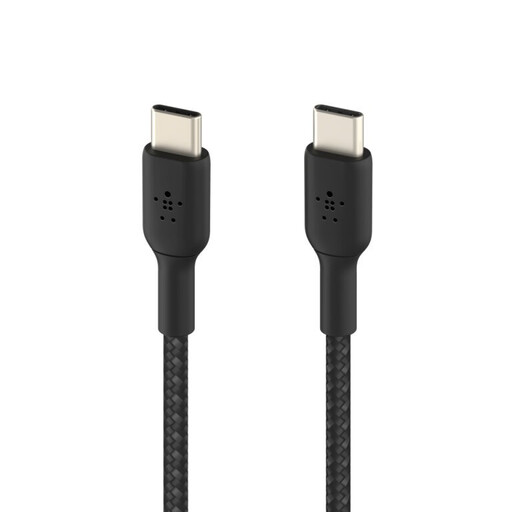
Why it stands out?: This cable combines Belkin's renowned reliability, a convenient 2-metre length, and an exceptionally durable braided design. The manufacturer claims it can withstand over 30,000 bends.
Pros?:
Who is it for?? For those seeking a long and reliable cable for everyday use (home, office, travel) who want to combine convenience and durability for their smartphones, tablets, and ultra-portable laptops.
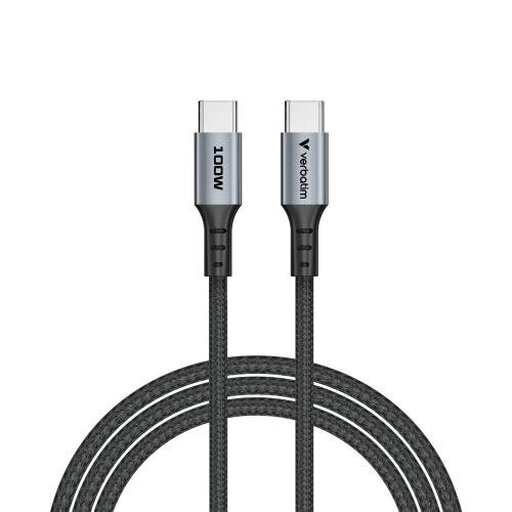
Why it stands out?: This model from Verbatim offers an excellent balance of high power and reinforced construction. It's a highly versatile solution, ideal for laptop owners.
Pros?:
Who is it for?? For professionals, students, or anyone using a Power Delivery-compatible laptop (like a MacBook Pro or Dell XPS). It's the ultimate heavy-duty cable for handling 100W at work or at home.
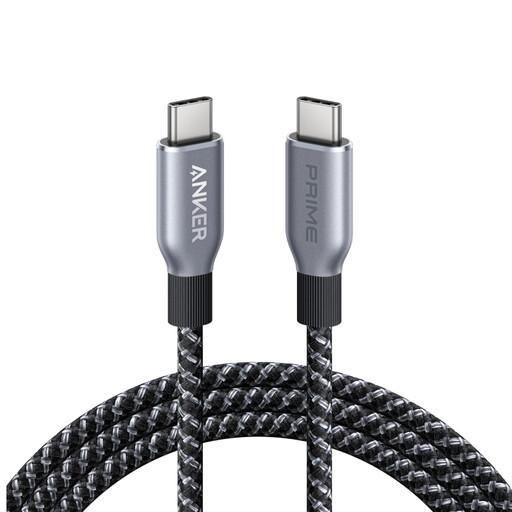
Why it stands out?: With its 240W compatibility, this Anker cable is at the cutting edge of USB-C technology. Designed for the latest and most powerful devices, it also incorporates an eco-friendly approach by using recycled materials.
Pros?:
Who is it for?? For tech enthusiasts, content creators, and gamers with cutting-edge hardware (gaming laptops, workstations) who demand maximum power. It's the future-proof choice for anyone who wants a 240W USB-C cable without compromise.
Our selection covers the most common needs, but the world of accessories is vast. Need a different length, a specific colour, or a unique feature? Many other options are available.
Feel free to explore our full range of USB C to USB C cables to find the perfect model for your gear and your habits.
A 100W cable meets the current standard for most laptops. A 240W cable, on the other hand, complies with the new Power Delivery 3.1 standard and can power much more energy-demanding devices. Rest assured, a 240W cable is backward compatible?: it will charge a 100W device without any issues. The reverse, however, is not possible. Opting for a 240W USB-C cable is an investment in the future.
Yes, absolutely. The braided nylon sheath offers far better protection against fraying, cuts, and repeated twisting than a simple plastic jacket. Of course, the strength of the connectors and strain relief also plays a role, but the braiding remains an excellent indicator of robustness.
In theory, yes, any USB-C cable will plug in. In practice, the performance will be worlds apart. To charge a MacBook Pro efficiently, it is essential to use a Power Delivery USB-C cable rated for at least 60W to 100W (depending on your model). Using a low-power cable, like one for a smartphone, will result in excruciatingly slow charging or even battery drain if the machine is under load.