
Livraison le jour même ou le lendemain

Qualité garantie

Débloquez vos offres de bienvenue: Livraison GRATUITE | Jusqu'à -80 % | 30 jours d'essai gratuits à JoyPlus
Téléchargez l'application
Who hasn't been frustrated by a cable that charges at a snail's pace, frays after a few months, or turns out to be far too short? Faced with the jungle of available options, choosing a new USB-C cable can quickly become a headache.
Don't worry, we're here to guide you. Follow our advice to find the reliable, high-performance cable you need for everyday use, whether it's for charging your iPhone 15, your Samsung S24, or your laptop.
Before diving into our selection, here are three essential criteria to check to ensure you make the right choice.
The first crucial point: the connectors at each end of the cable.
Be aware that not all USB-C cables are created equal when it comes to performance. For truly efficient charging, check the maximum power (in watts, W) the cable can handle. A fast charging cable compatible with technologies like Power Delivery (PD) or Quick Charge (QC) will recharge your iPhone 15 or Samsung S24 in record time compared to a basic cable. For a laptop, a model supporting 60W or 100W is often essential.
Tired of cables that fail after just a few months? A cable's durability primarily depends on its construction. A braided nylon cable will offer much better resistance to wear, twisting, and repeated bending than a simple plastic one.
Length, on the other hand, is purely a matter of convenience.
Here are the models that caught our eye for their reliability, performance, and excellent value for money.
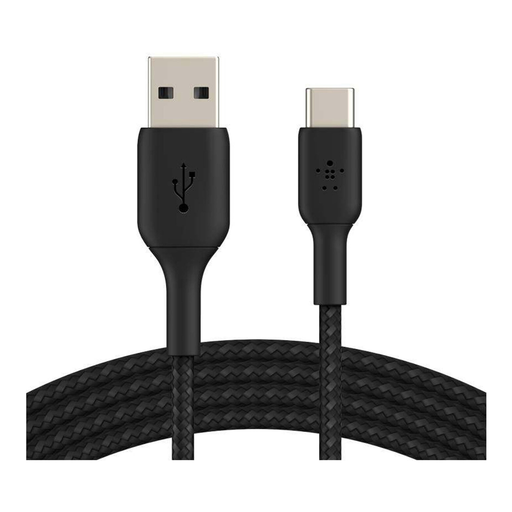
Why it stands out? This Belkin cable is the perfect blend of durability and practicality. Its braided nylon sheath promises exceptional longevity: the manufacturer claims it can withstand over 30,000 bends. Its 2-meter length offers very comfortable freedom of movement, while its USB-IF certification guarantees flawless compatibility and safety.
Advantages:
Who is it for? Ideal for those looking for a long and sturdy replacement cable to connect their USB-C devices (smartphone, tablet, console...) to chargers or computers still equipped with USB-A ports.
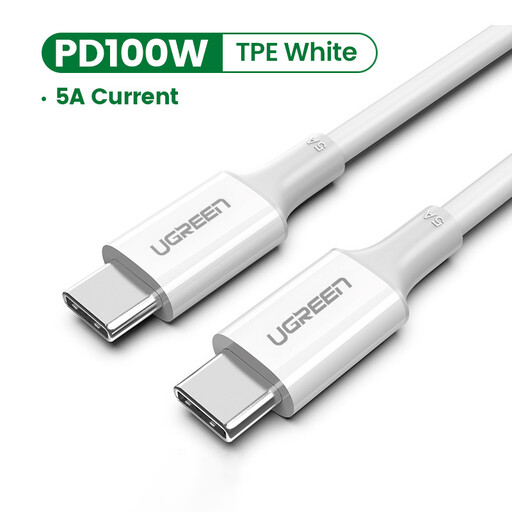
Why it stands out? This UGREEN cable is all about performance. It's a USB-C to USB-C model capable of delivering up to 100W (5A) of power, making it compatible with the most demanding fast charging protocols (Power Delivery, Quick Charge 4.0). It will therefore easily power not only smartphones but also tablets and many laptops.
Advantages:
Who is it for? For users of modern devices (smartphones, tablets, laptops) who want to get the most out of their USB-C charger and reduce their charging time to an absolute minimum.
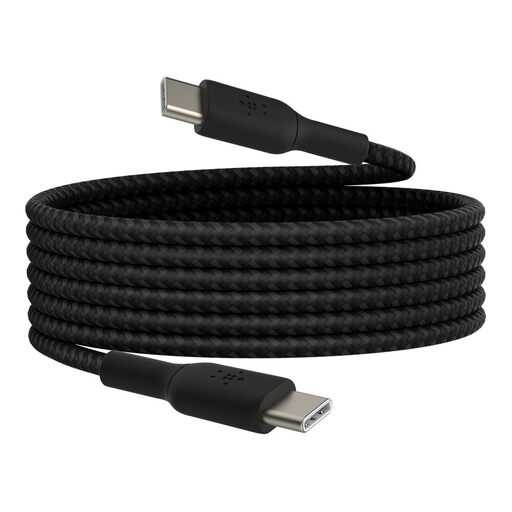
Why it stands out? This model is an excellent compromise: it combines the durability of a braided cable, the convenience of a 2-meter length, and the performance of a USB-C to USB-C connection. It delivers up to 60W, which is more than enough power for fast charging most smartphones, tablets, and even some ultra-portable laptops. Its USB-IF certification provides peace of mind.
Advantages:
Who is it for? For those who want a do-it-all cable: long, durable, and compatible with fast charging for all their modern USB-C devices.
Our selection covers the most common needs, but the market is full of options. Length, colour, technical specifications... don't hesitate to explore other models to find the perfect cable.
? Discover our full range of USB to Type-C cables to find the one that perfectly suits your needs.
Although they share the same reversible connector, their capabilities are not the same. USB-C is a universal standard for charging and data transfer. Thunderbolt (3, 4, and 5) is a technology layer that uses the same connector to offer blazing-fast data transfer speeds (up to 40 Gbps and beyond), support for multiple 4K displays, and other advanced features. For everyday use (charging, syncing), a standard USB-C cable is perfectly fine.
In theory, yes, a longer length can cause a tiny loss of power. However, with a high-quality 2 or 3-meter cable, like a certified 2m cable, this loss is negligible and will have no noticeable impact on the charging speed of your smartphone or tablet. The quality of the materials and internal shielding plays a much more important role than length alone.
The first thing to do is look for the USB-IF (USB Implementers Forum) certification logo. This label guarantees that the cable has passed a series of tests and meets industry standards for safety and performance. Opting for reputable brands and robust materials, such as a braided cable sheath, is also an excellent sign of quality.