
Livraison le jour même ou le lendemain

Qualité garantie

Débloquez vos offres de bienvenue: Livraison GRATUITE | Jusqu'à -80 % | 30 jours d'essai gratuits à JoyPlus
Téléchargez l'application
The tablet market is a real jungle. Navigating the maze of operating systems, screen sizes, and price points can be overwhelming. Whether you're a student looking for a productivity tool, a professional on the go, or a family seeking an entertainment screen, finding the perfect fit is crucial.
This guide is here to help you make sense of it all. We'll break down the essential selection criteria and present our top tablet picks for 2026, tailored to every need and budget, so you can make the right choice.
Before diving into our selection, it's important to define your needs based on a few key criteria.
This is arguably THE criterion that will shape your entire experience.
The screen diagonal is a constant trade-off between user comfort and portability.
Don't forget connectivity. Wi-Fi alone is sufficient for home use. But to stay connected anywhere, anytime, a 5G tablet is becoming almost essential.
Your intended use will dictate which technical specifications to prioritise.
Now for our selection, featuring three models aimed at very different profiles, from the budget-conscious to the user seeking ultimate performance.
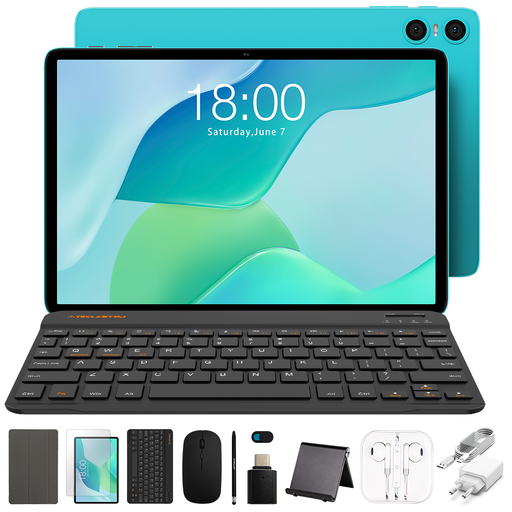
Why it stands out? The TECLAST P33 plays the all-in-one card. Delivered with 11 accessories, including a case and a keyboard, it's a turnkey solution, ready to use right out of the box. A formidable option for anyone looking for a budget-friendly tablet without giving up the essentials.
Key features:
Who is it for? Perfect for students, families, or as a first-ever tablet. It handles browsing, emails, video streaming, and light office tasks without a hitch.
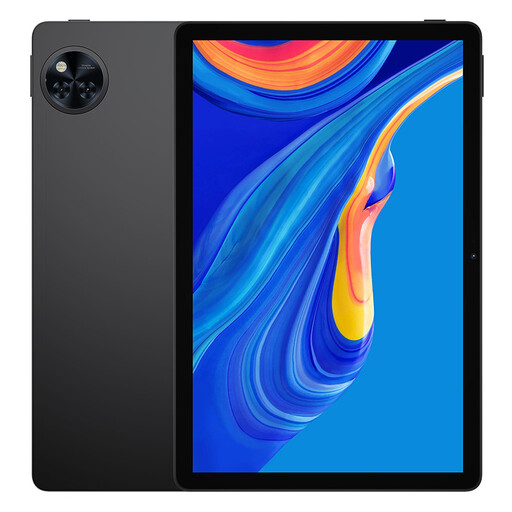
Why it stands out? The DOOGEE U11 strikes the right balance between performance and price. Its large 11-inch screen with a 90 Hz refresh rate ensures a very pleasant fluidity for both streaming and browsing. Its large battery and dual-band Wi-Fi connectivity make it a prime ally for entertainment.
Key features:
Who is it for? For media consumption enthusiasts (films, series, casual games) who want a smooth visual experience on a large screen without breaking the bank on a premium model.
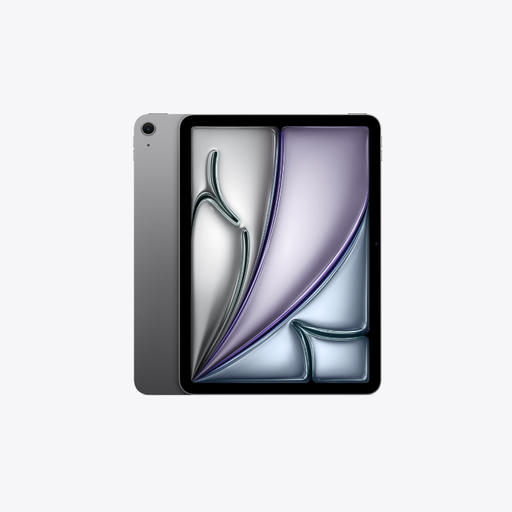
Why it stands out? The iPad Air M4 is a powerhouse. Powered by the Apple M4 chip, it delivers top-tier performance for the most demanding tasks, from 4K video editing to professional drawing. Its stunning 13-inch Liquid Retina display and 5G connectivity make it the ultimate tool for productivity and creativity on the go.
Key features:
Who is it for? It's aimed at professionals, creatives, students in the most demanding fields, and more generally, anyone who wants the pinnacle of performance with seamless integration into the Apple ecosystem.
Our selection is just a glimpse, and the market is full of other gems. If constant connectivity on the move is non-negotiable for you, whether for work or entertainment, other options are available.
? Discover our full range of cellular tablets to stay connected wherever you are.
What is the average lifespan of a tablet? A tablet generally has a lifespan of 3 to 5 years. It all depends on its build quality, your usage, and especially the duration of software support (security and feature updates) guaranteed by the manufacturer.
Can a tablet with a keyboard replace a laptop? For everyday use (note-taking, writing, web browsing, emails), a tablet with a keyboard is an excellent alternative, often lighter and more versatile. However, for demanding software (advanced video editing, coding, 3D) or truly intensive multitasking, a laptop still has the edge.
Should I choose a 5G or a Wi-Fi-only tablet? It all depends on how mobile you are. If your tablet rarely leaves your home or office (where Wi-Fi is king), a Wi-Fi-only model is more than enough and more economical. On the other hand, if you're always on the go and constant internet access is vital for work or streaming, a 5G tablet will be a game-changer in terms of freedom.