
Livraison le jour même ou le lendemain

Qualité garantie

Débloquez vos offres de bienvenue: Livraison GRATUITE | Jusqu'à -80 % | 30 jours d'essai gratuits à JoyPlus
Téléchargez l'application
The tablet market is a crowded and constantly evolving landscape, which can make choosing the right one a daunting task. Between the different operating systems, screen sizes, and performance levels, it's easy to feel lost. This guide is here to cut through the noise, giving you clear insights and targeted recommendations. Whether you're a student, a professional, a creative, or simply looking for a screen for entertainment, we'll help you find the tablet that's truly right for you.
Before diving into our selection, let's review the key factors that will guide your choice.
This is often the first, and most significant, dilemma.
Your daily activities will dictate the screen size and processing power you'll need.
The right accessory can transform your tablet. Compatibility with a stylus is a real advantage for note-taking or drawing. A detachable keyboard can turn it into a capable laptop substitute for office tasks. Also, consider storage: if you handle a lot of files, an affordable tablet with a microSD port will be much more economical in the long run than a model with generous but fixed internal storage.
Our editorial team has scrutinised the must-have models of the moment. Here are our recommendations, designed for different profiles and budgets.
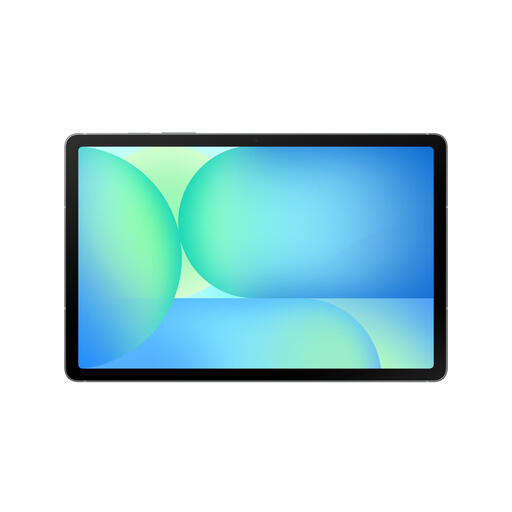
Why It Stands Out
The Galaxy Tab S10 FE is the ultimate Swiss Army knife on Android. It packs in well-designed AI features and benefits from a solid build. Its real strength: the S Pen stylus is included right in the box, making it an unbeatable productivity/creativity package in this price segment. Its features-to-price ratio is frequently praised.
Its Strengths
Who Is It For?
This is the ideal tablet for students, as well as for mobile professionals who want a powerful and durable Android device that's ready to go without having to pay extra for essential accessories.
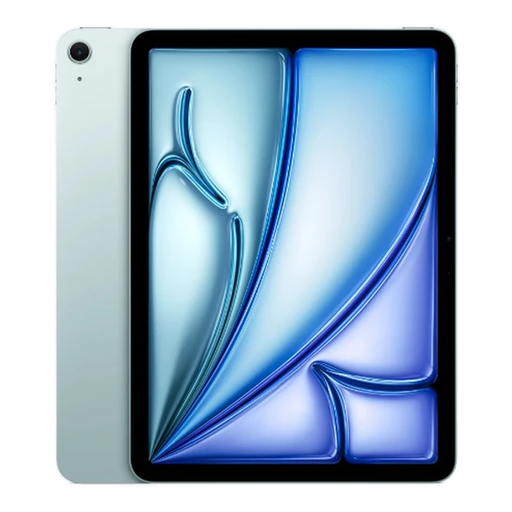
Why It Stands Out
The iPad Air offers the power of a laptop in the slim profile of a tablet. Its large 13-inch Liquid Retina display, combined with the raw performance of the M3 chip, makes it a powerhouse for heavy tasks, from video editing to professional drawing. It can run the most demanding applications without breaking a sweat.
Its Strengths
Who Is It For?
For creatives, professionals, and demanding users who want maximum firepower in a portable format. A wise investment for those already in the Apple ecosystem or anyone looking for a true alternative to their laptop.
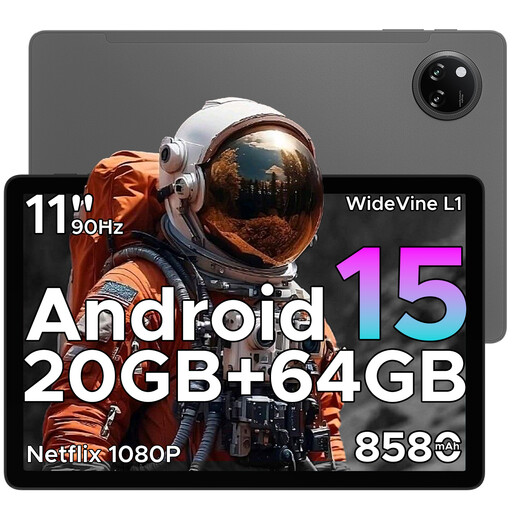
Why It Stands Out
The DOOGEE TAB A9+ is the value-for-money champion for entertainment. For a rock-bottom price, it offers a large 11-inch screen, a marathon-like battery, and, most importantly, the Widevine L1 certification essential for enjoying Netflix or Prime Video in HD. It's hard to do better at this price.
Its Strengths
Who Is It For?
For anyone looking for a simple and effective tablet for multimedia (videos, casual games, social media) and everyday tasks, without breaking the bank.
Did none of these models catch your eye? Or perhaps you absolutely need a 4G/5G connection to stay productive on the move?
? Explore our complete selection of 3G Tablets to discover other gems.
1. What is the lifespan of a tablet? On average, you can expect a tablet to last between 3 and 5 years. It all depends on your usage, the build quality, but most importantly, the duration of software support (security updates) offered by the manufacturer and how well you care for the battery.
2. What storage capacity should I choose? It all depends on your needs. For simple use (streaming, web), 64GB may be sufficient. For mixed use (student, professional), aim for 128GB or 256GB to be comfortable with your apps, documents, and media. If you work with large files (4K video, graphic design projects), 256GB is the minimum. In this case, a model with a microSD port is often a smart choice to expand storage affordably.
3. Can a tablet really replace a laptop? Yes, for many tasks! Web browsing, emails, note-taking, streaming... a tablet handles all of this wonderfully. With a keyboard, it becomes a good substitute for office work. However, for very specific software (advanced video editing, 3D), intensive multitasking, or AAA games, a laptop will still have the edge.