
Livraison le jour même ou le lendemain

Qualité garantie

Débloquez vos offres de bienvenue: Livraison GRATUITE | Jusqu'à -80 % | 30 jours d'essai gratuits à JoyPlus
Téléchargez l'application
Whether you're replacing Joy-Cons suffering from drift, inviting a friend over for heated multiplayer nights, or simply looking for more comfort while playing Zelda, choosing a new Switch controller can quickly become a daunting task. Between the official models and the jungle of third-party controllers, it's easy to get lost.
This guide is here to help you make sense of it all. We've broken down the key criteria and selected the controllers that stand out from the crowd, for every need and budget. They are compatible with the Nintendo Switch, Switch Lite, Switch OLED, and even the upcoming Switch 2.
Before diving into our selection, let's review the key points that will guide your decision.
The choice between a wireless Switch controller and a wired model depends primarily on your gaming habits.
Grip and handling are crucial. While the Joy-Cons shine with their versatility, a more traditionally shaped controller, like a Switch Pro Controller, proves far more comfortable for long gaming sessions.
Certain features can also make all the difference:
With new consoles on the horizon, compatibility is becoming essential. Today, many controllers are no longer limited to the Switch family and also work on PC, while already being prepared for the Switch 2 controller. Choosing a multi-platform Switch-compatible controller is a surefire way to make a future-proof purchase.
Let's get to the specifics with models that have caught our eye, each with its own unique strengths.
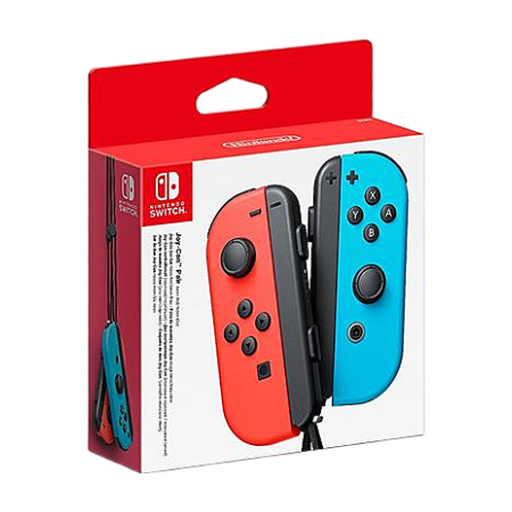
Why this choice? This is the official option from Nintendo, guaranteeing perfect integration and compatibility. Their unique modularity allows you to instantly switch from handheld to TV mode, or to share a Joy-Con for an impromptu two-player game.
Key features?:
Who is it for? For purists who want the authentic Nintendo experience, families looking for a simple and quick multiplayer solution, and anyone who simply needs to replace an original controller.
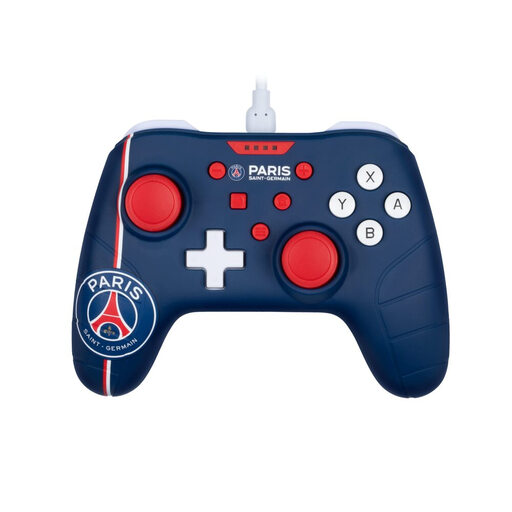
Why it stands out: Officially licensed by Paris Saint-Germain, this controller combines a bold design with an extremely competitive price point. Its wired connection frees you from battery constraints and guarantees flawless responsiveness.
Key features?:
Who is it for? For gamers on a tight budget, PSG fans, and those who prefer the reliability of a wired connection to never be cut off mid-game. An excellent Nintendo Switch accessory for marathon sessions.
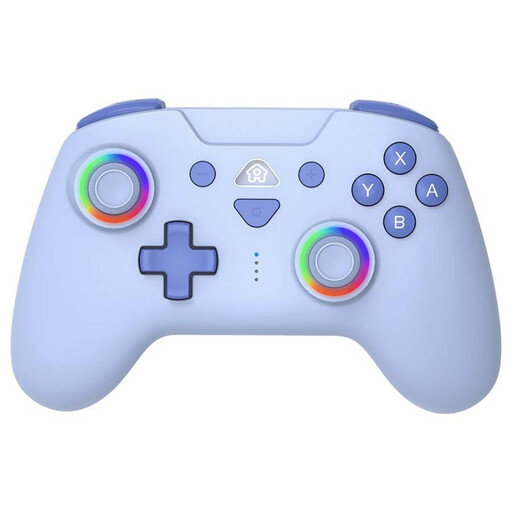
Why it stands out: The Subsonic controller is an excellent alternative to the official Pro Controller. It includes advanced features, like programmable back buttons, which are usually only found on much more expensive models.
Key features?:
Who is it for? For demanding gamers looking for performance and customisation without breaking the bank. Perfect for FPS or action games where responsiveness and shortcuts make all the difference.
Looks matter, too! If blue is your colour of choice, your search doesn't have to end here.
? Discover our complete selection of blue controllers to find the one that perfectly matches your style.
1. What's the difference between a Pro Controller and the Joy-Cons? The Switch Pro Controller offers traditional ergonomics, similar to controllers for other consoles, with a much more comfortable grip for long sessions. The Joy-Cons, being smaller and modular, are masters of versatility (handheld play, two-player games, motion controls). The choice depends on your need for comfort and your favourite games.
2. Are third-party Switch controllers reliable? Yes, many third-party brands like Konix or Subsonic offer excellent controllers, often at more affordable prices. They can even offer features not found on official models, such as programmable buttons. Our advice: stick to reputable brands that comply with European Conformity (CE) standards.
3. How do I connect a new wireless controller to the Switch? It's very simple! On your console, go to the "Controllers" menu, then "Change Grip/Order". Next, press and hold the small sync button on the top edge of your new controller for a few seconds. The console will detect it, and you're all set