
Livraison le jour même ou le lendemain

Qualité garantie

Débloquez vos offres de bienvenue: Livraison GRATUITE | Jusqu'à -80 % | 30 jours d'essai gratuits à JoyPlus
Téléchargez l'application
Turning on the coffee maker from your bed, simulating your presence during a holiday, or monitoring your devices' consumption: what once seemed like science fiction is now remarkably simple. The Wi-Fi smart plug is the easiest and most affordable accessory to make any electrical appliance smart. But with an overwhelming number of options on the market, it can be difficult to know where to start.
This guide is here to break down the key selection criteria and introduce you to the best models to begin or expand your smart home setup.
Before you buy, here are a few points to check to ensure you make the right choice.
The main advantage of a smart plug is the ability to control it with your voice. Therefore, make sure it is compatible with the voice assistants you use daily. While most models work with the market leaders, it's worth double-checking if you are specifically looking for an Alexa-compatible smart plug or a Google Home-compatible smart plug. Good integration will allow you to create complex routines, such as turning everything off with a simple "Good night".
Some appliances are real energy hogs. A smart plug with energy monitoring helps you identify the biggest culprits, directly from an app on your smartphone. You can view real-time consumption and also check the history over several days or months. It's the perfect tool for tracking down waste and reducing your bills, for instance, by completely cutting off power to devices that continue to draw power in standby mode.
You have different expectations for a plug powering a living room lamp versus one for garden string lights. A model intended for outdoor use must be designed to withstand the elements. Check for an IP44 certification (or higher), which guarantees protection against water splashes. These plugs are perfect for automating your patio lighting, a fountain pump, or your Christmas decorations.
We have selected a few models that meet different needs, whether you're looking to equip several rooms, control your garden, or monitor a specific appliance.
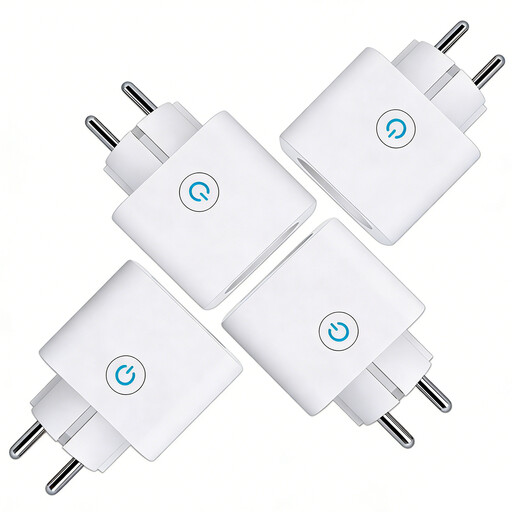
Why it stands out: This four-pack of plugs offers excellent value for money to connect multiple devices at once. It combines the three most sought-after features: remote control, voice compatibility, and energy monitoring.
Pros:
Who is it for? Ideal for those just starting with home automation who want to affordably equip several rooms (living room, bedroom, kitchen) without compromising on the essentials.
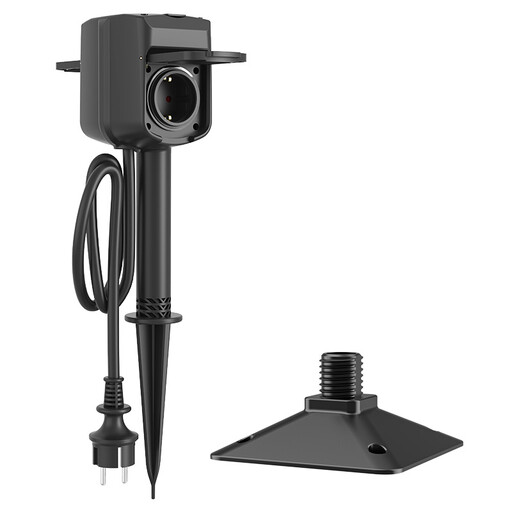
Why it stands out: Specifically designed for the outdoors, this dual-outlet plug is a robust and clever solution for controlling garden lighting or appliances. Its ground stake ensures a stable and secure installation.
Pros:
Who is it for? For any owner of a garden, balcony, or patio who wants to automate and remotely control their lights, pumps, and outdoor decorations, whatever the season.
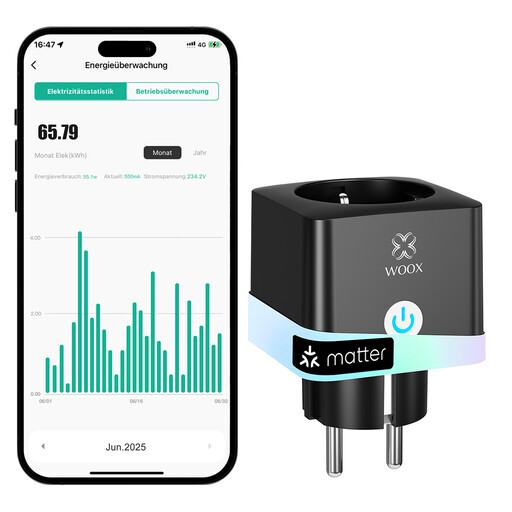
Why it stands out: This model focuses on precise energy surveillance and deep integration. Its minimalist design and broad compatibility make it a top-tier choice for a specific need.
Pros:
Who is it for? For those who want to closely monitor the consumption of an energy-intensive device (space heater, dehumidifier, home server...) or who require seamless integration with multiple voice assistants.
Our selection covers the most common needs, but every smart home setup is unique. If you have specific requirements or simply want to compare other models, take a look at our full catalogue.
? Discover all our smart plugs
1. Does a Wi-Fi smart plug use a lot of electricity? No, its own consumption is negligible. In standby, a Wi-Fi smart plug typically consumes less than 1 watt. The savings you'll achieve by truly turning your devices off (rather than leaving them in standby) more than offsets this minimal cost.
2. Do I need a hub or bridge to use a smart plug? No, not for Wi-Fi models. This is one of the major advantages of a Wi-Fi smart plug: it connects directly to your internet router, without requiring an intermediary device (hub or bridge). Installation is therefore a breeze: just plug it in and configure it via the mobile app.
3. How do I install a Wi-Fi smart plug? Installation is child's play and only takes a few minutes. Plug in the socket, download the manufacturer's app (like Smart Life or Woox Home), create an account, and then follow the guided steps to connect it to your 2.4 GHz Wi-Fi network.