
Livraison le jour même ou le lendemain

Qualité garantie

Débloquez vos offres de bienvenue: Livraison GRATUITE | Jusqu'à -80 % | 30 jours d'essai gratuits à JoyPlus
Téléchargez l'application
More than just a gadget, your Apple device is an everyday companion for work, creativity, and communication. But beyond simple scratch protection, a well-chosen screen protector can literally transform your experience. Whether you dream of recapturing the feel of paper when drawing on your iPad, or you need to shield your data from prying eyes on your commute, the right accessory makes all the difference.
This guide focuses on specialised screen protectors, designed to meet specific needs: creativity, productivity, and security.
To make the right choice, you first need to understand what sets each type of protector apart. Here are the essential criteria to consider.
It all depends on your priority: impact resistance or flexibility?
Today, a screen protector does more than just defend your device.
It may seem obvious, but always double-check that the protector is designed for your specific model, whether it's a protector for the 13-inch iPad Pro or an iPhone 17 Pro. Precise cutouts are crucial to avoid obstructing sensors (like Face ID) or the front camera. The good news: most brands now include an installation kit for a perfect, bubble-free application.
Here is a selection of products that meet specific needs, chosen for their features and design.
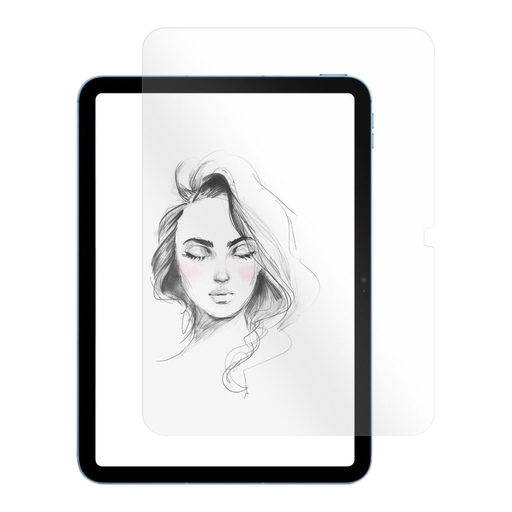
Why it stands out
FIXED PaperGlass successfully merges the sturdiness of tempered glass with a unique textured surface. This finish replicates the feel of paper, offering stunning control and precision for those who use the Apple Pencil to draw or take notes.
Highlights
Who is it for?
Artists, designers, students... In short, anyone who uses their iPad as a notebook or sketchbook and is looking for a more tactile and precise feel.
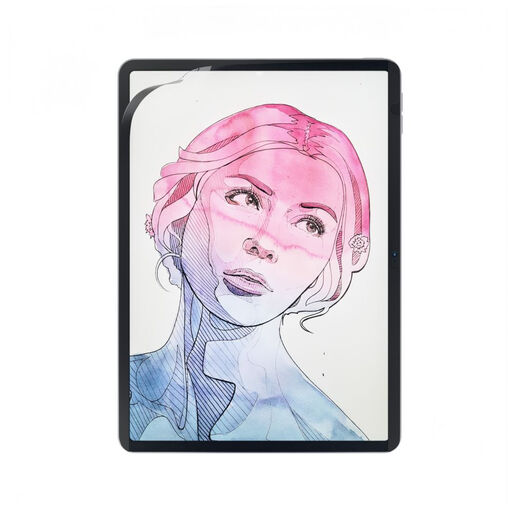
Why it stands out
The magnetic screen protector PaperFilm by FIXED offers the best of both worlds: a paper-feel surface when you need it, and a brilliant Retina display the rest of the time. Its magnetic attachment makes it infinitely removable, without the hassle of a permanent installation.
Highlights
Who is it for?
For iPad users who switch between creating and consuming media. Ideal for those who want a paper texture for drawing, then want to remove it to enjoy the full quality of the Retina display when watching a movie.
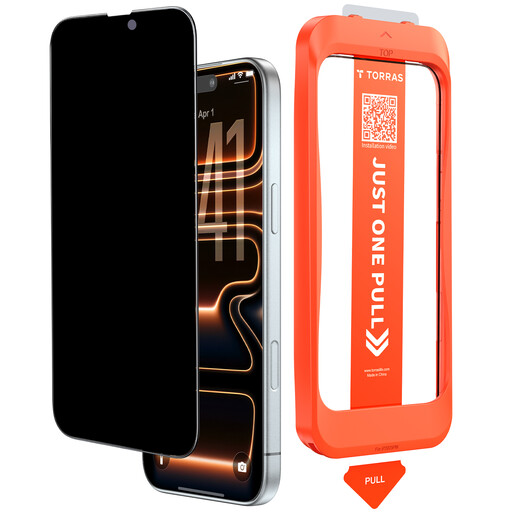
Why it stands out
This privacy filter from TORRAS is a true vault for your data. Its micro-louver technology narrows the viewing angle to just 25 degrees. The result: to your neighbour, the screen is completely black.
Highlights
Who is it for?
For professionals, frequent commuters, and anyone who views sensitive information (emails, banking, messages) in public places. Your open-plan office or the train becomes your private bubble.
If privacy is your number one criterion, our catalogue is full of other models and brands. Explore all our solutions to keep your data safe from prying eyes.
? Discover our complete selection of privacy filters
1. Does a privacy filter really darken the screen?
Yes, it's an unavoidable physical effect: a privacy filter always slightly reduces brightness, even when viewed head-on. However, recent models like the one from TORRAS incorporate optical technologies that significantly limit this dimming and preserve colour fidelity. You often just need to turn up the device's brightness a notch or two to compensate.
2. Does a "paper-feel" protector wear down the Apple Pencil tip faster?
Yes, the textured surface of a paper-feel protector logically creates more friction than a smooth screen. Therefore, you can expect the tip of your Apple Pencil to wear down a bit faster. It's the small trade-off for a far superior drawing sensation and control. Rest assured, Apple Pencil tips are designed to be easily replaced.
3. Is tempered glass really stronger than a flexible film?
Yes, without a shadow of a doubt when it comes to impacts. Tempered glass acts like a fuse: it's designed to shatter upon absorbing the energy of an impact, sacrificing itself to save your screen. A flexible film, on the other hand, is an excellent shield against everyday scratches, but it won't do much in the event of a major drop.