
Livraison le jour même ou le lendemain

Qualité garantie

Débloquez vos offres de bienvenue: Livraison GRATUITE | Jusqu'à -80 % | 30 jours d'essai gratuits à JoyPlus
Téléchargez l'application
Remote work, a proliferation of gadgets... our offices and living rooms have become true cable jungles. Between the computer, monitor, printer, and smartphone that needs charging, a single wall outlet is quickly overwhelmed. Far from being a simple accessory, a power strip with individual switches is an indispensable tool for controlling your electricity consumption, protecting your valuable devices, and finally, bringing some order to your setup.
This guide aims to help you navigate the available options, focusing on technical criteria and practical uses to enable you to make an informed choice.
Before you jump on the first model you see, it's crucial to understand what separates a simple power bar from a complete and secure solution.
Sure, a power strip is for plugging in devices. But its most important role is to protect them.
A good power strip should adapt to your needs and the layout of your room, not the other way around.
The design of the power strip has a direct impact on the organisation and optimisation of your space.
Here are a few models that cater to different scenarios, whether you're looking to equip a full office, your TV area, or a mobile workstation.
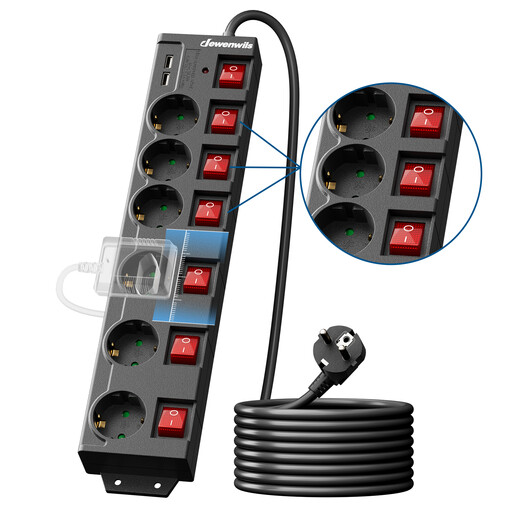
Why it stands out
This model is a true Swiss Army knife. It combines a large connection capacity, modern charging options, and rock-solid security. Its extra-long 5-metre cable makes it an ultra-versatile choice for large rooms or complex office setups.
Advantages
For whom??
Ideal for remote workers, content creators, or for equipping a complete TV unit (television, console, internet box, soundbar). Its versatility meets the needs of users who juggle numerous devices that need to be powered and protected.
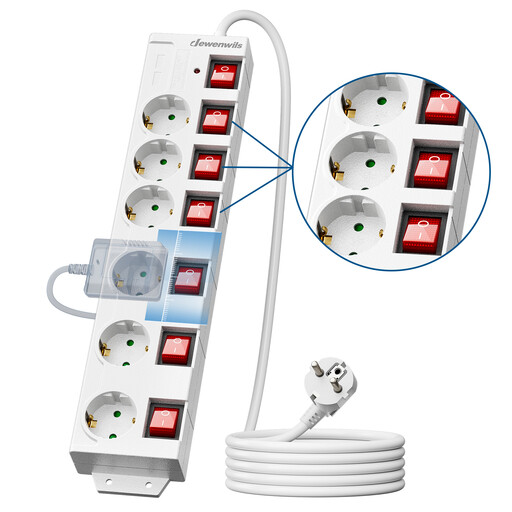
Why it stands out
This switched power strip gets straight to the point?: providing a secure and perfectly controlled power supply for six devices. Without USB ports, it is a reliable and cost-effective solution for those who primarily need 230V outlets.
Advantages
For whom??
Perfect for a workshop, kitchen, or living room where appliances (home appliances, lamps, tools) don't require USB charging. A pragmatic choice for extending and securing your home's electrical setup.
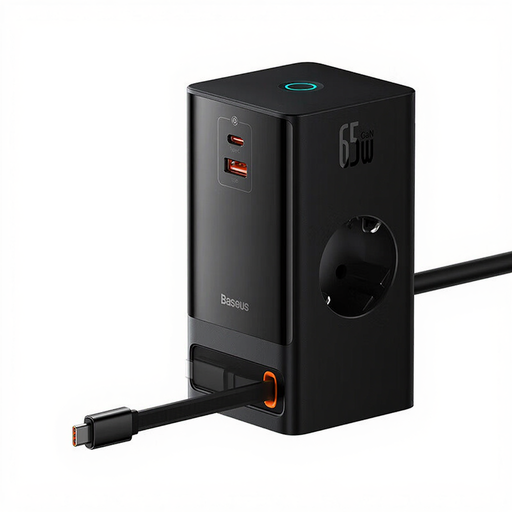
Why it stands out
This isn't just a power strip; it's a productivity hub. Compact, powerful, and boosted by GaN technology, the Baseus PowerCombo is a true all-in-one charging station. Its sleek design and advanced features make it the perfect item for minimalist desks and tech enthusiasts.
Advantages
For whom??
The dream tool for mobile professionals, students, and all fans of a clean desk who want a single, elegant solution to simultaneously power a computer, phone, tablet, and other accessories.
Our selection covers the most common needs, but every setup is unique. Do you need more outlets, a different cable length, or specific features? A multitude of solutions exist.
What's the point of a power strip with individual switches??
The advantage is twofold. On one hand, comfort?: no more twisting and turning to unplug a device; a simple click of the switch is all it takes. On the other, energy savings?: many devices consume electricity even when on standby. Cutting their power at the source eliminates this "phantom" consumption and can tangibly lower your electricity bill.
What's the difference between surge protection and a circuit breaker??
Imagine the circuit breaker (or overload protection) as a bodyguard. If you plug in too many powerful devices, it cuts the power to prevent overheating and the risk of fire. Surge protection, on the other hand, is a shield against external threats, like a voltage spike on the grid caused by a storm. The two are complementary for optimal safety.
How do you safely mount a wall power strip??
Always use the mounting holes provided on the back of the power strip. Choose screws and anchors appropriate for your wall type (plasterboard, brick, wood...). Ensure the unit is securely fastened before plugging in your devices. Golden rule?: never hang it by its own cable and make sure you never exceed the maximum power rating indicated by the manufacturer.