
Livraison le jour même ou le lendemain

Qualité garantie

Débloquez vos offres de bienvenue: Livraison GRATUITE | Jusqu'à -80 % | 30 jours d'essai gratuits à JoyPlus
Téléchargez l'application
Transforming your living room into a cinema, setting up an impromptu movie night on a wall during vacation, or sharing a presentation on the go: this is the enticing promise of the portable projector. But with a plethora of options on the market, it's hard to know where to start. Our guide is here to help you cut through the noise and choose the model that truly meets your needs, without getting bogged down in technical jargon.
Before diving into our top picks, let's review the key criteria for making the right choice.
Image quality rests on two fundamentals: brightness, measured in ANSI lumens, and native resolution.
A true portable projector should be easy to use.
Portability is about more than just size. Weight, battery life, and features that simplify setup are just as crucial.
We've selected three models that stand out for their performance and cater to specific use cases.
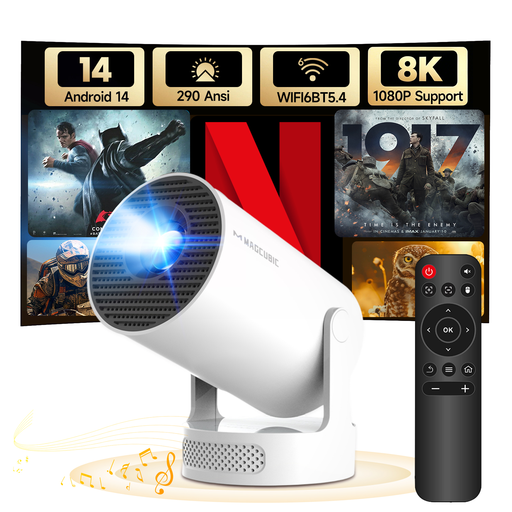
Why we love it: The MAGCUBIC HY300Pro+ is all about versatility. Its 180° rotating design lets you project an image onto the ceiling in an instant, perfect for watching movies from your bed. Its feather-light weight and Android 14 system make it an excellent travel companion.
Key Features:
Who is it for? This mini-projector is perfect as an ultra-portable secondary solution: for travel, the kids' room, or occasional projections in small spaces.
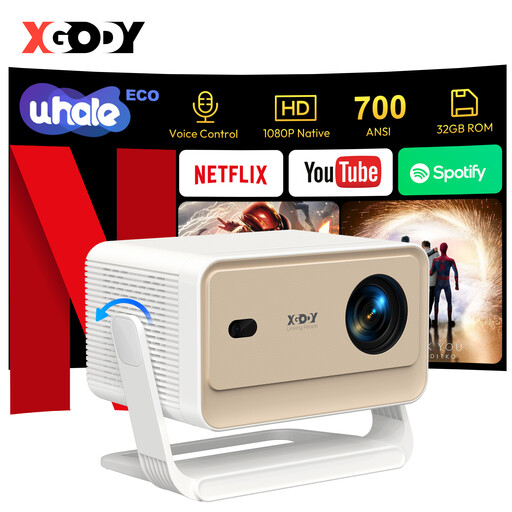
Why we love it: The XGODY N6 Pro takes things up a notch with a native Full HD 1080p resolution and 700 ANSI lumens of brightness, making it much more comfortable in semi-lit rooms. Its trump card? The WhaleOS 3.0 operating system, which includes an official Netflix license. This guarantees smooth, high-definition streaming, which is far from a given on all devices.
Key Features:
Who is it for? Ideal for cinephiles and families looking for a high-performance, intuitive portable home cinema solution that can replace a TV for a movie or series night.
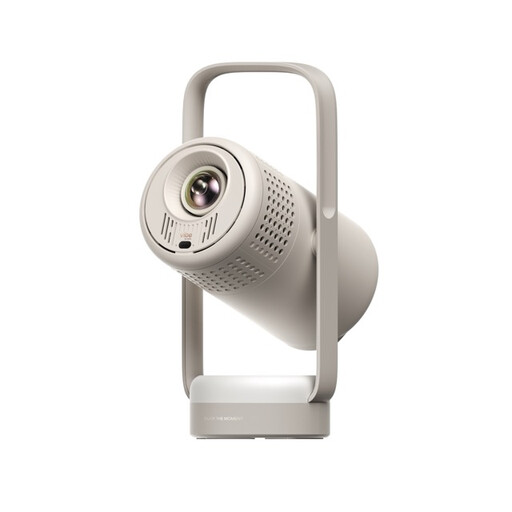
Why we love it: The XGIMI Vibe One is a true all-in-one solution. The bundle includes not only a high-performance projector but also a projector screen with a stand. It's the ideal package for those who don't want the hassle of finding the perfect white wall. With Google TV, JBL-branded speakers, and a built-in battery, the experience is as complete as it is high-quality.
Key Features:
Who is it for? This bundle is for those who want a turnkey solution without compromising on quality and simplicity. An excellent choice for creating a portable entertainment corner at home or for taking on vacation.
Our selection highlights a variety of use cases, but the world of portable projectors is much broader. If these models don't check all your boxes or if you want to explore other options, many alternatives are available.
To discover a wider range, with models designed for computers and smartphones, feel free to browse our full category of portable projectors for computers and phones.
1. How much brightness (in ANSI lumens) does a portable projector need? For a comfortable experience in complete darkness or at night, 200 to 300 ANSI lumens is a good starting point. If you plan to use it in the evening with some ambient light or during the day with the curtains drawn, it's advisable to aim for a model with at least 500 ANSI lumens to ensure the image remains clear and has sufficient contrast.
2. Can you use a portable projector in broad daylight? Let's be clear: most portable models, even the brightest ones, will struggle to display a decent image in broad daylight or outdoors. Their light output is simply not powerful enough to compete with the sun. They are designed for dim environments. For daytime use, it's essential to be able to make the room dark, or nearly so.
3. How do I connect my smartphone to a portable projector? There are two main methods: The easiest is a wireless connection. If your device is a Wi-Fi Bluetooth projector, you can use screen mirroring features like Google Cast (for Android) or AirPlay (often via third-party apps on Android projectors) to stream content from your smartphone. The second method is wired, using an adapter (e.g., USB-C to HDMI for Android or Lightning to HDMI for iPhone) that connects to the projector's HDMI port.