
Livraison le jour même ou le lendemain

Qualité garantie

Débloquez vos offres de bienvenue: Livraison GRATUITE | Jusqu'à -80 % | 30 jours d'essai gratuits à JoyPlus
Téléchargez l'application
Whether for remote work, travel, studying, or gaming, screen real estate is a rare luxury. Even the most powerful laptop quickly shows its limits when you're juggling multiple windows. The portable monitor emerges as the ideal solution to expand your workspace or gaming setup, wherever you are.
But with a crowded market, how do you find the right one? This guide is here to break down the key criteria and present our selection of the top models available, whether you're looking for a simple second screen for your laptop or a portable display for entertainment.
Before you take the plunge, let's review the key factors that will help you make the right choice based on your needs and equipment.
Today, most portable monitors are all-in on USB-C. And for good reason: a single cable is all you need for both video signal and power. The only requirement? Your computer or smartphone's USB-C port must support DisplayPort Alternate Mode.
If your device isn't equipped with a compatible port, don't worry. Just check that the monitor has a Mini HDMI or HDMI port. In that case, you'll need an additional power source, either via a second USB-C port or a power adapter.
For office work and multimedia, a Full HD 1080p (1920?x?1080 pixels) screen is the sweet spot between display sharpness and power consumption. Most models feature an IPS panel, the gold standard for ensuring wide viewing angles and accurate color reproduction.
For gamers, the game-changing factor is the refresh rate. A 144?Hz portable monitor will offer unparalleled image smoothness compared to a standard 60?Hz model—a decisive advantage in fast-paced games. Creatives, on the other hand, will want to check the color gamut coverage (as a % of sRGB) to ensure perfect color reproduction.
The key advantage of a travel monitor is, of course, its portability. Weight and thickness are therefore top-priority criteria. The slimmest models come in at around 600 grams and are just a few millimeters thick.
Don't overlook ergonomics. An integrated, foldable, or adjustable stand is a real asset for positioning the screen at the right height and perfect angle. Some models even go as far as allowing for a portrait mode orientation, which is great for reading documents or coding.
We've selected three models that excel in their respective categories, from on-the-go productivity to hardcore gaming.
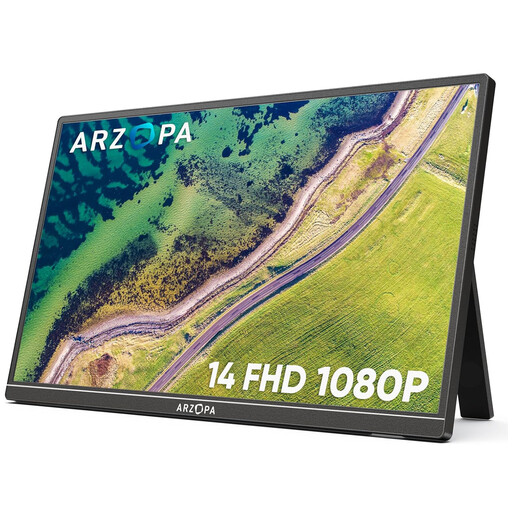
Why it stands out: The ARZOPA A1S is the champion of portability. Weighing in at 600?g with a record-thin design, it was made for those who count every gram in their backpack. Its ease of use makes it a ready-to-go, efficient, and hassle-free laptop screen extender.
Highlights:
Who is it for? Mobile professionals, students, and remote workers looking for a simple, ultralight, and instantly operational second screen to boost their productivity.
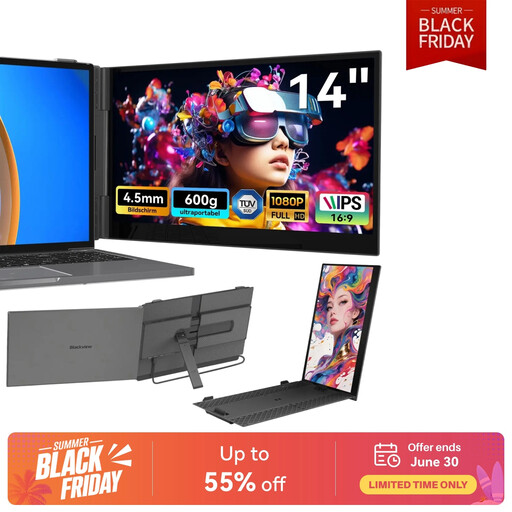
Why it stands out: The Blackview SCM6 focuses on visual comfort. It features T?V S?D certification for hardware-level low blue light emissions, a real bonus for reducing eye strain during long work sessions. Delivered with its carrying case, it's a complete turnkey solution.
Highlights:
Who is it for? Ideal for those who spend hours in front of their screen (developers, writers, analysts) and want to protect their eyes. It's also the peace-of-mind choice for anyone looking for an all-in-one package.
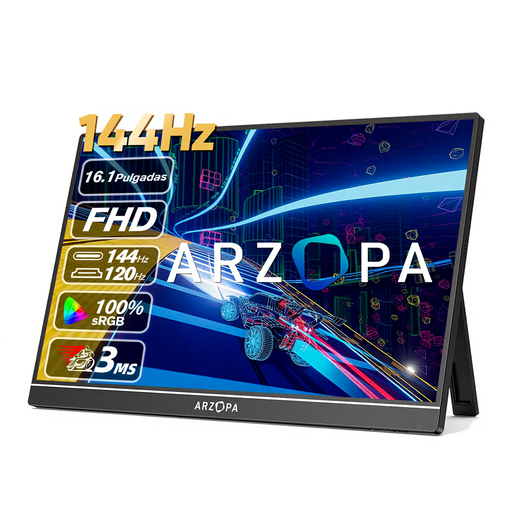
Why it stands out: This monitor is built for gaming. Its secret weapon? A 144?Hz refresh rate that ensures ultra-smooth, responsive action. Paired with a large 16.1-inch panel and excellent color accuracy, it promises a fully immersive gaming experience, whether you're on a PC, PS5, Xbox, or Switch.
Highlights:
Who is it for? Mobile gamers who refuse to compromise on performance. It's the ultimate portable gaming monitor for enjoying your games at 144?Hz anywhere. It will also appeal to creatives for its smoothness and rich colors.
Our selection covers the most common use cases, but your needs might be more specific. The market is evolving rapidly and is filled with other models featuring various sizes, resolutions, and features.
To discover a wider range of monitors, feel free to explore our full catalog.
Explore Our Range of Portable Monitors
It all depends on your connection. With a USB-C port that supports DisplayPort Alternate Mode, a single cable is enough for both video and power. However, if you use the HDMI port, an external power source will almost always be required, via a second USB-C cable connected to your computer or a charger.
Yes! For a smartphone, you'll need a full-featured USB-C port (that handles video output), like those found on most high-end Android models and recent iPhones. For consoles (Nintendo Switch, PS5, Xbox), you can simply connect via the monitor's HDMI port, which will then require its own power supply.
Absolutely. Many models, like the ARZOPA A1S, are designed for this. The orientation is managed by both the monitor's stand and your operating system's display settings (Windows or macOS). It's a real convenience for coding, reading documents, or keeping an eye on your social media feeds.