
Livraison le jour même ou le lendemain

Qualité garantie

Débloquez vos offres de bienvenue: Livraison GRATUITE | Jusqu'à -80 % | 30 jours d'essai gratuits à JoyPlus
Téléchargez l'application
Remote work, business trips, university lectures… Does your laptop screen always feel a bit too small? It's a common feeling. This limited space can quickly become a drag on productivity. Fortunately, the portable monitor is the perfect solution to reclaim the comfort of a dual-monitor setup, wherever you are.
This guide is here to help you navigate the jungle of available models. We'll review the essential buying criteria and present our selection of the best monitors, whether for intensive work or for gaming on the go.
Before you decide, there are a few technical specifications to examine closely to ensure the monitor perfectly matches your needs.
For a portable device, easy connectivity is a non-negotiable criterion. Most recent models revolve around two main options:
A second screen for your laptop should enhance your visual comfort without sacrificing portability.
Not all panels are created equal. IPS (In-Plane Switching) technology is now the most recommended for its wide viewing angles and good colour reproduction. This is an undeniable asset for collaborating with others or for photo editing.
For gamers, two other criteria come into play:
Here are a few models that stand out from the crowd, each catering to a specific user profile.
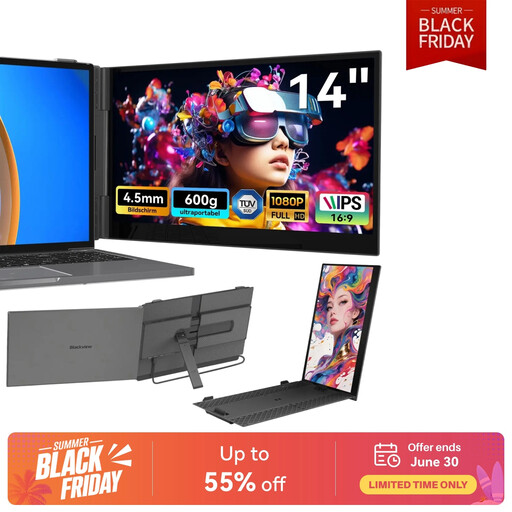
Highlights: This model is a pure laptop screen extender. Designed for absolute mobility, it clips directly onto your computer and impresses with its feather-light weight and record-breaking thinness.
Advantages:
Who is it for? For mobile professionals and students who make portability their number one criterion and want a turnkey solution to double their screen real estate without the bulk.
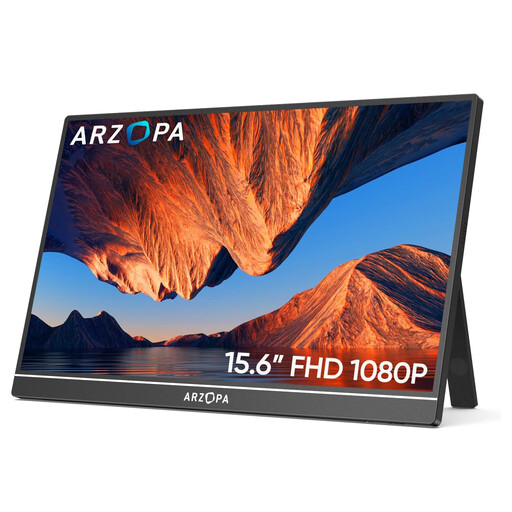
Highlights: The ARZOPA A1 is the Swiss Army knife of our selection. It offers an excellent balance of size, image quality, and compatibility, all in a sturdy metal chassis with a built-in stand.
Advantages:
Who is it for? The user looking for a reliable and versatile portable monitor for Mac/PC, just as comfortable for remote work as it is for an impromptu console gaming session.
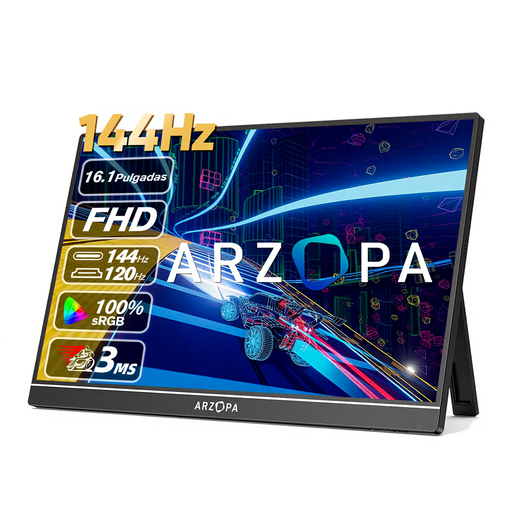
Highlights: This model goes all-in on performance. With its 144 Hz refresh rate, it's tailor-made for demanding gamers who refuse to compromise on fluidity, even on the go.
Advantages:
Who is it for? The laptop or console gamer looking for a no-compromise portable gaming monitor to enjoy their games with maximum fluidity, wherever they are.
The portable monitor market is thriving and caters to very specific needs. If the models in our selection don't check all your boxes, know that there are a multitude of other options available with different sizes, resolutions, or features.
Feel free to explore our full catalogue to find the hidden gem that will perfectly suit your use case.
Discover the entire Digital Display Screen category
The easiest way is to use a USB-C port that supports video signal (DisplayPort Alternate Mode). A single cable is then all you need for both video and power. If your computer doesn't have this type of port, you'll need to use an HDMI cable (often in mini-HDMI format on the monitor's end) for video, and add a second cable (usually USB-C to USB-A) connected to your PC or a power adapter for power.
It all depends on your connection and the monitor's power consumption. With a USB-C cable connected to a sufficiently powerful laptop port, external power is unnecessary. However, if you use the HDMI port or connect it to a low-power device (like a smartphone or a Nintendo Switch in handheld mode), you will almost always need to connect the monitor to an external power source (wall outlet, power bank, etc.).
Yes, absolutely! Most portable monitors include a mini-HDMI port, making them perfectly compatible with gaming consoles. It's an ideal solution for playing in another room, on holiday, or at a friend's house. For the full experience, check if the monitor has built-in speakers or a headphone jack (3.5mm).