
Livraison le jour même ou le lendemain

Qualité garantie

Débloquez vos offres de bienvenue: Livraison GRATUITE | Jusqu'à -80 % | 30 jours d'essai gratuits à JoyPlus
Téléchargez l'application
Whether you're working remotely, travelling, or just want more comfort at home, juggling multiple windows on a single laptop screen can quickly become a headache. For gamers, the screen on a handheld console can also limit immersion. The solution? A portable monitor—the smart accessory that expands your display space wherever you are.
But with an ever-growing market, it can be tough to find the right one. This guide is here to decode the technical jargon and present our selection of the best current models, whether you're looking for an ally for work, study, or gaming.
Before diving into our selection, let's review the key technical points that will make all the difference in daily use.
This is the make-or-break factor for a portable monitor. The gold standard is the USB-C external monitor: a single cable is all you need to transmit both the video signal and power from your laptop (provided its USB-C port supports DisplayPort Alternate Mode). This ensures a clean, minimalist mobile setup, whether you're using a second laptop screen or an external monitor for your MacBook. Most models also include a Mini HDMI port, guaranteeing broad compatibility with other devices, especially gaming consoles.
The refresh rate (in Hertz, or Hz) is the number of times the screen updates with new images per second. It's a decisive factor depending on your use case.
The main advantage of these monitors is their versatility. Just make sure the model you choose is compatible with all your devices. The majority of current monitors connect seamlessly to a PC, Mac, or smartphone (via USB-C), and can even serve as a monitor for a Switch console, PS5, or Xbox. This lets you turn any tabletop into a workstation or gaming station.
Here are a few models that have caught our eye, each catering to a specific need.
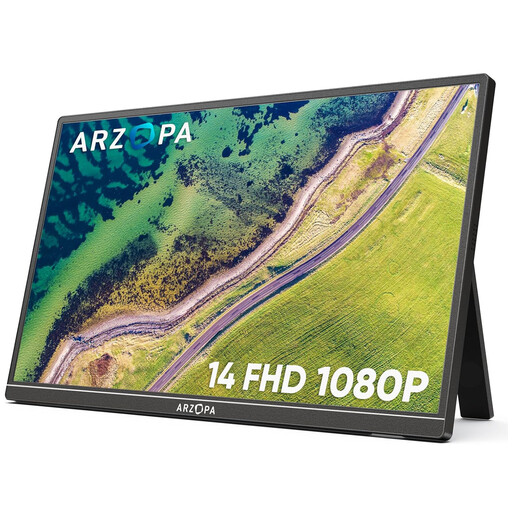
Why it stands out This model is the champion of portability. At just 4?mm thick and weighing 600?g, it slides into any backpack alongside your laptop without ever weighing you down.
Advantages
Who is it for? Professionals on the move, digital nomads, and students looking for a secondary screen to boost their productivity without sacrificing mobility.
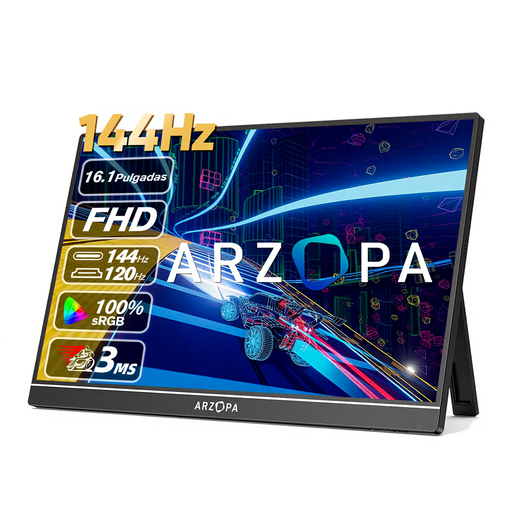
Why it stands out With its 144?Hz refresh rate, this model is aimed squarely at gamers. It delivers the smoothness essential for competitive titles, all in an easy-to-carry format.
Advantages
Who is it for? PC or console gamers who want a high-performance gaming experience on the go, or those who are short on space for a traditional desktop monitor.
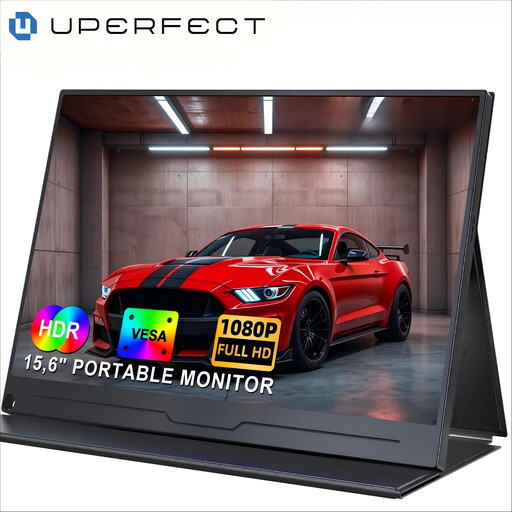
Why it stands out This monitor strikes the perfect balance between size, features, and versatility. Its 15.6-inch format is a comfortable classic for work, while its VESA compatibility offers welcome installation flexibility.
Advantages
Who is it for? Remote workers, creatives, and anyone looking for a do-it-all second laptop screen that is equally at home on the go or on a fixed desk.
If this selection doesn't quite match what you're looking for, don't worry—the world of peripherals is vast. To discover a wider range of accessories and equipment, take a look at our PC Gaming Stand category.
The simplest solution is a USB-C port that handles both video and power: one cable and you're all set. If your device doesn't have this type of port, you can use the HDMI (or Mini HDMI) port for the image and a second USB cable for power, connected to your computer or a power adapter.
It depends on the model and the device you're connecting it to. Via a full-featured USB-C port (compatible with Thunderbolt 3/4 or DisplayPort), the computer powers the monitor. In other cases (HDMI connection or via a basic USB-C port), you'll need an external power source: a wall outlet or even a power bank.
Absolutely. Most models are compatible with consoles like the Nintendo Switch, PS5, or Xbox. The connection is made via the monitor's HDMI port, which will then need to be powered separately. It's an excellent solution for enjoying a much larger screen than the Switch's built-in display when in portable mode, for example.