
Livraison le jour même ou le lendemain

Qualité garantie

Débloquez vos offres de bienvenue: Livraison GRATUITE | Jusqu'à -80 % | 30 jours d'essai gratuits à JoyPlus
Téléchargez l'application
Files piling up at the office, kids' notebooks to cover, storage boxes overflowing in the basement... Clutter is a very real source of stress. The solution? A portable label maker. This smart, affordable tool helps you identify, sort, and find everything in a flash. But with a plethora of options available, making the right choice can be tough.
I'm a product expert at Joybuy, and my job is to find those hidden gems that make your life easier. Forget the marketing jargon: I'm here to give you clear, practical advice to find the label maker that truly meets your needs. This guide breaks down the essential criteria and presents our selection of the best models for organising your office and home.
Before you fall for a particular model, let's review a few technical points. This is what will make the difference between a quickly forgotten gadget and an everyday ally.
Nearly all modern label makers rely on direct thermal printing. The principle is simple: a print head heats special (thermosensitive) paper to make the text appear. The main advantage? It's an inkless label maker, with no toner and no ribbons. In practical terms, this means very low running costs, virtually zero maintenance, and a greener choice for the planet.
A Bluetooth label maker is controlled directly from your smartphone or tablet. Thanks to a dedicated app, customisation is child's play: fonts, icons, QR codes, frames... Let your creativity run wild! It's ideal for achieving a flawless, custom finish, whether for professional or creative use. For simpler needs, there are also standalone models with a built-in keyboard.
Anticipate your needs: will you require wide, colourful, permanent, or repositionable labels? Be sure to check the device's compatibility with different rolls and, most importantly, how easy it is to find (and the price of!) refills. A good label maker should be a true Swiss Army knife, capable of labelling everything from school and office supplies to your jam jars or tangled cables.
To move from theory to practice, here are the models that caught our eye with their simplicity and efficiency.
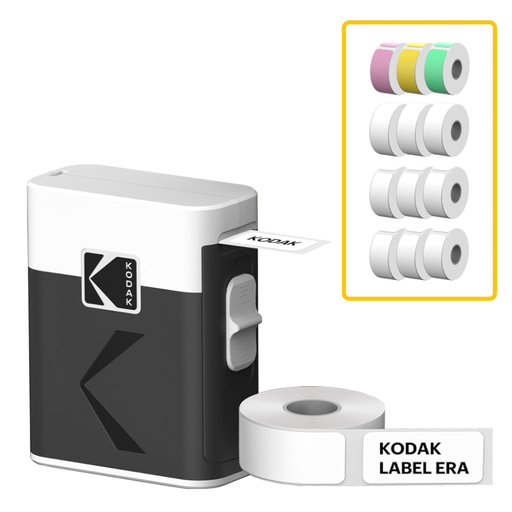
Highlights: The Kodak M50 label maker is all about simplicity and mobility. Ultra-compact and with a feather-light weight of 200g, it's the ideal companion to slip into a bag. Once connected via Bluetooth to the Kodak Memo app (iOS/Android), creating and printing a label takes just a few seconds. Its direct thermal printing technology ensures cost-effective and hassle-free use: no cartridges to manage.
Pros:
Who is it for? Ideal for families wanting to label school supplies, home-organising enthusiasts for their boxes and jars, or even micro-entrepreneurs for simple product labelling.
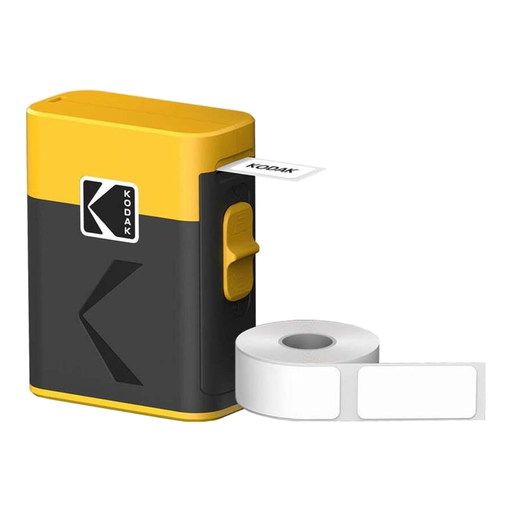
Highlights: The Kodak Black Label model is an all-in-one solution for those who do a lot of labelling. Delivered with 12 rolls of thermal paper, it's ready to use right out of the box. With its discreet black design, USB-C rechargeable battery, and integrated cutter, it's a robust and well-designed tool for heavy use. Its 203 dpi resolution ensures crisp printing of text and barcodes for a consistently professional finish.
Pros:
Who is it for? Perfect for professionals (SMEs), stock managers, or teachers looking for a reliable and cost-effective solution for intensive office organisation and high-volume printing.
Because organisation also involves writing, a good marker is essential for whiteboards and other rewritable surfaces.
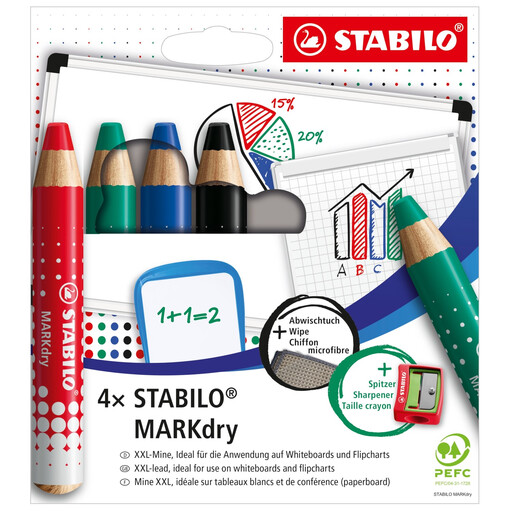
Highlights: The STABILO MARKdry isn't a label maker, but a revolutionary pencil-marker for whiteboards and flip charts. Its major advantage over classic markers? It never dries out! A quick sharpen and it's good as new. Made from PEFC-certified wood and formulated without solvents, this dry-erase whiteboard marker is completely odourless. A real bonus in classrooms and offices.
Pros:
Who is it for? An excellent choice for teachers, trainers, and presentation pros, but also for parents looking for a safe and non-toxic solution for children's slates.
Doesn't our selection cover your specific need? The world of organisation is vast! Feel free to explore our complete Tag Labels category to find the perfect fit.
An inkless (or thermal) label maker doesn't use a cartridge. Its print head heats special paper that reacts to the heat by turning black to create the text or image. Say goodbye to buying cartridges, toners, and other ribbons!
Absolutely, and that's its main advantage! The mobile app that accompanies a Bluetooth label maker is a true creative toolbox: fonts, text sizes, icons, emojis, frames, and even barcode or QR code creation. The possibilities are nearly endless.
For indoor use (office and home organisation, school supplies, etc.), they are perfect and last for several years. Be careful, though: they don't like direct sunlight or intense heat, which can cause them to fade over time. So, avoid sticking them on a toaster