
Livraison le jour même ou le lendemain

Qualité garantie

Débloquez vos offres de bienvenue: Livraison GRATUITE | Jusqu'à -80 % | 30 jours d'essai gratuits à JoyPlus
Téléchargez l'application
Is the dreaded 'Storage Almost Full' notification popping up on your smartphone again? Is your Nintendo Switch out of space for that new game you've been waiting for? Whether you're an Android smartphone user, a passionate gamer, a photographer, or a drone pilot, running out of space is a universal headache.
However, choosing a microSD card can quickly become a nightmare when faced with a jungle of acronyms (SDXC, U3, A2, V30) and technical specs. Don't panic! This guide is here to decode it all and present our selection of the best memory cards, helping you make the right choice for your devices and needs.
Before diving into our selection, it's essential to master three fundamental criteria that will determine your future card's performance and compatibility.
Storage capacity is often the first criterion that comes to mind. These acronyms simply indicate the capacity range:
Our advice: Always check the maximum capacity supported by your device (smartphone, console, camera) before splurging on a very high-capacity card like a 1TB microSD card.
A card's speed is a crucial factor, especially for video recording and running applications. Several indicators coexist:
An ultra-fast card is useless if your device can't harness its potential. Make sure your hardware is compatible with the format (microSDXC) and speed classes (U3, V30, A2, etc.) of the card you're eyeing. For example, for a microSD card for Switch, a good read speed is essential for reducing game loading times. Good to know: Many models come with an SD adapter, a handy accessory for use in a laptop or camera.
Here are the models that caught our eye, catering to a range of needs from everyday use to the most demanding requirements.
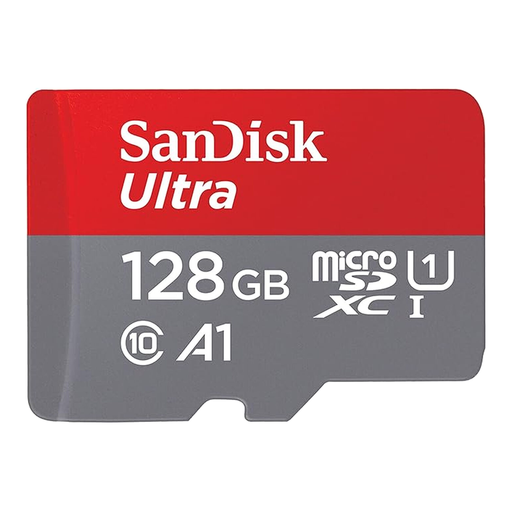
The Sensible Choice
The SanDisk Ultra card is a timeless classic, a safe and versatile bet for expanding the storage on most consumer devices. Its A1 certification makes it particularly appealing for Android smartphones and tablets, where it improves smoothness when launching apps.
Key Features
Who is it for? For Android smartphone and tablet users looking for a simple and effective solution to store more photos, Full HD videos, and music without breaking the bank.
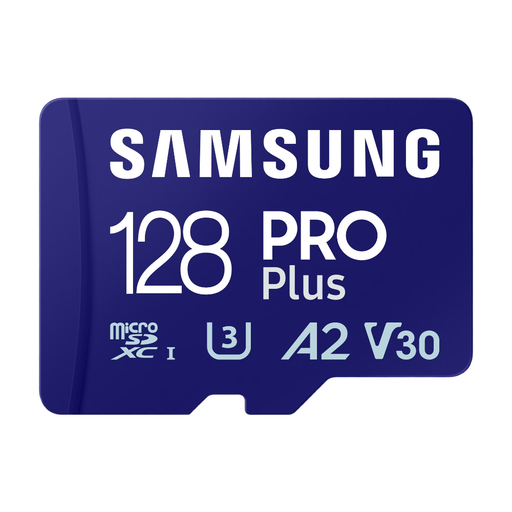
Performance First
With its PRO Plus range, Samsung clearly targets high performance. Featuring V30 and A2 certifications and high read/write speeds, it's tailor-made for the most demanding uses, such as 4K video recording or intensive app usage.
Key Features
Who is it for? For content creators, drone pilots, and high-end smartphone owners who need a fast, reliable card to shoot in 4K and ensure flawless device performance.
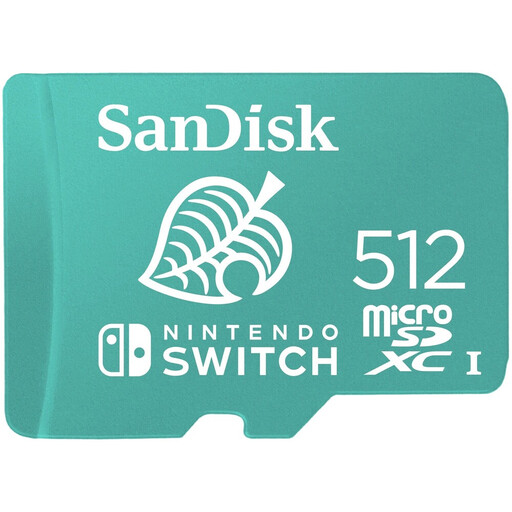
The Must-Have for Switch Gamers
Officially licensed by Nintendo, this SanDisk card guarantees flawless compatibility and performance with all consoles in the Switch family. Its generous 512?GB capacity allows you to store a massive library of digital games.
Key Features
Who is it for? Exclusively for gamers on Nintendo Switch, Switch Lite, and Switch OLED who download heavily from the eShop and want the peace of mind of a 100% compatible solution.
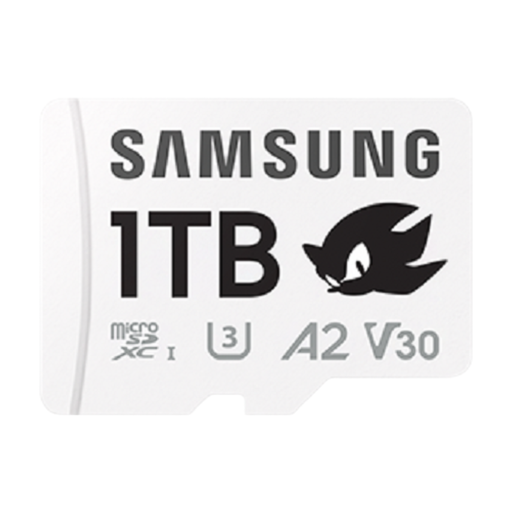
Capacity Without Compromise
With its massive 1?TB capacity and cutting-edge performance (U3, V30), this Samsung card is aimed at the most demanding users. It can store hours of ultra-high-definition video or professional photo libraries, keeping you covered for a long time to come.
Key Features
Who is it for? For professional videographers, FPV drone pilots, and anyone who handles very large files and for whom capacity and reliability are non-negotiable priorities.
Now that your device storage is under control, you have more peace of mind for other projects. If you're planning a party, check out our selection of elegant disposable wedding tableware to combine convenience with sophistication.
The main difference is storage capacity. microSDHC (High Capacity) cards go up to 32?GB. microSDXC (Extended Capacity) cards take over from there, ranging from 32?GB to 2?TB. Almost all modern devices are compatible with the microSDXC format, which has become the market standard.
Yes, and the difference is noticeable for apps. The A2 performance class certifies much higher random read and write speeds than the A1 class. In practical terms, if your smartphone is compatible, you'll see faster launch times for apps installed on the card and better overall system responsiveness when accessing it.
While many U1 or U3 microSDXC cards work perfectly with the console, opting for an officially licensed microSD card for Switch, like the SanDisk model, gives you complete peace of mind. It guarantees perfect compatibility and optimised performance for loading times, protecting you from any unpleasant surprises.