
Livraison le jour même ou le lendemain

Qualité garantie

Débloquez vos offres de bienvenue: Livraison GRATUITE | Jusqu'à -80 % | 30 jours d'essai gratuits à JoyPlus
Téléchargez l'application
Still seeing that "Low Storage Space" notification on your smartphone? Your camera won't record your latest 4K video because it's out of space? Whether it's for a phone, a gaming console, a drone, or a camera, finding the right microSD card can quickly become a headache amidst the jungle of standards, speeds, and capacities.
At Joybuy, our mission is to help you make sense of it all. This guide will demystify the technical jargon and present our selection of the best memory cards, categorised by use case. The goal? To help you make the right choice, with confidence.
Before comparing models, a quick breakdown of the symbols covering the cards is necessary to identify the model you need at a glance.
Capacity is often the first selection criterion. It is directly linked to the card type:
Always remember to check the maximum capacity supported by your device (smartphone, console, etc.) by consulting its technical specifications.
Speed is crucial for performance, especially for video recording and launching applications. There are three main indicators to know:
In short, a versatile and fast memory card will often combine U3, V30, and A2 certifications.
Although this guide focuses on the microSD format, many of these cards are sold with an SD adapter. This allows you to use your microSD card in devices that require the standard SD format, such as a DSLR camera or a laptop. As for the new SD Express card standard, it promises blazing-fast speeds, but be aware: only compatible devices will be able to harness its full potential.
Here are our recommendations, chosen for their performance-to-price ratio and their relevance to different user profiles.
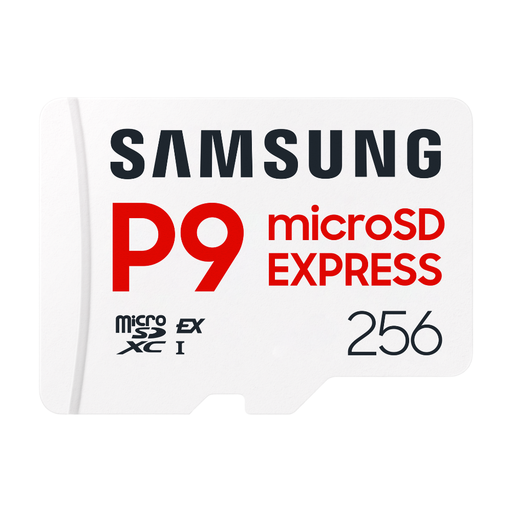
Why it stands out
This card is positioned in the ultra-high-performance segment thanks to its SD Express interface. Leveraging PCIe and NVMe technologies, it is designed for professional workflows where transfer speed is paramount. It allows you to offload hours of 4K/8K video or thousands of photos in record time, provided you have a compatible reader and device.
Advantages
Who is it for? Professional videographers and photographers who work with cutting-edge equipment (8K cameras, powerful editing stations) and for whom every second counts when transferring files.
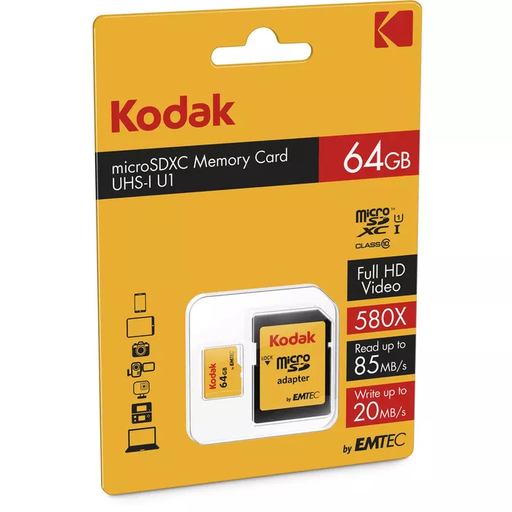
Why it stands out
This 64GB memory card from Kodak represents an excellent compromise for everyday use. It offers enough space and reliable performance to expand the storage of a smartphone, tablet, or compact camera. Its A1 certification ensures a smooth experience for apps on Android.
Advantages
Who is it for? For those looking for a simple and affordable solution to expand the memory of their everyday devices (smartphone, tablet, compact camera) and store photos, Full HD videos, and a few applications.
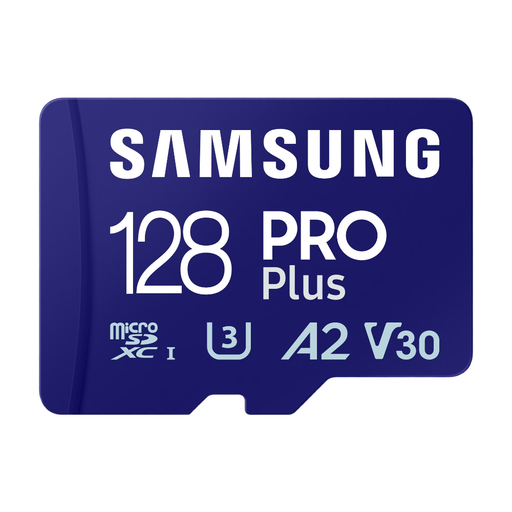
Why it stands out
The Samsung PRO Plus is a benchmark for advanced users and content creators. With its 128?GB capacity, it offers comfortable space and high read and write speeds. Its V30 and A2 certifications make it a highly versatile card, equally at home filming in 4K with a drone as it is quickly loading games on a handheld console.
Advantages
Who is it for? Tech enthusiasts, handheld console gamers (Nintendo Switch, Steam Deck), amateur videographers shooting in 4K, and demanding smartphone users who want performance without compromise.
Our selection covers the most common use cases, but the memory card market is vast. Feel free to browse our full catalogue to discover other capacities, brands, or more specific models.
Discover our full range of USB Devices and Memory Cards
1. What is the difference between an SD card and a microSD card? The main difference is physical size. Standard SD cards are larger (32?x?24?mm) and are used in cameras and computers. MicroSD cards (15?x?11?mm) are designed for compact devices like smartphones, tablets, and action cameras. An adapter allows a microSD card to be used in an SD port.
2. Can I use any microSD card in my smartphone? Not necessarily. Two things need to be checked: the maximum storage capacity supported by your phone (e.g., up to 256?GB, 512?GB, or 1?TB) and the card type (SDHC or SDXC). An older device might not be compatible with high-capacity SDXC cards. The best practice is to consult your device's technical specifications.