
Livraison le jour même ou le lendemain

Qualité garantie

Débloquez vos offres de bienvenue: Livraison GRATUITE | Jusqu'à -80 % | 30 jours d'essai gratuits à JoyPlus
Téléchargez l'application
Apple's laptop lineup has never been more comprehensive, making it easy to get lost. Between the MacBook Air, MacBook Pro, and the all-new MacBook Neo, each machine targets a different audience. Our mission?? To help you cut through the noise and find THE MacBook that perfectly matches your needs and budget—all without the unnecessary marketing jargon.
Before diving into spec sheets, it's crucial to define your priorities. Here are three fundamental questions to ask yourself to figure out which MacBook to choose.
The processor, or Apple's in-house chip, is the true engine of your future computer. The 2026 lineup is built around two main families:
Screen size is a constant trade-off between viewing comfort and portability.
Warning?: The unified memory (RAM) and SSD storage are soldered to the motherboard. It is therefore impossible to upgrade them after purchase. Your initial choice is final.
To help you make your final choice, here are three configurations that we believe stand out from the pack.
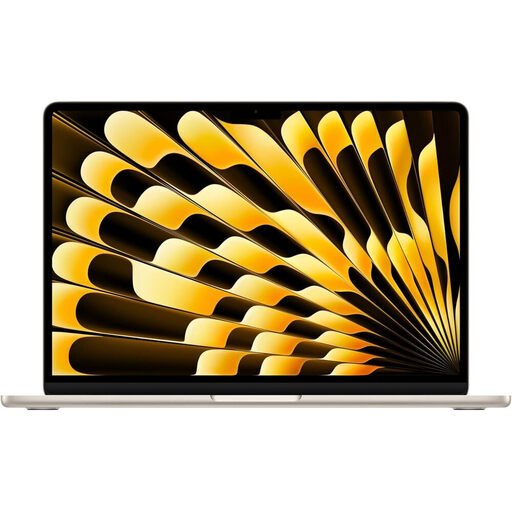
Why it stands out?: The MacBook Air M5 is the master of balance. Armed with the powerful M5 chip, it breezes through demanding tasks while maintaining a feather-light weight of 1.23?kg and a record-thin 1.13?cm profile. Add its superb Liquid Retina display and a marathon battery life of up to 18 hours, and you get the ideal travel companion.
Pros:
Who is it for?? Mobile professionals, creatives, and demanding students who want a powerful, lightweight, and tireless Apple laptop.
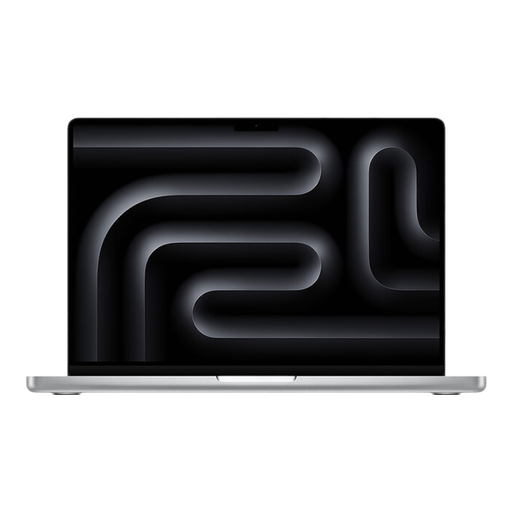
Why it stands out?: The 14-inch MacBook Pro is all about uncompromising performance. Its Liquid Retina XDR display with ProMotion (120?Hz) is a pure marvel of fluidity and colour accuracy. With its comprehensive connectivity (3 Thunderbolt?5 ports, HDMI 2.1) and its ability to handle the most extreme workflows, it's a true mobile workstation.
Pros:
Who is it for?? Video editors, developers, 3D designers... In short, any professional for whom every second counts and who requires maximum computing power and a perfectly colour-accurate display.
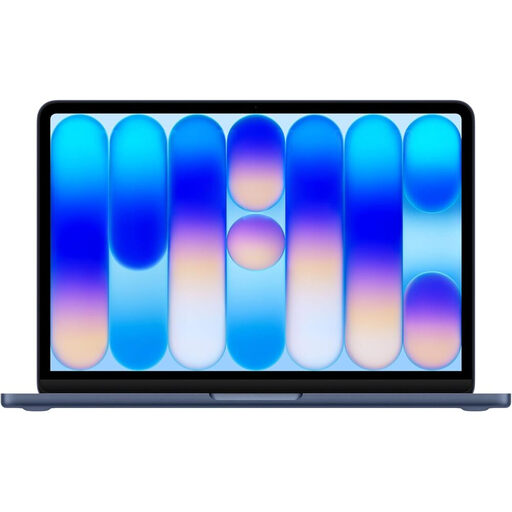
Why it stands out?: The MacBook Neo is the new gateway to the Apple ecosystem. It combines a fresh, colourful design with performance perfectly calibrated for daily use, thanks to the A18 Pro chip. Its feather-light weight and gentler MacBook price make it a very smart choice for a first-time buyer or for those with well-defined needs.
Pros:
Who is it for?? The perfect student MacBook, but also for anyone looking for a simple and efficient machine for office work, web browsing, and multimedia, and who wants to buy a MacBook without breaking the bank.
Your desk is all set, but technology doesn't stop there. To also simplify your daily routine in the kitchen, discover our selection of 4-in-1 multifunction microwave ovens, which combine innovation and practicality.
The main difference lies in sustained performance and "Pro" features. Thanks to its active cooling system, the MacBook Pro M5 can maintain peak performance over long sessions. It also stands out with its superior display (Liquid Retina XDR with ProMotion) and more generous port selection (HDMI port, more Thunderbolt ports). The MacBook Air M5, on the other hand, makes portability its absolute priority, while still offering colossal power for the majority of users.
Absolutely. The MacBook Neo is an ideal choice for students. It's more than powerful enough for note-taking, research, office software, and university applications. It's lightweight enough to slip into any bag, its battery lasts through a full day of classes, and its price is the most accessible in the lineup. It's the quintessential student MacBook.
It all depends on your usage. For standard use (web, email, office work, streaming), the 8?GB in the MacBook Neo is sufficient. If you like to keep many tabs and applications open, or if you do occasional photo editing and video editing, 16?GB is a wise investment for a smoother experience. 24?GB and above are reserved for intensive professional use (8K video, 3D, coding) on the MacBook Pro.