
Livraison le jour même ou le lendemain

Qualité garantie

Débloquez vos offres de bienvenue: Livraison GRATUITE | Jusqu'à -80 % | 30 jours d'essai gratuits à JoyPlus
Téléchargez l'application
Finding the right Mac keyboard is essential for your comfort and productivity. Whether you're a professional on an iMac, a creative on the go with a MacBook, or a tech enthusiast, the keyboard is an extension of your fingertips. But between Apple's traditional Magic Keyboard and the myriad of innovative alternatives, navigating the options can be tough.
This guide is here to help you make an informed decision. At Joybuy, our mission is to decode the market for you. Here, we offer clear, objective advice to help you find THE perfect keyboard for your needs, without getting lost in marketing jargon.
Before diving into our selection, let's review the essential criteria that will guide your choice.
The technology beneath the keycaps defines your entire typing experience.
The keyboard's layout and connection method are two practical aspects that should not be overlooked.
Certain features are designed for perfect integration with macOS. And that makes all the difference.
We have selected three models with distinct profiles, all chosen for their build quality and relevance in the Mac universe.
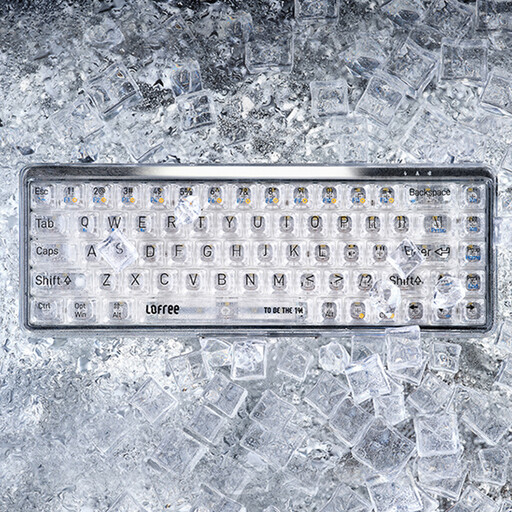
Why it stands out?? The Lofree OE907 breaks the mold with its transparent design and futuristic aesthetic. It's a true statement piece that will turn heads on any desk, all while delivering a high-end mechanical typing experience.
Its strengths?:
Who is it for?? For creatives, design enthusiasts, and any Mac user who wants a keyboard that is as beautiful as it is powerful. A word of caution, however: this model is offered in a QWERTY (US) layout, an important detail for users accustomed to other regional layouts.
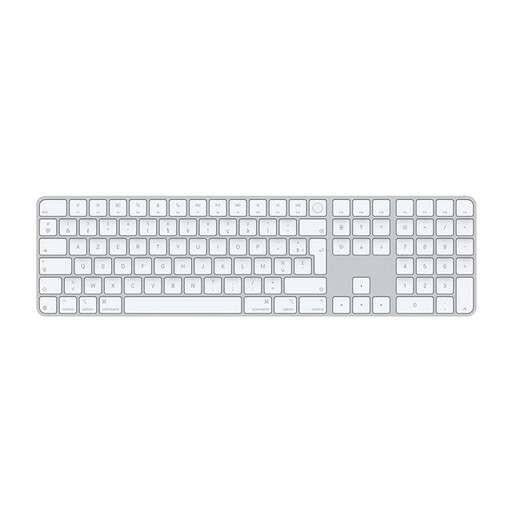
Why it stands out?? It's THE gold standard. This Apple keyboard is designed for absolutely seamless integration with the Mac ecosystem. The addition of Touch ID makes it a powerful ally for everyday security and convenience.
Its strengths?:
Who is it for?? For professionals, from accountants to developers, and more broadly for all Mac users seeking efficiency, security, and flawless integration. It's the sensible and reliable choice for intensive use.
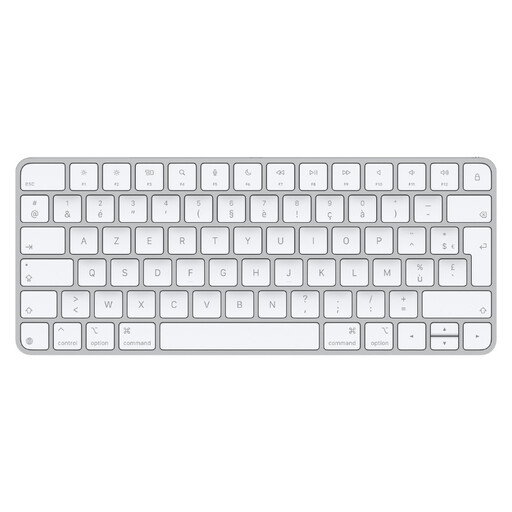
Why it stands out?? It perfectly embodies the Apple philosophy: a clean, compact, and incredibly effective design. This wireless keyboard for Mac is tailor-made for minimalists.
Its strengths?:
Who is it for?? For minimalists, students, writers, and digital nomads. In short, it's the perfect choice for anyone who doesn't need a numeric keypad and wants to maintain the aesthetic consistency of their Apple setup.
Our selection highlights three user profiles, but the world of Mac peripherals is much broader. Ergonomic layouts, specific mechanical switches, original designs... If you haven't found your perfect match yet, feel free to explore our complete collection.
? Discover our full range of Bluetooth mice and keyboards
1. Can I use any Bluetooth keyboard with a Mac?? Yes, in theory, most Bluetooth keyboards work with macOS. In practice, for a seamless experience, it is highly recommended to choose a model designed specifically for Mac. This ensures that the function keys (brightness, volume, etc.) and the special modifier keys (Command ?, Option ?) are perfectly recognised and in the right place.
2. What is the difference between a mechanical and a membrane keyboard for Mac?? It's all about the mechanism under the keycap! A membrane keyboard (like the Magic Keyboard) uses a rubber dome that cushions the keystroke, making it soft and quiet. In contrast, a mechanical keyboard for Mac features independent switches for each key. The result? Crisp tactile feedback, a characteristic sound, superior durability, and a sense of precision that many find unparalleled, even if it is louder.
3. How do I connect a wireless keyboard to my Mac?? For a Bluetooth keyboard for Mac, it's a breeze. Turn on your keyboard and put it in pairing mode (check the manual if needed). On your Mac, go to System Settings > Bluetooth (or System Preferences on older macOS versions). Your keyboard will appear in the list of available devices. Click Pair or Connect and follow the on-screen instructions. A little tip for Apple keyboards: often, you just need to connect them once to your Mac via USB-C, and the magic happens—the pairing is done automatically.