With the ever-growing number of M.2 NVMe SSD models on the market, it can be difficult to navigate the options. You're looking for a high-performance, durable, and fairly priced product, cutting through the often-excessive marketing hype. The goal of this guide is to provide clear benchmarks to help you make an informed decision, whether you're an avid gamer, a content creator, or a PC enthusiast looking to build a powerful rig.
My role, as a Joybuy Product Recommendation Officer, is to sift through the market noise and offer you objective, practical buying advice.
Buying Guide: 3 Things to Check Before Choosing Your M.2 NVMe SSD
Before we dive into specific models, a few technical concepts are helpful to understand what you're buying.
1. PCIe Generation: A Crucial Choice for Performance
The PCIe (Peripheral Component Interconnect Express) interface is the data highway connecting your SSD to your processor. Its generation directly impacts maximum throughput.
- PCIe 4.0 SSDs: This is the current standard for high-performance builds. It offers very high read and write speeds, sufficient for the vast majority of use cases, including gaming SSDs and 4K video editing. It's a balanced choice in terms of its price-to-performance ratio.
- PCIe 5.0 SSDs: This next-generation standard theoretically doubles the throughput of PCIe 4.0. It's aimed at professionals and enthusiasts who handle extremely large files (8K video, complex 3D simulations) and have a compatible platform (a recent motherboard and CPU).
Pro Tip: Check your motherboard's compatibility. There's no point in investing in a PCIe 5.0 SSD if your hardware is limited to PCIe 4.0; the SSD will work, but at reduced speeds.
2. Storage Capacity: Anticipate Your Future Needs
Capacity is a critical factor. Modern games, creative software, and video files are becoming increasingly large.
- 500 GB to 1 TB: A 1TB SSD is an excellent starting point for a comfortable gaming setup or for moderate office and creative use. It allows you to install the operating system, several games, and your main applications.
- 2 TB and Up: A 2TB SSD is becoming the standard for content creators and hardcore gamers. This capacity allows you to store a large game library and work on video projects without constantly having to manage disk space.
3. The M.2 2280 Form Factor and the Importance of Cooling
The M.2 2280 form factor (22mm wide, 80mm long) is the standard for this type of internal SSD. It plugs directly into the motherboard, no cables required. However, performance comes at a cost: heat. An M.2 NVMe SSD, especially PCIe 4.0 and 5.0 models, can heat up during intense transfers, which can lead to a drop in performance (a phenomenon known as thermal throttling).
Pro Tip: Ensure your motherboard has a heatsink for the M.2 slot, or plan to purchase one separately. Good case airflow is also essential.
Our Recommended M.2 NVMe SSDs
Here is a selection of three models that cater to different needs and budgets, based on their technical specifications and market positioning.
Samsung 9100 Pro 2TB: Next-Generation Performance
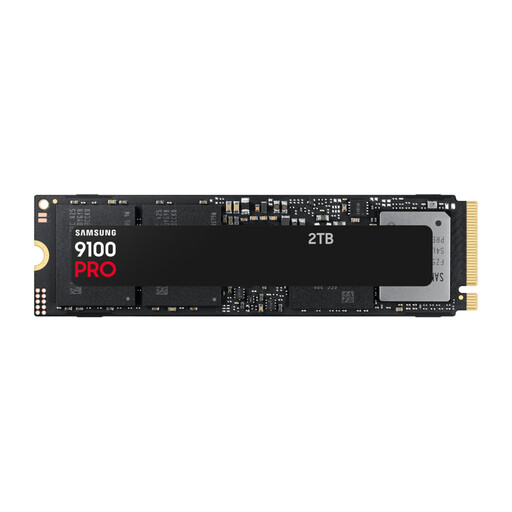
- Why we recommend it: This model fully leverages the PCIe 5.0 SSD interface. It's designed for users who want to make no compromises on speed and who work with the technologies of tomorrow. Its manufacturer-rated speeds are among the highest on the market.
- Pros:
- Peak sequential speeds (up to 14,700 MB/s read, according to Samsung).
- 2 TB capacity is ideal for heavy projects and large game libraries.
- NVMe 2.0 technology for optimised latency.
- Who is this product for?: Content creators working with 8K/12K workflows, developers compiling massive projects, and PC enthusiasts with a latest-generation setup (PCIe 5.0 compatible CPU and motherboard). Please note, this model is sold without a heatsink; adequate cooling is essential.
Samsung 990 PRO 1TB: The Sweet Spot for Gaming and Creation
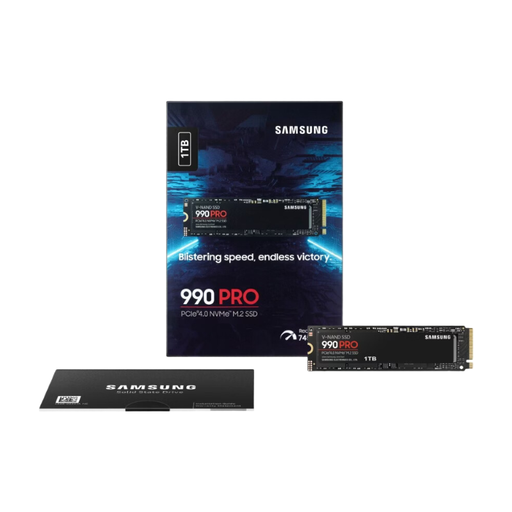
- Why we recommend it: The Samsung 990 PRO SSD is a benchmark in the PCIe 4.0 SSD segment. It offers an excellent balance of top-tier performance, proven reliability, and a more accessible price point than PCIe 5.0 models.
- Pros:
- Excellent speeds for gaming and creative applications (up to 7,450 MB/s read, according to Samsung).
- M.2 2280 form factor is compatible with the vast majority of modern motherboards.
- Versatile 1 TB capacity for most demanding users.
- Who is this product for?: Gamers who want to minimise loading times, streamers, and video editors looking for a smooth 4K workflow. It's a smart choice for a new high-end build or a significant upgrade.
Crucial E100 480GB: An Accessible Upgrade Option
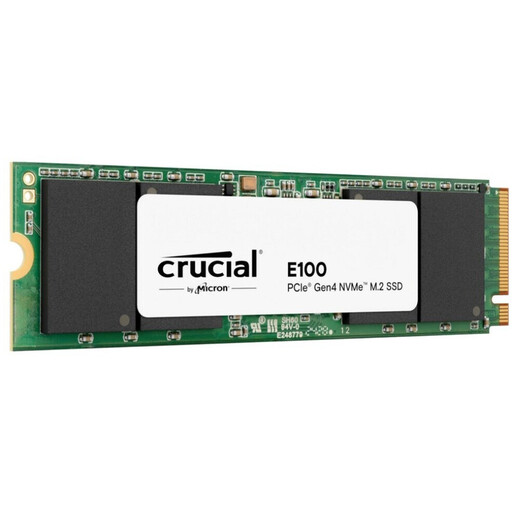
- Why we recommend it: This Crucial SSD is an attractive entry point into the world of PCIe 4.0 NVMe storage. It offers a dramatic performance boost over a traditional hard drive or even a SATA SSD, all at a budget-friendly price.
- Pros:
- Attractive price-to-performance ratio for an upgrade.
- Speeds far superior to SATA technology.
- Low power consumption.
- Who is this product for?: Users looking to speed up a compatible desktop or laptop for office use, multimedia, or less demanding games. Its 480 GB capacity is suitable for a fast system drive, complementing another storage drive.
Can't Find What You're Looking For? Explore Other Options
If the models featured here don't perfectly match your setup or budget, many other options are available. Every use case has its own requirements for capacity, speed, and endurance. To discover a wider range and compare other models, you can browse our full category.
? Discover our entire selection of SSDs
Frequently Asked Questions (FAQ)
What's the difference between an M.2 NVMe SSD and a SATA SSD?
The main difference lies in the interface and speed. A SATA SSD uses an older interface and connects via a cable, with speeds capping out at around 550 MB/s. An M.2 NVMe SSD plugs directly into the motherboard via the PCIe slot, offering speeds of several thousand MB/s, which drastically reduces loading and file access times.
Is a PCIe 5.0 SSD compatible with a PCIe 4.0 motherboard?
Yes, it is backwards compatible. You can plug a PCIe 5.0 SSD into a PCIe 4.0 M.2 slot. However, its performance will be capped at the maximum speed allowed by the PCIe 4.0 slot. You won't be able to enjoy its full speed potential.
Is a heatsink mandatory for an M.2 NVMe SSD?
It's not always mandatory, but it is highly recommended, especially for PCIe 4.0 and PCIe 5.0 SSD models. Without cooling, the SSD can overheat during heavy use, which activates a thermal protection that reduces its speeds to prevent damage. A heatsink ensures stable performance over time.


