
Livraison le jour même ou le lendemain

Qualité garantie

Débloquez vos offres de bienvenue: Livraison GRATUITE | Jusqu'à -80 % | 30 jours d'essai gratuits à JoyPlus
Téléchargez l'application
With its beautiful 10.9-inch display, the 10th-generation iPad is a do-it-all tablet, equally at home with entertainment and creative work. But for more serious tasks—drafting a long email, taking lecture notes, or juggling documents—the virtual keyboard quickly shows its limitations. A 10th-generation iPad keyboard case transforms your tablet into a true mobile workstation, combining the comfort of physical typing with essential protection.
With the overwhelming array of available models, it can be tough to know where to start. This guide is here to break down the criteria that truly matter and present our selection of the best keyboard cases, helping you find the one that perfectly fits your needs and budget.
Before diving into our top picks, let's review a few key points to help you find the perfect accessory.
How the keyboard communicates with your iPad is a decisive factor. Two technologies are in play.
To replicate the feel of a laptop, a keyboard case with a trackpad for the iPad 10 is a must-have. It allows you to navigate iPadOS with a cursor, use Multi-Touch gestures, and avoid constantly switching between the keyboard and the screen.
A backlit keyboard for iPad is another major plus, especially if you often work late at night or in low-light conditions. Finally, a crucial point for international users: ensure the keyboard offers your preferred regional layout, such as QWERTY, QWERTZ, or AZERTY, to maintain a familiar typing experience.
A good keyboard case does more than just provide a typing surface. It's also armour that must protect your 10th-generation iPad from everyday bumps and scratches. Some models opt for a modular design, featuring a detachable keyboard or a multi-angle stand. This welcome versatility allows you to switch from writing a document to watching a series in an instant.
Here is our selection of keyboard cases compatible with the 10.9-inch iPad, each with its own unique strengths.
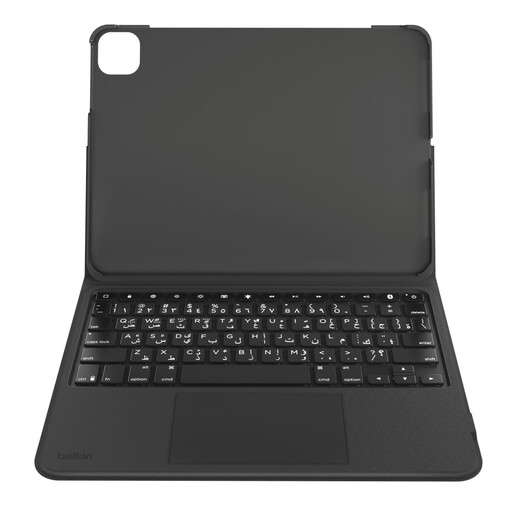
Why it stands out?: Belkin's model checks all the boxes: it's the perfect balance of features, versatility, and protection. Its clever design with a detachable keyboard lets you easily switch between "laptop" mode and "tablet" mode, offering everything you'd expect from a modern productivity accessory.
Key features?:
Who is it for?? Students and mobile professionals looking for a complete, modular solution who want excellent typing comfort and precise navigation without necessarily opting for the Apple-branded accessory.
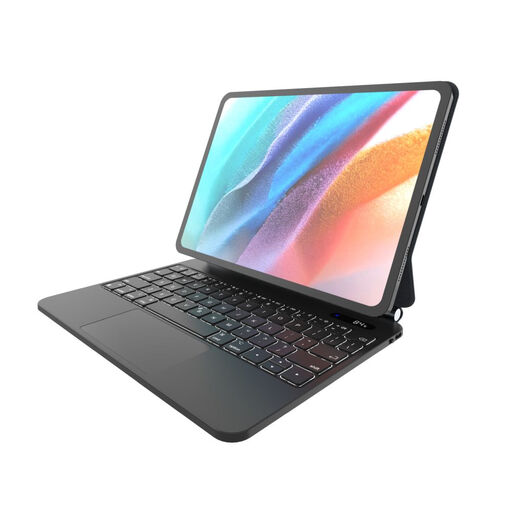
Why it stands out?: The FIXED Typee focuses on durability with a design that fully protects the iPad, held securely in place by magnets. Its stand offers a wide range of tilt angles, and it comes with practical bonuses like a small informational LCD screen and the ability to be charged directly from the iPad via USB-C. Please note: this model is offered with a QWERTY (English) layout.
Key features?:
Who is it for?? Those who prioritise tablet protection and appreciate great viewing flexibility. The QWERTY layout is standard for this model.
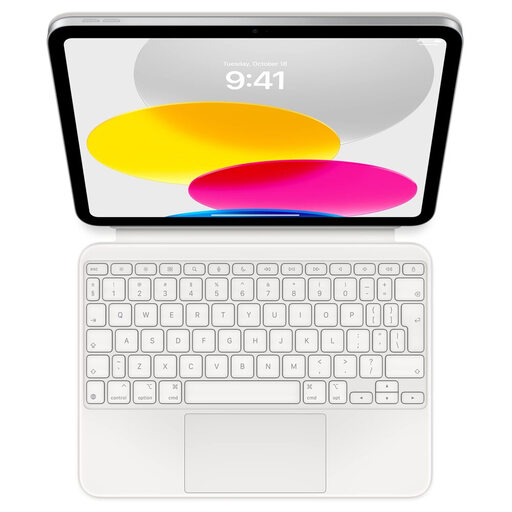
Why it stands out?: As an official Apple accessory, the Magic Keyboard Folio offers seamless integration with the iPad 10. Its connection via the Smart Connector bypasses the need for charging and Bluetooth pairing. Its two-piece modular design (keyboard and back panel) also makes it particularly clever. Note that this version comes in a QWERTY (International English) layout.
Key features?:
Who is it for?? Fans of the Apple ecosystem who are looking for the smoothest, most integrated experience possible. It's ideal for those who prioritise typing quality and the simplicity of the Smart Connector, and who use a QWERTY layout.
While productivity is king, the style of your setup also matters. For those who want to inject a dose of creativity and originality into their workspace, take a look at our collection of novelty keyboards. Discover our selection of cute anime keyboards to personalise your desk.
The main difference lies in the connectivity. The Magic Keyboard Folio uses the iPad's Smart Connector, so it doesn't need a battery or Bluetooth pairing, as it's powered directly by the tablet. Its other advantages are its deep software integration, designed by Apple for iPadOS, and its two-piece modular design.
No, a Bluetooth keyboard for iPad has its own battery and doesn't draw power from the iPad to operate. The impact of the Bluetooth connection itself on the tablet's battery life is negligible. You'll just need to remember to recharge the keyboard from time to time when its battery is low.
To be sure you're getting the right one, always check that the product description explicitly mentions "iPad 10.9-inch (10th generation)" or the equivalent 2022 model. The dimensions and connector placements differ subtly between iPad generations. Rest assured, all the models featured in this guide are, of course, 100% compatible.