
Livraison le jour même ou le lendemain

Qualité garantie

Débloquez vos offres de bienvenue: Livraison GRATUITE | Jusqu'à -80 % | 30 jours d'essai gratuits à JoyPlus
Téléchargez l'application
Juggling cables and adapters is a real headache for anyone who owns a laptop, smartphone, and tablet. Overstuffed bags, monopolised wall outlets, and endlessly slow charging are frustrations we all know. The GaN USB-C charger is the ideal solution to bring order to this ecosystem. Thanks to Gallium Nitride (GaN) technology, these chargers pack impressive power into a much more compact form factor than traditional models.
This guide will help you choose the perfect charger for your needs by breaking down the essential criteria: power, number of ports, and portability. We've selected the best models currently available, capable of replacing all your chargers with a single, ultra-efficient power brick.
Before you settle on a model, let's review the key technical specifications that will make all the difference in your daily use.
Power, measured in watts (W), is the number one criterion. Be aware that a 100W charger doesn't always deliver 100W from a single port. This maximum output is often distributed among the various ports as soon as multiple devices are plugged in simultaneously.
The strength of this technology lies in its ability to offer a multi-port fast charger. Most models combine USB-C and USB-A ports.
The choice, therefore, depends on your gear. A mobile professional with a modern laptop, phone, and tablet will get the most benefit from a charger rich in USB-C ports.
GaN technology makes it possible to design a compact charging station that generates less heat and takes up minimal space. This is the number one advantage for a travel charger. Some models are barely larger than a standard smartphone charger while delivering enough power for a laptop. Others, designed for the office, come in the form of a hub connected by a power cord—a clever solution for bringing USB ports onto your desk for easier access.
Here are a few models that cater to different profiles, from the ultra-mobile nomad to the desk-bound professional looking to optimise their workspace.
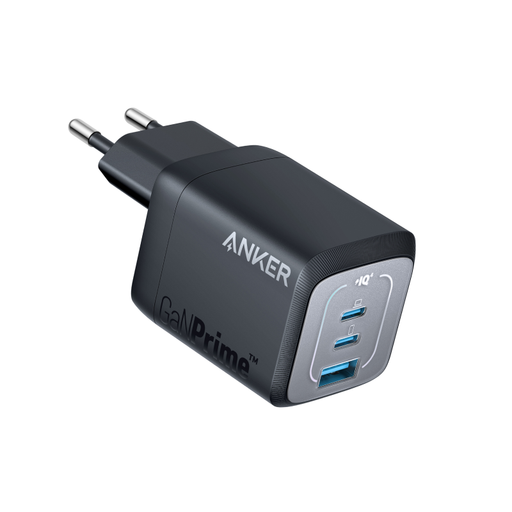
Why it stands out: This model strikes the perfect balance between power and portability. With 67W, it can power most ultrabooks while remaining remarkably compact. Anker claims it's 51% smaller than Apple's original 67W charger. Its foldable prongs make it a perfect companion for travel.
Highlights:
Who is it for? Ideal for students, mobile professionals, and anyone who wants to lighten their bag without sacrificing charging performance for their everyday devices.
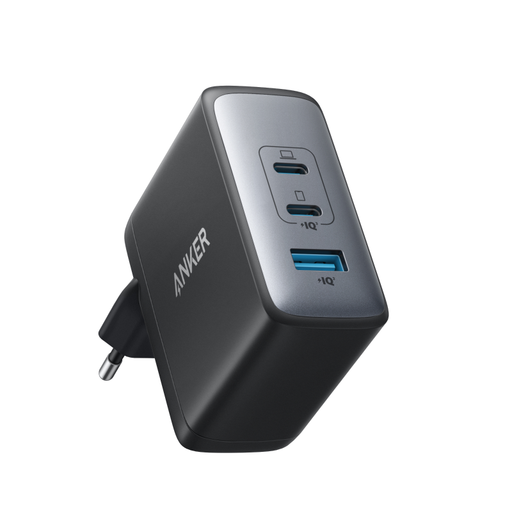
Why it stands out: With its 100W of power, this charger is aimed at the most demanding users. It's capable of delivering maximum power to a power-hungry laptop, like a 16-inch MacBook Pro, through a single USB-C port. Despite this sheer power, it remains much more compact than an equivalent original charger.
Highlights:
Who is it for? Creatives, developers, or owners of powerful laptops who need maximum power in a portable format. The ultimate solution for replacing an army of bulky chargers.
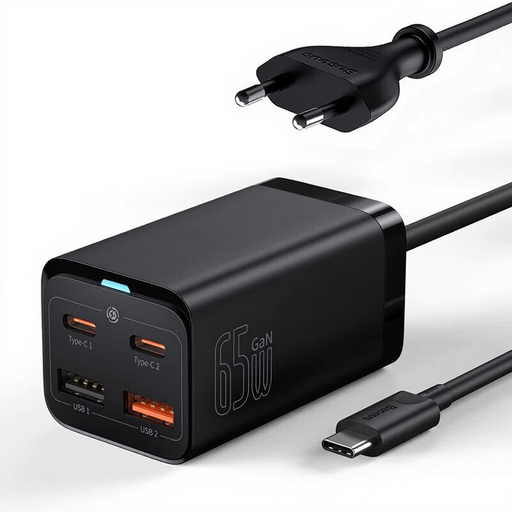
Why it stands out: Unlike wall-plug models, the Baseus GaN3 Pro is a compact desktop charging station. It connects to the outlet via a 1.5m power cord, allowing you to place the hub directly on your desk for easy access to the ports. With its four ports, it's designed to organise and declutter a workspace.
Highlights:
Who is it for? Remote workers, students, and anyone who wants to end desk clutter and have their charging ports within easy reach, rather than hidden behind furniture.
GaN technology is available in a multitude of models with various power outputs, form factors, and port configurations. If our selection doesn't perfectly meet your needs, many other solutions exist.
Explore our complete collection to find the model that ticks all your boxes. Discover more plastic chargers.
GaN is the acronym for gallium nitride, a semiconductor that is replacing the silicon traditionally used in chargers. Its unique properties allow for smaller, more energy-efficient components that generate less heat. The result: much more powerful chargers with a feather-light weight and compact size.
Yes, absolutely. Using a high-power charger is completely safe for a device that requires less power. Modern chargers and compatible devices (smartphones, tablets, etc.) communicate with each other via protocols like USB Power Delivery (PD). The device "negotiates" with the charger to draw only the precise amount of power it needs. Therefore, a 100W charger will only deliver 20W to a phone designed for that wattage, with no risk of damage.
Yes, and this is a crucial point. The cable is just as important a link in the chain as the charger. To take full advantage of a 65W or 100W charger, it is essential to use a USB-C cable capable of handling that level of power. A basic cable could throttle the charging speed or may not work at all for powering a laptop. Check that your cable is certified for the intended wattage (e.g., "100W" or "240W EPR").