
Livraison le jour même ou le lendemain

Qualité garantie

Débloquez vos offres de bienvenue: Livraison GRATUITE | Jusqu'à -80 % | 30 jours d'essai gratuits à JoyPlus
Téléchargez l'application
Choosing a new gaming monitor can quickly become overwhelming when faced with a jungle of technologies and spec sheets. Between resolution, refresh rate, panel type, and connectivity, it's easy to get lost. This guide is here to break down the essential criteria and help you make the right choice, whether you're a competitive PC gamer or a console enthusiast seeking unparalleled visual immersion.
Our editorial team has vetted dozens of models to bring you a curated selection for 2026, tailored to every type of gamer.
Before diving into our top picks, here's a reminder of the key factors to consider to make the right choice.
Resolution defines the level of detail in an image. While Full HD (1920x1080) remains a viable option, QHD (2560x1440) is now the sweet spot for PC gaming, offering a significant increase in detail without requiring a prohibitively expensive graphics card.
For the ultimate visual experience, especially on screens 27 inches and larger, a 4K gaming monitor (3840x2160) delivers unparalleled image sharpness, which is particularly appreciated in adventure games and open worlds. It's also the resolution of choice for the latest generation of consoles like the PS5 and Xbox Series X.
Finally, the ultrawide gaming monitor, with its 21:9 or 32:9 aspect ratio, provides an expanded field of view that dramatically enhances immersion in simulation, racing, or strategy games.
The refresh rate, measured in Hertz (Hz), indicates how many frames the screen can display per second. A 144Hz monitor has become the essential standard for a smooth and responsive gaming experience. For competitive players and e-sports monitor enthusiasts, frequencies of 240?Hz or higher offer a decisive advantage by reducing motion blur and improving precision.
Response time (GtG) is just as crucial: a low figure (1?ms or less) ensures that pixels change colour fast enough to keep up with the action, thus preventing ghosting effects.
Three panel technologies dominate the market:
On the connectivity side, an HDMI 2.1 monitor port is essential to enjoy 4K at 120?Hz on the PS5 and Xbox Series X. For PC gaming, DisplayPort 1.4 remains the go-to connection for achieving the highest refresh rates.
Here are three models that particularly caught our eye, each excelling in a specific area.
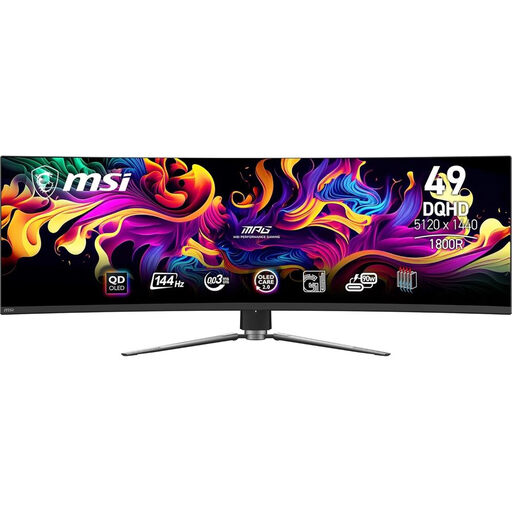
Why It Stands Out: This monitor immediately impresses with its spectacular form factor. Its 49-inch curved QD-OLED panel with a 32:9 ratio offers a panoramic field of view, turning every gaming session into a cinematic experience. The QD-OLED technology ensures vibrant colours and abyssal blacks.
Key Features:
Who Is It For? This ultrawide gaming monitor is for gamers seeking absolute immersion. It's particularly well-suited for simulation games (flight, racing), open-world RPGs, and strategy games. Be warned, its XXL size requires a desk to match!
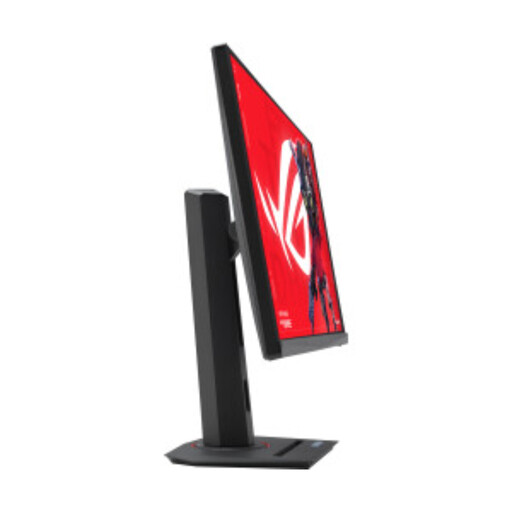
Why It Stands Out: This monitor is built for pure performance. With a refresh rate of up to 320?Hz, it's clearly aimed at competitive gamers looking to gain an edge in fast-paced games. Its QHD Fast IPS panel offers an excellent balance of speed and visual clarity.
Key Features:
Who Is It For? This is an e-sports monitor par excellence. It's the ideal companion for players of FPS, fighting games, or battle royales who demand maximum fluidity and responsiveness to make every frame count.
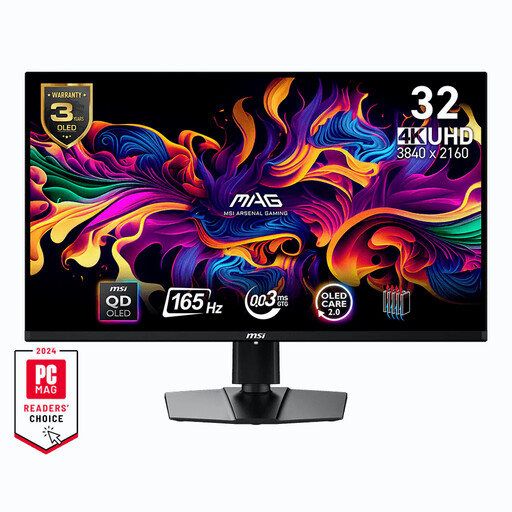
Why It Stands Out: This model perfectly synthesises the sharpness of a 4K gaming monitor with the unparalleled image quality of a QD-OLED panel. On a comfortable 31.5-inch diagonal, it delivers a rich and detailed visual experience while maintaining exemplary fluidity thanks to its 165?Hz refresh rate.
Key Features:
Who Is It For? This is the top choice for gamers who refuse to compromise on visual quality. It's ideal for single-player AAA games on PC, but also a powerful ally as a monitor for PS5/Xbox to unlock the full potential of next-gen consoles.
Our selection focuses on flagship models for specific use cases. If your needs or budget differ, the market is full of other excellent options. To explore a wider range of monitors suited for all types of gaming and setups, browse our complete category of desktop monitors.
Is a 144?Hz monitor really necessary for gaming? For fast-paced and competitive games (FPS, racing), the smoothness of a 144?Hz monitor or higher provides undeniable visual comfort and a competitive edge. For slower-paced games (strategy, adventure), a 60 or 75?Hz screen can be sufficient, although a high refresh rate offers better overall user comfort, even for simple desktop navigation.
What's the difference between a QD-OLED and a standard OLED monitor? A QD-OLED monitor uses a layer of quantum dots combined with the OLED panel's blue light source to generate colours. This approach allows it to achieve higher peak brightness and cover a richer colour gamut than traditional OLED (WOLED) panels. According to manufacturers, this also improves the panel's longevity.
Do I need an HDMI 2.1 monitor for my PS5 or Xbox Series X? To fully leverage the capabilities of these consoles, an HDMI 2.1 monitor is practically essential. This standard is the only one that allows for display in 4K at 120 frames per second (when the game is compatible). It also supports VRR (Variable Refresh Rate), a feature that syncs the monitor with the console to eliminate screen tearing and ensure flawless fluidity.