
Livraison le jour même ou le lendemain

Qualité garantie

Débloquez vos offres de bienvenue: Livraison GRATUITE | Jusqu'à -80 % | 30 jours d'essai gratuits à JoyPlus
Téléchargez l'application
Choosing a new gaming monitor can be a daunting task. Between resolution, refresh rate, response time, and panel technologies, it's easy to get lost in a sea of spec sheets. Don't panic! This guide is here to provide clear benchmarks, decode the jargon, and help you find the perfect monitor for your games, your setup, and your budget.
Before diving into our selection, let's review the three pillars that define a great gaming monitor.
Resolution determines image sharpness, while screen size impacts the feeling of immersion. Finding the right balance between the two is crucial.
At the core of gameplay, especially in competitive settings, are two inseparable concepts: refresh rate and response time.
To put an end to screen tearing (a visual glitch that occurs when the graphics card and monitor are out of sync), manufacturers have a solution. A G-Sync monitor (NVIDIA) or a FreeSync monitor (AMD) forces the monitor to align its refresh rate with the frame rate sent by the GPU. The result: rock-solid smoothness.
Here are three monitors that caught our eye. Each caters to a different type of gamer and budget, while offering an excellent price-to-performance ratio.
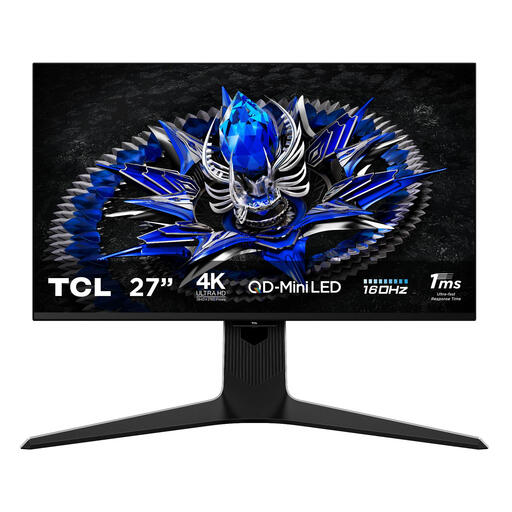
Why it stands out?: The TCL 27R83U pulls out all the stops with its QD-Mini LED panel and 1152 local dimming zones. In practice, this allows it to display spectacular peak brightness and deep blacks for mind-blowing HDR performance. Paired with a 4K resolution and a 160Hz refresh rate, it promises a top-tier visual experience.
Its strong points?:
Who is it for?? For demanding PC and console (PS5, Xbox Series X) gamers who want to be blown away by the visuals in the latest AAA titles, as well as for creatives who require accurate colours and the precision of 4K.
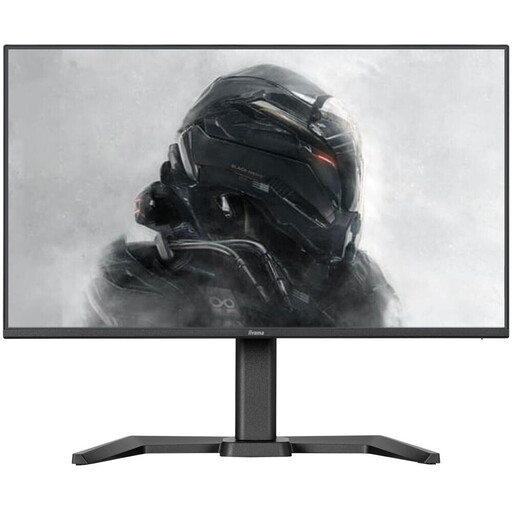
Why it stands out?: This iiyama monitor is built for competition. It focuses entirely on raw performance: a 24-inch Fast IPS panel that combines a near-instantaneous response time (0.5ms!) with a 165Hz refresh rate. Its Full HD resolution is easy on more modest builds and ensures maximum fluidity under all circumstances.
Its strong points?:
Who is it for?? For competitors and players of FPS or MOBA games who prioritise speed and responsiveness above all else. Its compact 24-inch format is also favoured in tournaments for maintaining a perfect overview of the game.
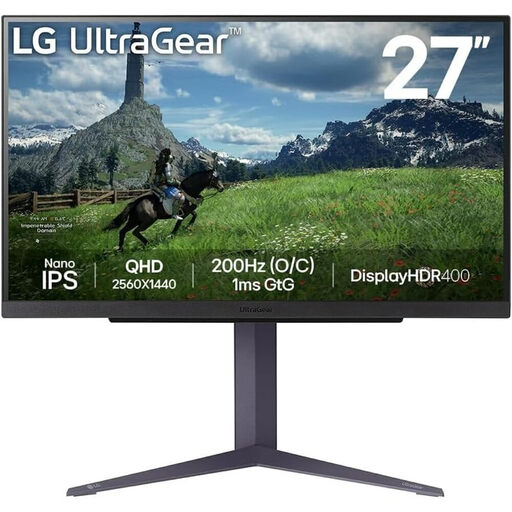
Why it stands out?: The LG 27GS85Q-B embodies the ideal compromise between resolution and smoothness. Its 27-inch QHD Nano IPS panel displays rich, accurate colours, while its 180Hz refresh rate (which can even be overclocked to 200Hz) ensures constant fluidity. It's the quintessential all-rounder monitor.
Its strong points?:
Who is it for?? For the do-it-all gamer who enjoys immersing themselves in a beautiful adventure game as much as grinding on a competitive FPS. It's the sensible choice for anyone looking for a fast 27-inch 1440p monitor without sacrificing image quality.
Our selection covers several use cases, but the gaming monitor market is vast. If you want to explore other sizes, technologies, or price ranges to find the model that precisely matches your needs, we invite you to browse our complete category.
Discover Our Full Range of LED Gaming Monitors
Absolutely. A 144Hz refresh rate remains an excellent baseline for most gamers. The improvement in smoothness over a 60Hz screen is striking, and it's a very solid standard for gaming, including competitive play. Higher refresh rates (165Hz, 240Hz, and beyond) offer additional comfort, but the benefit is mainly noticeable to professional or very high-level players.
Their goal is the same: to synchronise the monitor's refresh rate with the frame rate sent by the graphics card to eradicate screen tearing. The difference is historical and technical: G-Sync is NVIDIA's proprietary technology (which requires a dedicated chip in the monitor), while FreeSync is an open standard promoted by AMD. Today, the line is blurrier: many FreeSync monitors are certified as "G-Sync Compatible," meaning they work perfectly with NVIDIA graphics cards.
It's not essential, but it is highly recommended to enjoy the full graphical potential of the consoles, which are designed for 4K. That said, an excellent QHD (1440p) monitor or even a good, highly responsive Full HD monitor can provide a fantastic gaming experience, especially if you prioritise smoothness and the 120 fps "Performance" modes.