
Livraison le jour même ou le lendemain

Qualité garantie

Débloquez vos offres de bienvenue: Livraison GRATUITE | Jusqu'à -80 % | 30 jours d'essai gratuits à JoyPlus
Téléchargez l'application
By the Joybuy Editorial Team, July 5, 2026
A bag overflowing with chargers, extra weight in your luggage, the eternal tangled mess of cables… If you juggle a laptop, smartphone, and tablet daily, this scenario is probably all too familiar. The good news: the era of the single charger is finally here. A good fast USB-C charger can not only replace all your power bricks but also recharge your devices much faster.
This guide has one simple goal: to help you cut through the marketing jargon and choose the model that truly meets your needs. To do this, we'll focus on three essential criteria: power, technology, and versatility.
Before diving into our selection, here are three key points to check to ensure you make the right choice.
Expressed in watts (W), power determines not only the charging speed but also which devices you can power. While a modern smartphone is happy with 20 to 30W for a fast charge, a laptop is much more power-hungry.
Rest assured, using a charger that's more powerful than necessary poses no risk: the USB Power Delivery (PD) protocol ensures the device only requests the power it can handle. The opposite, however, is a problem: charging will be painfully slow, and your device might even continue to lose battery if you're using it at the same time. A good USB-C laptop charger must, therefore, be powerful enough first and foremost.
Behind the acronym GaN is gallium nitride, a semiconductor material that is revolutionising the world of chargers by replacing traditional silicon. The advantages of a GaN charger are immediately obvious:
Today, this technology has become the new standard for high-performance chargers, as it's the only way to combine high power with a pocket-friendly form factor.
Why settle for a single port when you can charge everything at once? A multi-port USB-C charger allows you to simultaneously power your computer, phone, and headphones. Pay close attention to the port configuration:
Be careful, though: the charger's total power is split between the ports when used simultaneously. For example, a 100W charger might deliver 65W to one port and 30W to the other.
We've selected a few models that suit different profiles, from the mobile professional to the student.
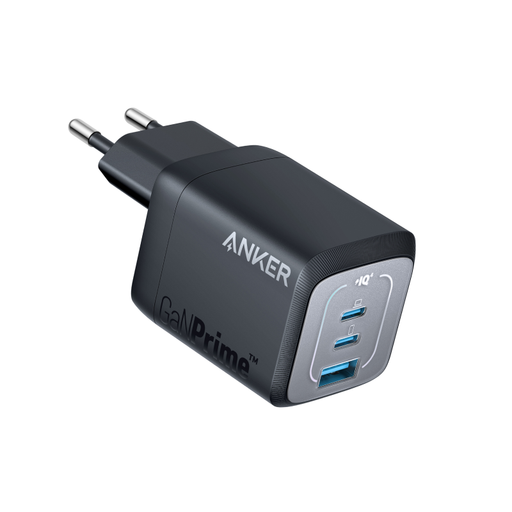
Why we love it: It strikes the perfect balance between power and portability. Anker claims it's 51% more compact than Apple's original 67W charger, and its foldable prongs make it the ideal travel companion.
Pros:
Who is it for? For the mobile professional or student looking for a single, lightweight charger capable of powering a laptop, a smartphone, and another accessory, all in an ultra-compact package.
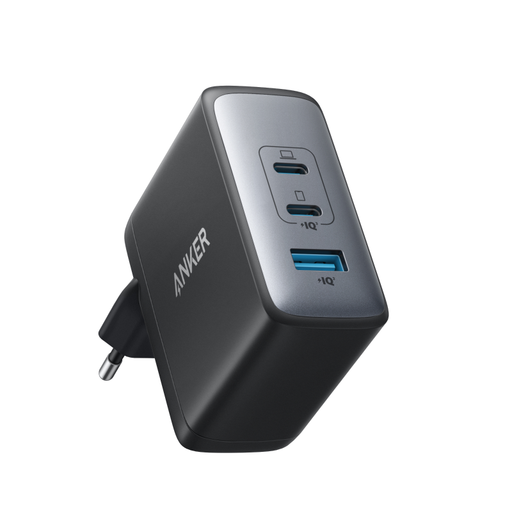
Why we love it: Power, pure and simple. With 100W available from a single USB-C port, it can power the most demanding laptops at full speed while keeping two other ports free for the rest of your devices.
Pros:
Who is it for? For the power user or creative professional who needs maximum power for their main machine without sacrificing charging for their other devices. It's the ultimate no-compromise solution.
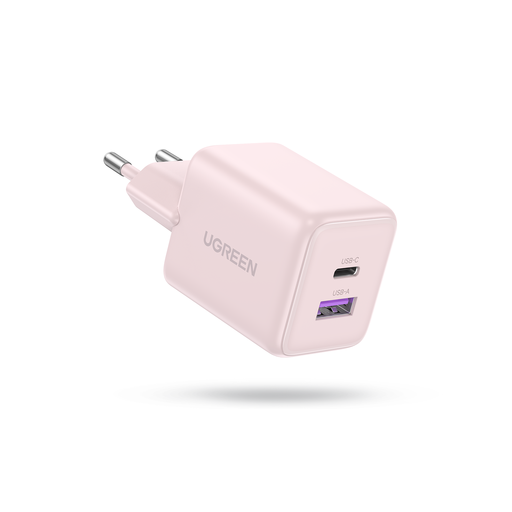
Why we love it: Its tiny size and budget-friendly price. It's the perfect secondary charger, ideal for replacing your smartphone or tablet's power brick with a faster, more versatile model.
Pros:
Who is it for? For those primarily looking for a fast USB-C charger for their phone and small accessories. It's also an excellent second travel charger to keep in your bag so you're never left without power. Needless to say, it's not designed to charge a laptop.
Our selection covers the most common use cases, but the charger market is vast. Higher power, a different number of ports, a specific design… there are countless other configurations to meet every need.
? Explore our entire collection of USB-C chargers
Yes, and the difference is significant! Thanks to gallium nitride (GaN), these chargers can handle more power in a much more compact form factor, all while generating less heat. For mobile use, the savings in weight and bulk are dramatic.
Absolutely, and it's completely safe. Modern chargers and devices communicate constantly using protocols like USB Power Delivery (PD). The charger will only deliver the maximum power that the device can safely accept. Your phone will therefore only "ask" for the 20W it needs, and not a watt more.
The easiest way is to check the wattage of the original charger that came with your MacBook. To give you an idea: a MacBook Air requires at least 30W, a 14-inch MacBook Pro comes with a 67W or 96W charger, and the 16-inch model can go up to 140W. For optimal charging, choose a MacBook charger with a power rating at least equal to your Apple adapter.