
Livraison le jour même ou le lendemain

Qualité garantie

Débloquez vos offres de bienvenue: Livraison GRATUITE | Jusqu'à -80 % | 30 jours d'essai gratuits à JoyPlus
Téléchargez l'application
Is the cable that came with your smartphone showing signs of wear or just can't keep up anymore?? With a sea of options on the market, finding the right fast-charging USB-C cable can quickly become a headache. Power, length, durability... the criteria are numerous, and it's easy to get lost.
To help you see more clearly, our experts have broken down the topic. This guide gives you all the keys to making the right choice and presents a selection of reliable, high-performance models that won't let you down.
Before diving into our selection, here are the crucial points to check to ensure you make the right choice.
A cable's charging capacity is measured in watts (W). For the magic of fast charging to happen, the trio of cable, charger, and device must all speak the same power language. The most common technology for this is Power Delivery (PD).
Always check the maximum power supported by the cable. Using an under-spec'd cable with a powerful fast USB-C charger will throttle its performance and leave you disappointed with the speed.
While the standard 1-meter length can get the job done in a pinch, a 2m USB-C to USB-C cable will be a game-changer, whether at your desk, on the sofa, or in a hotel room. No more huddling next to the outlet!
In terms of robustness, a braided USB-C cable made of nylon or synthetic fibers will offer far better resistance to twists and repeated bends than a basic plastic model. Reinforced connectors are also an excellent indicator of durability, protecting the connection point—that all-too-often abused area.
A USB-IF (USB Implementers Forum) certified cable is a mark of quality. It guarantees compliance with safety and performance standards, ensuring flawless compatibility with all your USB-C devices.
Also, be careful not to confuse charging speed with data transfer speed. Most charging cables, even the most powerful ones, are limited to USB 2.0 speeds (480 Mbps). This is fine for syncing a few photos, but it's a deal-breaker for transferring large video files. If fast transfers are your priority, definitely look for cables compatible with USB 3.1, USB4, or Thunderbolt.
Let's get to it! Here are the models that caught our eye for their performance, reliability, and excellent value.
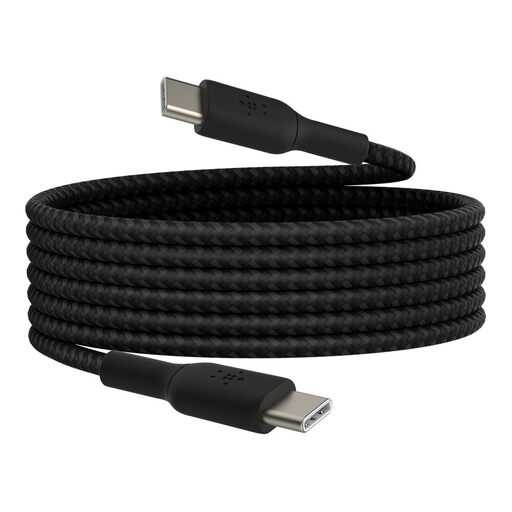
What sets it apart
This Belkin cable strikes the perfect balance between performance and robustness. Its USB-IF certification ensures optimal compatibility and safety, while its braided jacket promises unbeatable durability.
Highlights
Who is it for? The sensible choice for anyone looking for a reliable and durable cable from a reputable brand. Perfect for daily use with smartphones, tablets (including iPad Pro), and ultra-portable laptops that don't exceed 60W.
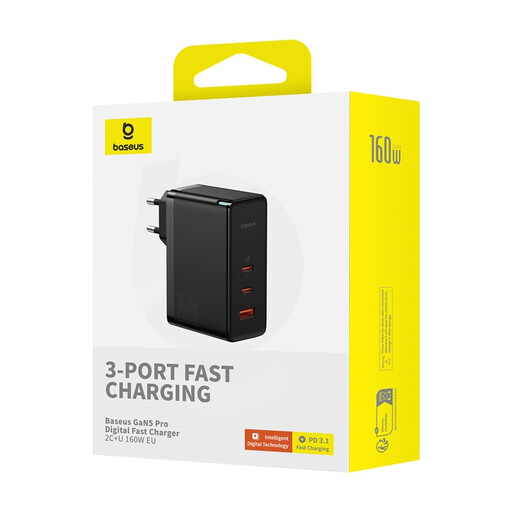
What sets it apart
Much more than just a cable, Baseus offers a complete and ultra-powerful charging solution here. This kit includes not only a very high-performance cable but also a future-proof, multi-port GaN wall charger.
Highlights
Who is it for? For power users and professionals juggling multiple power-hungry devices (MacBook Pro, gaming laptops, etc.). It's the ideal solution for creating a single, powerful, and scalable charging station.
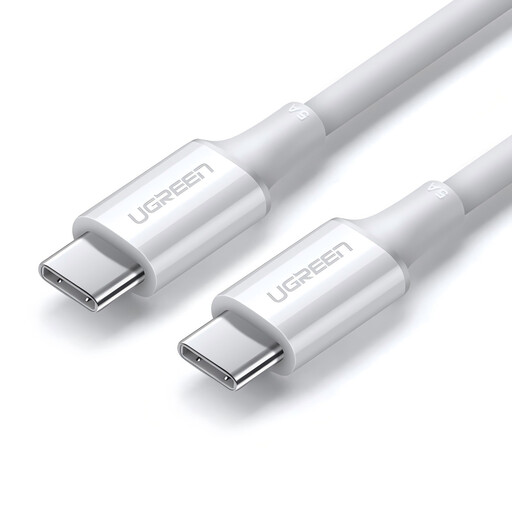
What sets it apart
This UGREEN cable gets straight to the point: delivering high charging power in a practical and robust format. A pragmatic and effective choice for powering the most demanding devices without any frills.
Highlights
Who is it for? For owners of powerful laptops who need a reliable and high-performance 100W USB-C cable to replace their original one or to have a second one for the office or travel.
Are your older devices or chargers still equipped with USB-A ports? In that case, a USB-C to USB-C cable won't be of any use to you.
For those situations, take a look at our range of cables designed specifically for this need.
? Discover our USB-C to USB-A cables
It's all about the maximum power the cable can safely deliver. A 100W cable can charge more power-hungry devices, like large laptops, at full speed. A 60W cable is more than enough for smartphones, tablets, and ultra-portables. Rest assured, using a 100W cable on a device that only requires 30W is not a problem: the device will only "pull" the power it needs.
No, that's a persistent myth. Modern devices using the Power Delivery standard communicate with the charger to "negotiate" the most suitable charging power. The device will never request more power than it can safely handle. Therefore, using a powerful cable and charger will not damage your battery.