
Livraison le jour même ou le lendemain

Qualité garantie

Débloquez vos offres de bienvenue: Livraison GRATUITE | Jusqu'à -80 % | 30 jours d'essai gratuits à JoyPlus
Téléchargez l'application
Whether for gaming, streaming, or working from home, long hours in front of a screen eventually take their toll: your back, neck, and shoulders sound the alarm. A good ergonomic gaming chair isn't a luxury, but a crucial investment in your daily health and comfort. But with an overwhelmingly large market, how do you make the right choice?
Our editorial team has analysed the market to help you make sense of it all. Follow our guide to find the model that's right for you and discover our selection of chairs that stand out from the crowd.
Before diving into our selection, let's review the essential criteria for finding the gaming seat perfectly suited to your needs and body type.
For a gaming chair, ergonomics isn't an option: it's the number one criterion. A good seat must adapt to you, not the other way around. Here are the points you absolutely must check:
The longevity of your chair depends primarily on the quality of its materials. Faux leather (or PU leather) is very common for its look and ease of cleaning. Opt for a high-quality covering to prevent it from peeling or cracking after a few months. The density of the seat foam and the strength of the frame (usually steel) are also indicators of durability.
Also, remember to check the maximum supported weight. A gaming chair designed for 150?kg, for example, is a sign of a reinforced build.
Certain features can transform your experience. A gaming chair with a footrest is a real bonus for relaxing between matches or relieving pressure on your legs. Other options like removable headrest pillows or a massage function built into the lumbar support can be very welcome.
After our analysis, here are three models that particularly caught our eye, each with its own strengths.
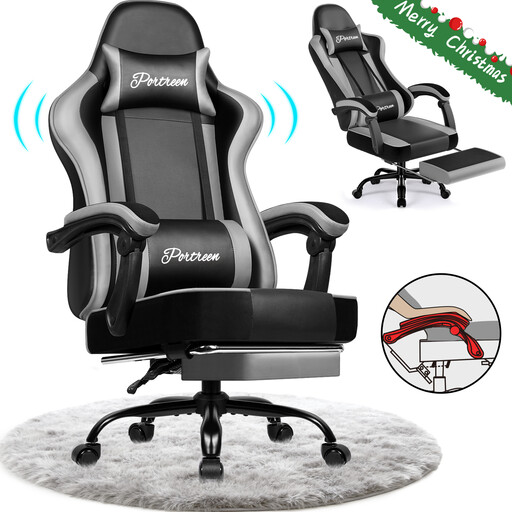
Why it stands out?: This GTIMEX model goes all-in on total comfort. It combines a sturdy frame, durable materials, and well-designed features for intensive use, like its integrated footrest and extensive recline.
Key features?:
Who is it for? For those looking for an all-in-one solution that can transform from an ergonomic workstation into a true relaxation chair.
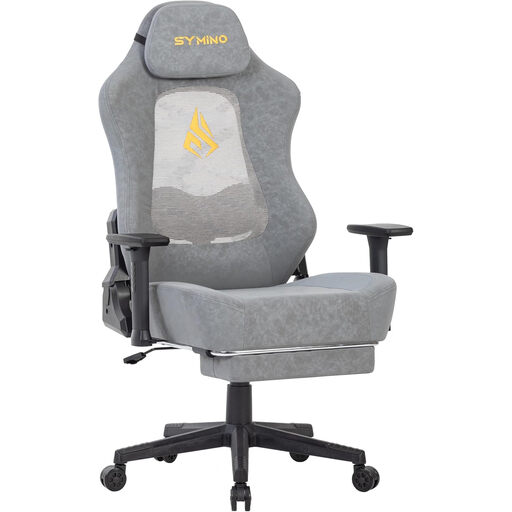
Why it stands out?: The SYMINO stands out with its cutout backrest. This clever idea, combined with a mesh covering, significantly improves air circulation and prevents overheating during long sessions.
Key features?:
Who is it for? Ideal for gamers and remote workers who often get too hot and for whom ventilation is a priority. Its adaptive lumbar support will also appeal to those who tend to move around a lot.
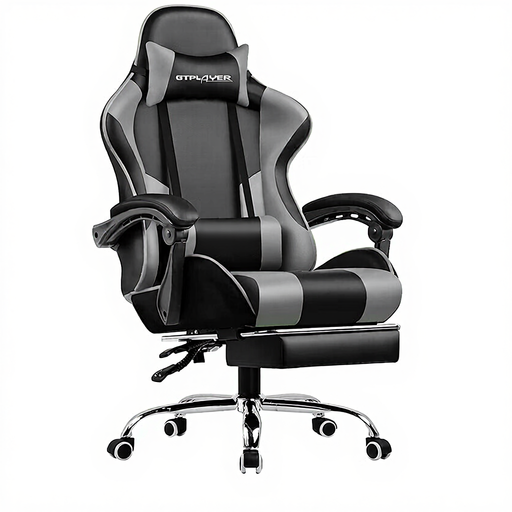
Why it stands out?: The GTPLAYER takes it a step further by integrating a wellness feature: a massaging lumbar cushion. Plugged in via USB, it actively relieves tension in the lower back.
Key features?:
Who is it for? For anyone who suffers from lower back pain or simply wants to combine the ergonomics of a good chair with an active relaxation feature.
None of these models caught your eye? If you appreciate the aesthetics and easy maintenance of faux leather, many other options might suit you.
? Explore our complete collection of Faux Leather Office Chairs to find the perfect model for your setup.
While both aim to protect your back, their approaches differ. The gaming chair often adopts a very enveloping "bucket seat" design, bright colours, and relaxation-oriented features (deep recline, footrest). The classic ergonomic office chair is more understated and focuses on ultra-precise adjustments for a perfect work posture. Today, the line is increasingly blurry, as the best gaming chairs are also excellent work seats.
The perfect posture checklist?:
It all depends on the quality of the covering and how you maintain it. A good faux leather, cleaned regularly with a damp cloth and kept out of direct sunlight, can remain in perfect condition for several years. But don't just judge by its appearance: the sturdiness of the steel frame and the density of the foam are just as crucial to ensure your chair won't sag prematurely.