
Livraison le jour même ou le lendemain

Qualité garantie

Débloquez vos offres de bienvenue: Livraison GRATUITE | Jusqu'à -80 % | 30 jours d'essai gratuits à JoyPlus
Téléchargez l'application
By the Joybuy Editorial Team. Published July 16, 2026.
Choosing the cornerstone of a new PC build can often be a daunting task. For a setup built around a 12th, 13th, or 14th generation Intel processor, the B760 motherboard emerges as the sweet spot between performance, modern features, and budget. Unlike the Z-series chipsets, it forgoes extreme overclocking to focus on the essentials. This pragmatic approach appeals to the vast majority of users, from gamers to content creators.
This guide is here to cut through the noise and help you find the model that ticks all the boxes for your project, without breaking the bank.
Before diving into our selection, let's review the key points to make the right choice and ensure perfect compatibility with your 13th Gen Intel processor or any other chip on the LGA 1700 socket.
The B760 chipset wisely offers flexibility, coming in models compatible with either DDR4 or the newer DDR5 standard.
A good motherboard should be generous and up-to-date to accommodate your peripherals, both now and in the future. Keep an eye on:
The majority of B760 boards adopt the ATX format, the most common standard, which ensures a maximum number of expansion slots. Don't overlook the power delivery system (VRM), the guardian of stability. A robust design (plenty of phases and quality heatsinks) is essential to supply clean and stable power to the processor, especially if you're aiming for a Core i7 or i9.
Here are three models that caught our attention for their excellent balance of features, performance, and price.
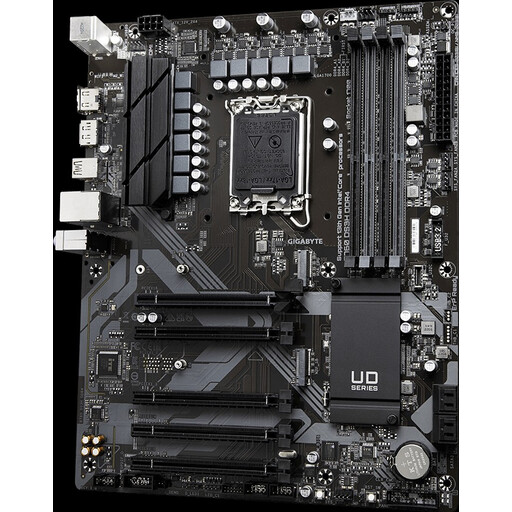
Its Strong Suit: The smart choice for building a modern, high-performance rig without breaking the bank, by leveraging DDR4.
Pros:
Who is it for? For those seeking the best price-to-performance ratio. It's the perfect foundation for an entry-level B760 gaming motherboard or a versatile workstation, without splurging.
See the price of the Gigabyte B760 DS3H DDR4
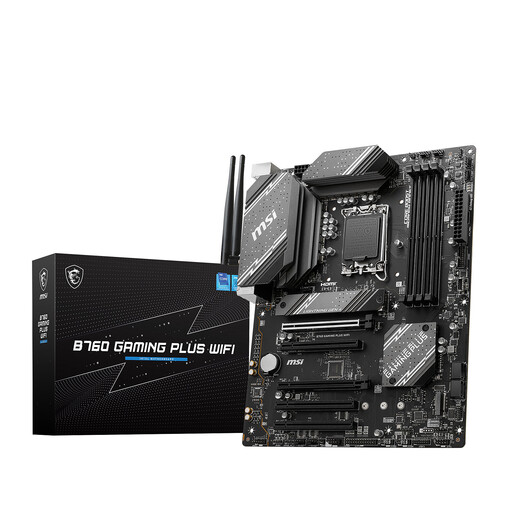
Its Strong Suit: An MSI B760 board built for gaming and demanding users, going all-in on wireless connectivity and robust power delivery for DDR5.
Pros:
Who is it for? For gamers and creators who want a solid, no-compromise DDR5 foundation with all the modern comforts: integrated Wi-Fi and effective cooling.
See the price of the MSI B760 GAMING PLUS WIFI
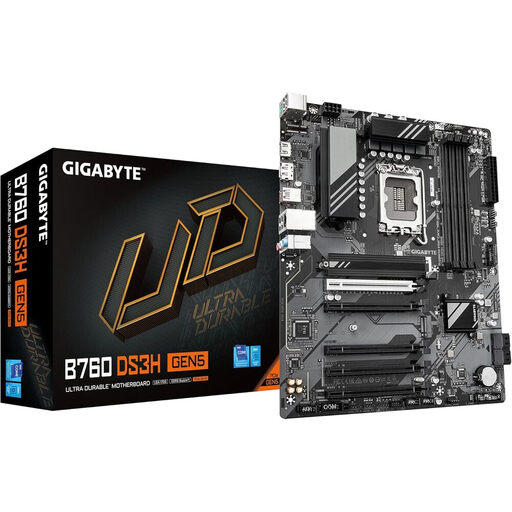
Its Strong Suit: This Gigabyte B760 is an affordable entry ticket to PCIe 5.0, ensuring compatibility with the graphics cards of tomorrow.
Pros:
Who is it for? For those building a new PC who want a future-proof platform, already prepared for upcoming PCIe 5.0 graphics cards, without upgrading to a more expensive Z-series chipset.
See the price of the Gigabyte B760 DS3H GEN5 DDR5
Our selection highlights some very well-balanced models, but the market is full of alternatives with varied features (Micro-ATX form factor, more ports, specific designs, etc.).
If your ideal build has specific needs, don't hesitate to explore our full catalog to find that hidden gem.
Discover all our LGA 1700 motherboards
All B760 motherboards are compatible with 12th, 13th, and 14th generation Intel Core processors (socket LGA 1700). Your choice will mainly depend on your budget and priorities: opt for DDR4 for a budget-friendly build, or a B760 DDR5 motherboard if you're aiming for maximum performance and future-proofing. Remember to check that the BIOS is up to date, a step made much easier by features like Q-Flash Plus.
No, the B760 chipset does not allow for CPU overclocking. This feature is reserved for Z-series chipsets (Z690, Z790) and processors with a "K" or "KF" suffix. However, the B760 fully supports memory overclocking via Intel XMP (Extreme Memory Profile), allowing you to get the most out of your RAM sticks.
It all depends on your setup. A motherboard with integrated Wi-Fi is a real convenience if your router is far away or if you dream of a clean, cable-free desk. If your PC is right next to your router, a model without Wi-Fi will save you a few dollars. You can always add a dedicated Wi-Fi card later if needed.