
Livraison le jour même ou le lendemain

Qualité garantie

Débloquez vos offres de bienvenue: Livraison GRATUITE | Jusqu'à -80 % | 30 jours d'essai gratuits à JoyPlus
Téléchargez l'application
The tablet market is a crowded space where it's easy to get lost. For anyone seeking a versatile device for entertainment, study, or work without targeting the most expensive models, an Android tablet often emerges as the ideal choice.
This guide is here to help you navigate the options. Our mission: to provide you with practical advice and objective information to make a smart purchase, free from marketing jargon. We will break down the key features to look for and present a selection of models that have caught our eye.
Before you dive in, let's review the criteria that will make all the difference.
Screen quality is crucial—it's your gateway to all your content. A large-screen tablet (over 11 inches) with a high resolution (Full HD or 2K) ensures optimal viewing comfort, whether you're watching series, reading, or drawing. For perfect fluidity, especially when gaming or browsing the web, a refresh rate of 90 Hz or 120 Hz makes a real difference.
A powerful yet affordable tablet is no longer a fantasy. For smooth performance in 2026, a minimum of 6 GB of RAM has become the standard. Models with 8 GB or more, often supported by virtual RAM, will guarantee seamless multitasking, even when juggling a video call and a note-taking app. On the processor side (the famous "octa-core"), chips like the MediaTek Helio G99 or the Unisoc T606 now offer an excellent balance between performance and battery life.
Your lifestyle will dictate your needs. Dual-band Wi-Fi (2.4G/5G) is now an essential standard for a stable connection at home. If you're often on the go, a 4G tablet will give you complete freedom by ensuring you have internet access everywhere. Don't overlook accessories: a tablet with a keyboard and mouse can transform into a capable secondary computer. It's an excellent alternative to an iPad or a laptop for a student or a mobile professional.
Here are three models that caught our attention for their excellent feature-to-price ratio and their suitability for specific use cases.
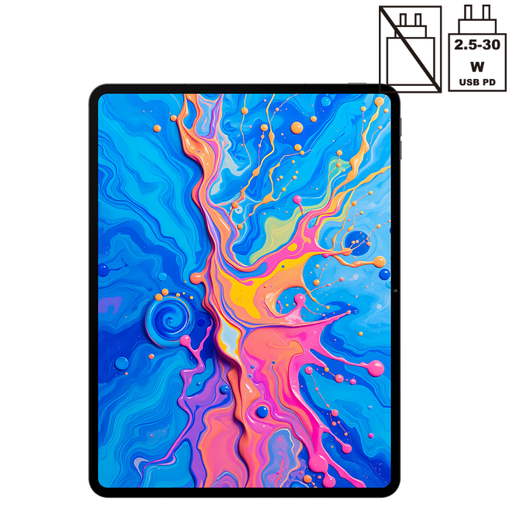
Its standout feature: The Teclast ArtPad Pro focuses on its large 2K screen (12.7-inch) and creativity, with stylus compatibility (4096 levels of pressure). It's an excellent tool for those who enjoy taking handwritten notes or dabbling in digital drawing.
Advantages:
Who is it for?: Students, creatives, and families looking for a large-format tablet for entertainment and note-taking, with the flexibility of 4G.
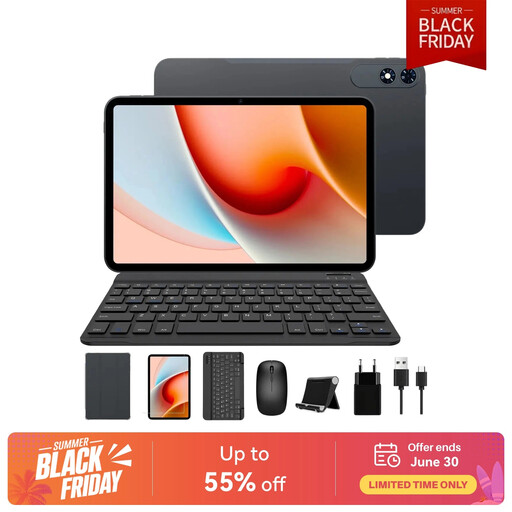
Its standout feature: This model is a true all-in-one solution. With its giant 13.4-inch screen and complete accessory pack (keyboard, mouse, case), the TABWEE T60Pro is ready for productivity right out of the box.
Advantages:
Who is it for?: Professionals and students who need a tablet with a keyboard and mouse to occasionally replace a laptop, and who prioritise a large display area for multitasking.
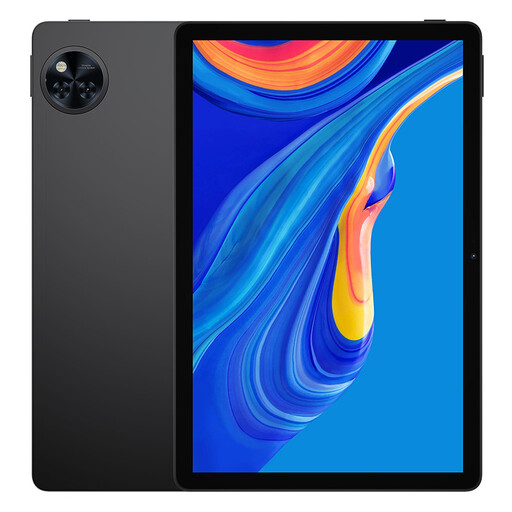
Its standout feature: The DOOGEE U11 embodies the perfect balance of size, performance, and modern features. Its 11-inch screen is comfortable without being bulky, it runs a recent version of Android, and most importantly, its Widevine L1 certification is a real bonus for streaming fans.
Advantages:
Who is it for?: The versatile user. It's a highly relevant tablet for students, but also for anyone looking for a reliable device for web browsing, social media, email, and watching high-quality series.
Our selection highlights three user profiles, but your needs may be unique. If you're looking for specific features (connectivity, form factor, etc.), feel free to explore our full catalogue.
? Discover our entire selection of tablets with a USB port.
The fundamental difference lies in the operating system. Android is an open-source system, which translates to immense customisation flexibility and a much wider choice of models at all price points. iPads, on the other hand, run on iPadOS, a closed ecosystem renowned for its perfect optimisation and seamless integration with other Apple products, all at a generally higher price range. An Android tablet is therefore often an excellent alternative to an iPad for those seeking more choice and the best feature-to-price ratio.
For a comfortable experience, 6 GB of RAM is a good starting point. However, for intensive multitasking (juggling numerous apps and tabs), we recommend aiming for models with 8 GB of RAM or more. Virtual RAM, which uses a portion of the storage to support the physical memory, is a real plus for improving overall fluidity.
It all depends on your mobility. If your tablet never leaves your home or office, where Wi-Fi is king, this option isn't essential. However, for the student working on their commute, the sales professional on the road, or simply for staying connected on holiday without hunting for public hotspots, 4G connectivity offers truly valuable freedom.