
Livraison le jour même ou le lendemain

Qualité garantie

Débloquez vos offres de bienvenue: Livraison GRATUITE | Jusqu'à -80 % | 30 jours d'essai gratuits à JoyPlus
Téléchargez l'application
Finding the perfect keyboard can feel like a daunting task. You want a compact model to free up desk space, but sacrificing the essential function keys or arrow keys—indispensable for both gaming and work—is out of the question. This is where the 75% layout comes in: the ideal solution, and a favorite among gamers, developers, and content creators.
This clever format retains the essentials of a TKL (Tenkeyless) keyboard in an even more compact chassis. But with a booming market, how do you make the right choice? This guide is here to break down the technical specs and help you find the 75% keyboard that's made for you.
Before diving into our top picks, let's review the key points that will guide your decision.
The connection type is crucial for your comfort and desk organization.
Don't be intimidated by the jargon! These terms refer to innovations that radically change the typing feel and sound of your keyboard.
Because style matters, your keyboard's appearance is the finishing touch for your setup. An RGB keyboard lets you customize the backlighting with millions of colors and a myriad of effects. More than just a gimmick, it improves key visibility in low light. Don't overlook the quality of the keycaps, either: PBT models are known to be far more durable and resistant to the "shine" that develops over time than their ABS counterparts.
Enough theory, let's get practical! Here are a few models that have caught our attention.
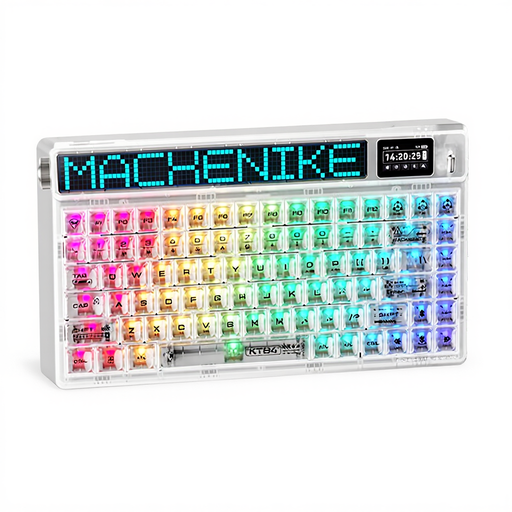
Why it stands out: This keyboard is in a class of its own. The Machenike KT84-B84W features an HD TFT screen and a customizable LED matrix to display real-time info (time, connection mode, animated GIFs...). Its transparent design and comprehensive connectivity make it as much a piece of tech art as a gaming peripheral.
Pros:
Who is it for? Tech enthusiasts and content creators who want a keyboard that makes a statement, is ultra-customizable, and looks like nothing else.
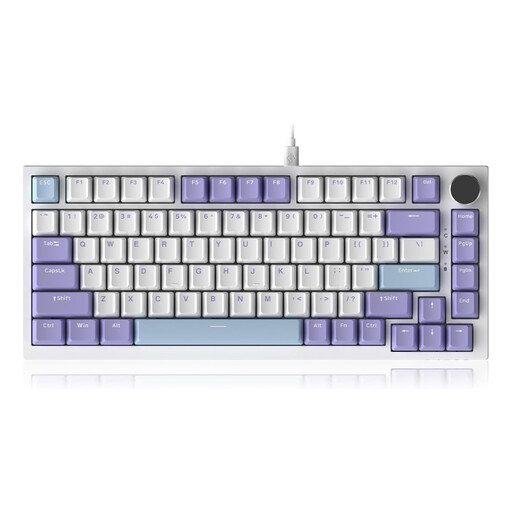
Why it stands out: The AJAZZ AK820 gets straight to the point: delivering the best of a TKL gaming keyboard in terms of performance and comfort. Its wired connection guarantees rock-solid responsiveness, while its Gasket structure and multiple layers of acoustic foam refine the typing feel and sound.
Pros:
Who is it for? Gamers and purists who prioritize the raw performance of a wired connection and a premium typing experience, without the clutter of wireless features.
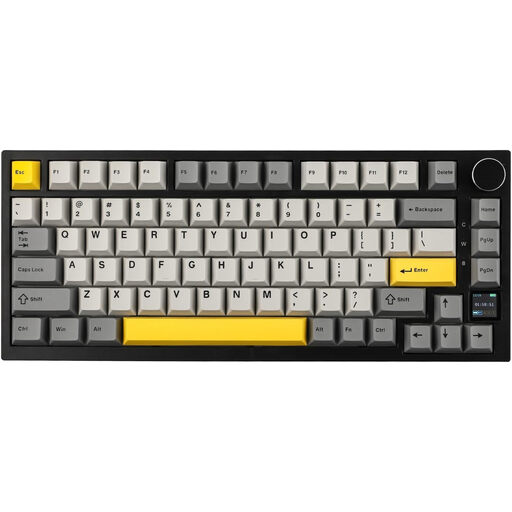
Why it stands out: The Pro version of the AK820 is the best of both worlds. It builds on the excellent foundation of its wired sibling but adds full tri-mode connectivity and a TFT color screen. It's the do-it-all keyboard for those who refuse to choose.
Pros:
Who is it for? Digital nomads, professionals, and gamers who juggle multiple devices and want an ultra-versatile keyboard without sacrificing premium features like a screen or solid battery life.
The hot-swappable keyboards we've featured are an excellent base for creating a tailor-made typing experience. The single element that has the biggest impact on how your keyboard feels is the mechanical switch. Changing them can completely transform your keyboard, making it quieter, snappier, or more tactile.
If the idea of exploring different typing feels to build a truly unique keyboard appeals to you, take a look at our selection of mechanical keyboard switches.
A TKL (Tenkeyless, or 80%) keyboard simply removes the number pad but keeps a standard layout for the rest of the keys. The 75% format is more aggressive: it compresses all the keys together. The function row, arrow keys, and navigation keys (Delete, End, etc.) are condensed for maximum space saving, without being removed entirely.
Yes, absolutely. The gasket mount structure provides a more flexible typing feel that can reduce fatigue during long gaming sessions. The sound, which is deeper and less "harsh," is also highly appreciated. Ultimately, it's a matter of preference: while some pro gamers swear by the rigidity of a traditional mount, many others have embraced the comfort and unique acoustics of gasket-mounted keyboards.
Absolutely. Even if the physical keycaps show a QWERTY layout, your operating system (Windows, macOS, Linux) is what controls the input language. You just need to set your OS language to your preferred layout (e.g., AZERTY, QWERTZ) to type as you normally would. The only difference will be visual, on the keycap legends themselves.