
Livraison le jour même ou le lendemain

Qualité garantie

Débloquez vos offres de bienvenue: Livraison GRATUITE | Jusqu'à -80 % | 30 jours d'essai gratuits à JoyPlus
Téléchargez l'application
Is your smartphone's memory full? Between photos, videos, and apps, storage space can run out quickly. Transferring these files to a computer or simply backing them up becomes a necessity. A 64GB USB drive for your smartphone is a simple and effective solution for this need, without relying on an internet connection or costly cloud subscriptions.
As a Product Recommendation Manager at Joybuy, my role is to help you navigate the many available options. The goal is to find a reliable product that suits your needs, cutting through the superfluous marketing claims. Here is some advice and a selection of models that have caught our attention for their practicality.
Before looking at specific models, it's helpful to understand the three main criteria that will ensure the compatibility and efficiency of your future USB drive.
This is the most crucial point. Your smartphone's port determines the type of drive you need.
For maximum versatility, a dual-connector USB drive (for example, USB-C and classic USB-A) is a smart option. It allows you to switch easily between a smartphone and a computer.
The USB standard directly impacts how quickly your files are copied. A USB 3.0 drive (or its successors 3.1/3.2) offers much higher speeds than the old USB 2.0 standard. In practical terms, transferring a multi-gigabyte movie can take less than a minute with USB 3.0, compared to several minutes with USB 2.0. For regular use and transferring large files like 4K videos, opting for a recent standard is a significant time-saver.
Why 64GB? This capacity represents an excellent compromise. It's enough to perform a complete phone photo backup (several thousand images), store dozens of hours of video, or carry numerous work documents. It's an external mobile storage solution that meets the needs of most users without reaching the prices of very high-capacity models.
Here are a few models that stand out for their technical specifications and design tailored for mobile use.
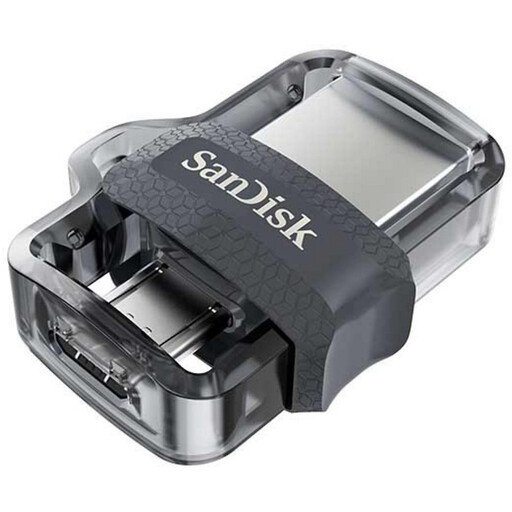
Why we recommend it This model is a highly practical solution for owners of Android devices equipped with a Micro-USB port. Its retractable dual connector (Micro-USB on one side, USB 3.0 on the other) eliminates the need for adapters. It greatly simplifies the process to transfer files from smartphone to PC.
Advantages
Who is this product for? For users of Android smartphones and tablets with a Micro-USB port who are looking for a simple and direct way to free up space or transfer their data to a computer.
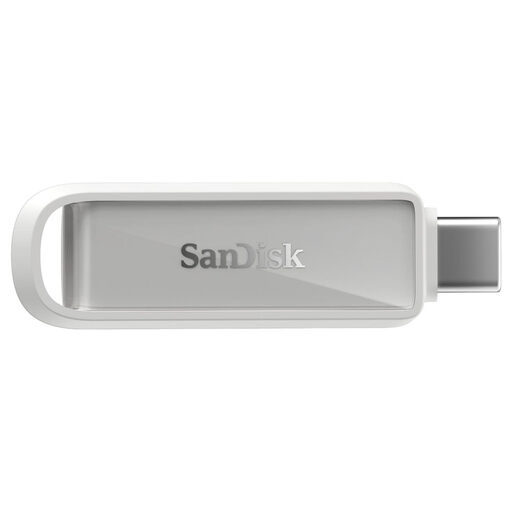
Why we recommend it This model perfectly meets the needs of the latest devices. With its USB-C and USB-A connectors, it is compatible with the latest iPhones (15 and newer), the vast majority of current Android smartphones, as well as PCs and Macs. Its swivel design protects the connectors.
Advantages
Who is this product for? For owners of recent smartphones (iPhone 15 or newer, Android with USB-C) who want a "plug-and-forget" solution for their phone photo backup and rapid data transfer.
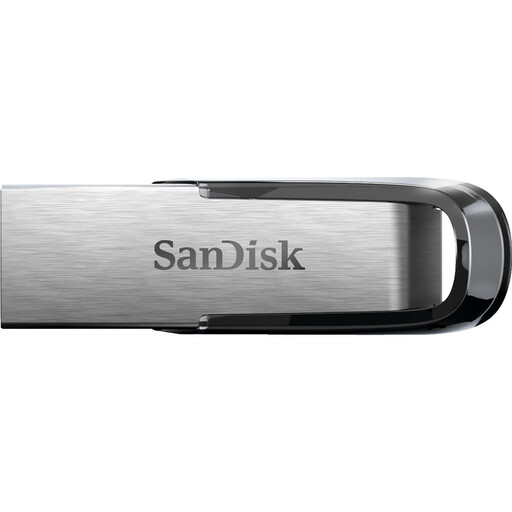
Why we recommend it Although this drive only has a USB-A connector, it remains relevant in a mobile ecosystem. It is ideal for those who transfer files from their phone to a computer via a cable and then need a fast, sturdy drive to store or transport that data. Its metal casing gives it superior durability.
Advantages
Who is this product for? For users who prioritize durability and speed for computer-based storage. It's perfect as the final destination for phone backups or for carrying important work files. It can be used with a smartphone via an OTG adapter (sold separately).
The selection above covers the most common uses, but the market offers a wide variety of models. Other storage capacities (32GB, 128GB, 256GB), different designs, or specific features may better suit your needs.
To explore a wider range, feel free to browse our complete USB Drive Storage category.
For dual-connector drives, simply plug the appropriate connector (USB-C or Micro-USB) into your phone. The device will detect the drive as external storage. You can then use a file manager (often pre-installed on Android, or via the Files app on iOS) to copy, move, or delete files between the phone's memory and the drive.
A "regular" USB drive typically has a single USB-A connector, intended for computers. An OTG (On-The-Go) USB drive is specifically designed to connect to a mobile device. It has either a Micro-USB or USB-C connector, or a dual connector (e.g., USB-C and USB-A) to be compatible with both smartphones and computers.
Since the iPhone 15, which is equipped with a USB-C port, most standard USB-C drives work for file transfers. However, to benefit from advanced features like automatic backup, it is often recommended to use a drive that comes with a dedicated iOS-compatible app, such as those offered by brands like SanDisk.