
Livraison le jour même ou le lendemain

Qualité garantie

Débloquez vos offres de bienvenue: Livraison GRATUITE | Jusqu'à -80 % | 30 jours d'essai gratuits à JoyPlus
Téléchargez l'application
USB-C has become the standard for all our latest devices, from the iPhone 15 to the newest Samsung Galaxy models. The problem? Our drawers are still overflowing with chargers, computers, and power banks equipped with the legacy USB-A port. And who hasn't cursed a cable that's too short, forcing you to stay glued to the wall socket just to use your smartphone? It's an all-too-familiar frustration.
To comfortably charge your device from your bed, sofa, or a desk that's just a bit too far from an outlet, the 3m USB-A to USB-C cable is the perfect solution. This guide will walk you through choosing a reliable and durable model, breaking down the essential criteria to check before you buy.
The market is flooded with options, but be warned: not all are created equal, either in terms of safety or longevity. Here are the key points to check to ensure you make the right choice.
A cable is an accessory that takes a beating daily: we bend it, coil it, and pull on it. Standard plastic sheaths often end up fraying or breaking near the connectors. In contrast, a braided nylon USB-C cable offers far superior resistance. This coating protects the internal wires from repeated twists and bends, significantly extending its lifespan. Investing in a heavy-duty USB cable will save you from having to replace it constantly.
A good cable needs to do it all: charge efficiently and transfer your data quickly.
A poor-quality cable can damage your device's battery or even pose a fire risk due to overheating. The USB-IF (USB Implementers Forum) certification is a true guarantee of compliance and safety. It ensures the cable meets industry standards for risk-free communication between your devices. Choosing a certified cable is simply about protecting your valuable equipment.
To make your decision easier, we've selected three models that have proven their worth, each catering to a specific need, with an emphasis on reliability and user feedback.
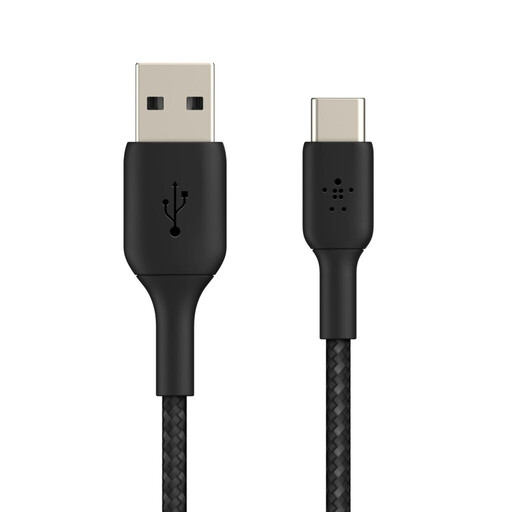
Why it stands out: This Belkin USB-A to USB-C cable is the perfect solution for connecting a modern device to an older power source, all while enjoying complete freedom of movement. Its 3-metre length makes it incredibly practical for use at home or in the office.
Key features:
Who is it for? For anyone who owns a USB-C device (iPhone 15, Samsung Galaxy, Google Pixel, iPad Pro, Nintendo Switch…) but still uses chargers, computers, or power banks with USB-A ports. It's ideal if you're looking for a long, reliable, and robust cable for everyday use.
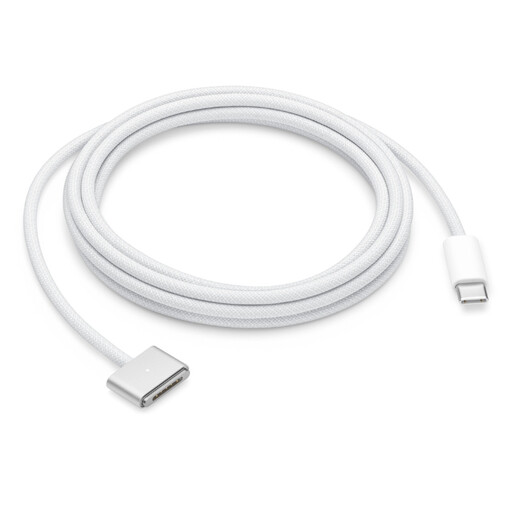
Why it stands out: A staple of the Apple ecosystem, this cable features the magnetic MagSafe 3 connector. It provides a charging experience for recent MacBooks that is as simple as it is secure: if the cord is pulled, it detaches instantly, preventing your computer from falling.
Key features:
Who is it for? Exclusively for owners of MacBook Air or MacBook Pro models equipped with a MagSafe 3 charging port. Note that this is a USB-C to MagSafe 3 cable, which requires a charger with a USB-C port.
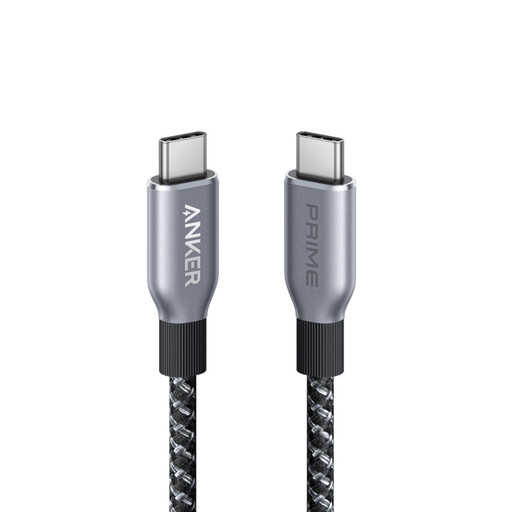
Why it stands out: This Anker cable is engineered for pure performance. Capable of delivering up to 240W of power, it's designed to power the most demanding devices (latest-generation laptops, tablets, etc.) at their maximum speed.
Key features:
Who is it for? For users who already own a powerful USB-C wall charger and want to charge their USB-C devices (MacBook Pro, Dell XPS, Samsung Galaxy S24, etc.) as quickly as possible. Its short length (0.9 m) makes it best suited for use on a desk, close to a power outlet.
Our selection focuses on specific use cases, but your needs might be different. Lengths, connectors, brands... many other options await.
Discover our full range of USB 3 Cables
Yes, provided that the "cable + charger + device" trio is compatible with the same fast-charging standard (like Quick Charge). Note that the Power Delivery (PD) standard is generally reserved for USB-C to USB-C connections. While length can theoretically affect speed, with a quality cable, the difference is imperceptible in daily use.
For its durability, without a doubt. A braided nylon USB-C cable (or one made of an equivalent material) withstands bending, fraying, and general wear much better than a basic plastic cable. As a bonus, it's far less prone to tangling, making it easier to store and carry.