
Livraison le jour même ou le lendemain

Qualité garantie

Débloquez vos offres de bienvenue: Livraison GRATUITE | Jusqu'à -80 % | 30 jours d'essai gratuits à JoyPlus
Téléchargez l'application
For a PC gamer, choosing a monitor is just as crucial as selecting a graphics card. An unsuitable monitor will inevitably bottleneck your machine's performance and limit your in-game potential. The 27-inch QHD PC gaming monitor format has established itself as the ideal sweet spot, combining immersion, display sharpness, and responsiveness. But between panels, hertz, and milliseconds, the technical jargon can quickly become overwhelming.
Our mission? To help you see things more clearly. This guide deciphers the spec sheets for you and presents a selection of monitors for 2026, engineered for performance in fast-paced games.
Before diving into our selection, let's review the features that truly make a difference in a monitor designed for competitive play.
In fast-paced games like FPS or MOBAs, fluidity isn't a luxury—it's a strategic advantage.
The panel type has a direct impact on image quality and responsiveness. While TN panels, the historical kings of speed, long dominated the competitive scene, they are now outclassed in terms of colour reproduction. This is where the Fast IPS panel comes into play, offering the best of both worlds. It combines the ultra-short response times of TN panels with the rich colours and wide viewing angles of classic IPS panels. It's the ultimate versatile choice, equally at home in gaming as it is for photo editing or video production, thanks to excellent colour gamut coverage (often over 95% of DCI-P3).
Adaptive Sync is a technology that synchronises the monitor's refresh rate with the number of frames per second (FPS) generated by your graphics card. The result? An end to screen tearing and micro-stutters that ruin immersion. The two standards are FreeSync (AMD) and G-Sync (NVIDIA). Today, most FreeSync monitors are also G-Sync Compatible, meaning they work flawlessly with NVIDIA graphics cards. This is a crucial point for a perfectly smooth gaming experience.
Let's get to the specifics with our selection of monitors that tick all the boxes for demanding gamers, whether they are hardcore competitors or content creators.
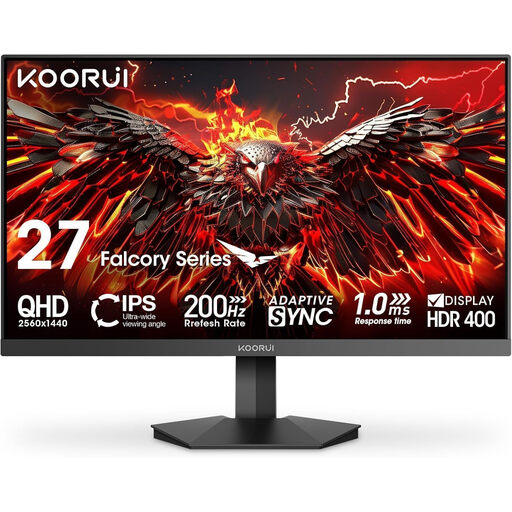
Its Key Feature The KOORUI G2721P directly targets gamers looking to maximise their refresh rate without breaking the bank. Its 200?Hz refresh rate (via DisplayPort 1.4) makes it a formidable weapon in games where every millisecond is decisive.
Key Strengths
Who is it for? The perfect monitor for fans of FPS and racing games who prioritise fluidity above all else to gain an edge over their opponents.
See the KOORUI G2721P on Joybuy.fr
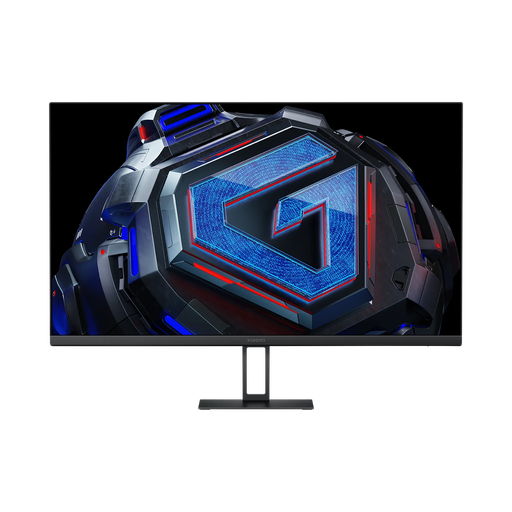
Its Key Feature The Xiaomi G27Qi is the Swiss Army knife of our selection. It combines a 180?Hz refresh rate with highly accurate colourimetry (ΔE<2), making it as comfortable on Call of Duty as it is in Photoshop. Its sleek design and thin bezels allow it to blend into any setup.
Key Strengths
Who is it for? The smart choice for gamers who are also content creators, streamers, or photographers. A monitor capable of juggling gaming and production without compromise.
See the Xiaomi G27Qi on Joybuy.fr
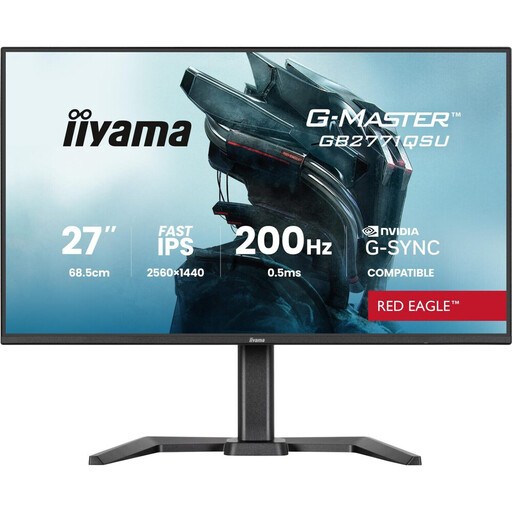
Its Key Feature The G-MASTER GB2771QSU-B1 from iiyama focuses above all on user comfort and ergonomics. Its fully adjustable stand (height, tilt, pivot) ensures a perfect posture, while its integrated USB hub is a real bonus for organising your desk.
Key Strengths
Who is it for? For those who endure long gaming or remote work sessions. Its ergonomics and practical features make it the ideal companion for a versatile and tidy desk.
See the iiyama G-MASTER GB2771QSU-B1 on Joybuy.fr
Our selection highlights monitors built for pure performance. If you have other needs (4K screen, ultrawide, a tighter budget…), feel free to explore our full catalogue.
Our HDMI Monitors category is packed with options for all budgets and uses.
Absolutely. A 1440p 165?Hz gaming monitor is an excellent compromise for the majority of gamers today, including at a competitive level. The jump in fluidity compared to a 60 or 75?Hz screen is significant, and it strikes a perfect balance between performance and price. Higher refresh rates (180?Hz, 200?Hz, and beyond) provide additional comfort, but the perceived gain is more marginal.
A Fast IPS panel is simply a supercharged version of classic IPS technology. Thanks to a new liquid crystal structure, it achieves response times of 1?ms (grey-to-grey), rivalling older TN panels, while retaining the strengths of IPS: vibrant colours, high accuracy, and very wide viewing angles.
Essential, no. Highly recommended if you have an NVIDIA graphics card, yes. The G-Sync Compatible certification guarantees perfect synchronisation with your GPU to eliminate screen tearing and stuttering. The result: rock-solid fluidity. The good news is that the vast majority of recent FreeSync monitors are also "G-Sync Compatible," giving you plenty of freedom of choice.