
Livraison le jour même ou le lendemain

Qualité garantie

Débloquez vos offres de bienvenue: Livraison GRATUITE | Jusqu'à -80 % | 30 jours d'essai gratuits à JoyPlus
Téléchargez l'application
Choosing a new gaming monitor can quickly become a headache. You've already done the hard part by targeting the sweet spot: a 27-inch screen, QHD resolution, and a 180Hz refresh rate. But the market is a jungle of obscure spec sheets and often misleading marketing promises. Our mission: to help you see clearly, identify the features that truly matter, and make a purchase you won't regret.
Before diving into our top picks, let's break down 3 common pitfalls that can ruin your gaming experience and your investment.
Many manufacturers boast a "1ms" response time, but it's crucial to understand what's behind this number. There are two main metrics:
A 27-inch QHD 180Hz gaming monitor can use different panel technologies, with results that are night and day.
A beautiful screen stuck on a non-adjustable stand can quickly become a source of discomfort. Likewise, to enjoy 180 frames per second in QHD, the right connectivity is essential. Always check for an adjustable stand (height, tilt, etc.) and a 100x100 VESA mount for maximum installation flexibility. Also, ensure the monitor has a DisplayPort 1.4 port, which is crucial for enjoying the maximum refresh rate without compromise.
To make the right choice, focus on this trio that makes all the difference for a top-tier gaming experience in 2026.
For a 27-inch 1440p gaming monitor, QHD resolution is the ideal sweet spot. It offers a much higher pixel density than Full HD (1080p), resulting in a significantly sharper and more detailed image, without demanding the immense processing power of a 4K display. This allows a mid-to-high-end graphics card to maintain a high framerate, which is essential for fluidity.
A technology like an AMD FreeSync Premium monitor synchronizes the screen's refresh rate with the frame rate generated by your graphics card. This synchronization eliminates screen tearing and stuttering, ensuring a perfectly smooth gaming experience, even when your PC's performance fluctuates.
Instead of an endless list, here are targeted recommendations based on user profiles, keeping in mind the pitfalls to avoid.
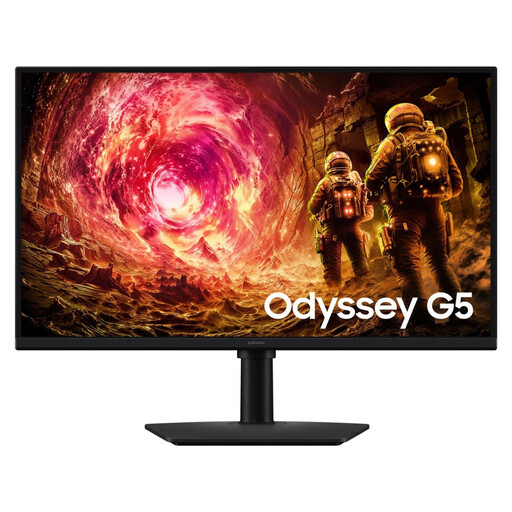
Why we chose it: This monitor is the epitome of what a demanding gamer is looking for. It checks all the boxes: a trusted brand, a Fast IPS panel, QHD resolution, and a 180Hz refresh rate, all backed by AMD FreeSync Premium. It's a safe, high-performance choice that's equally at home on PC and next-gen consoles.
Its spec sheet is crystal clear: it features a Fast IPS panel with a 1ms GtG response time, which avoids nasty surprises like *ghosting* or washed-out colors. The inclusion of a 100x100 VESA mount offers excellent installation flexibility.
The combination of an ultra-responsive Fast IPS panel and AMD FreeSync Premium technology guarantees a perfectly smooth, tear-free gaming experience. The LS27DG500EUXEN model is a solid bet in this segment.
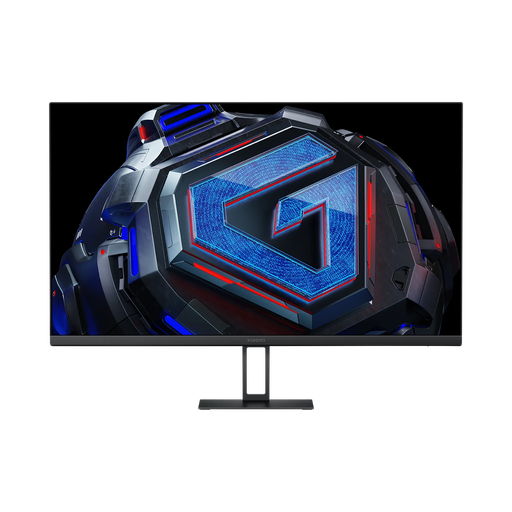
Why we chose it: For gamers looking to maximize performance without breaking the bank. This Xiaomi monitor offers the essential high-end specs (QHD, 180Hz, Fast IPS) at an often very aggressive price point, making it a price-to-performance champion.
It makes no compromises on the critical points: the panel is a Fast IPS with a 1ms GtG response time. Its FreeSync and G-Sync compatibility ensures optimal fluidity on all setups, avoiding the trap of incomplete spec sheets.
Access to QHD 180Hz performance without compromising on responsiveness. Its wide color gamut (95% DCI-P3) also makes it great for watching movies and shows.
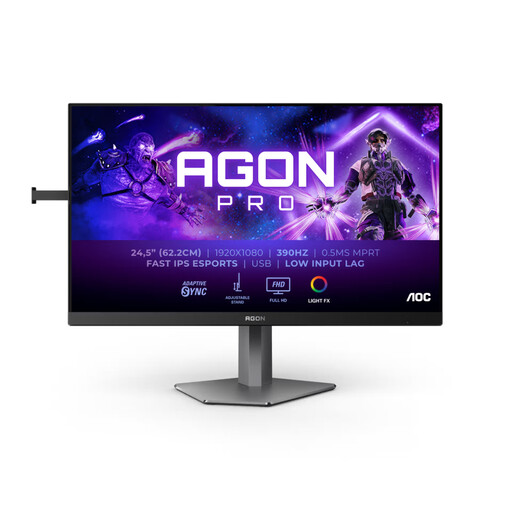
Why we chose it: For those willing to sacrifice QHD resolution on the altar of competitive advantage. With its native 360Hz refresh rate (overclockable to 390Hz), this monitor is a weapon designed for FPS players where every millisecond counts.
It's transparent about its trade-off: the resolution is limited to Full HD, but it excels where it needs to. It features a Fast IPS panel to ensure that speed doesn't come at the expense of clarity. Its fully adjustable stand avoids the poor ergonomics trap.
A stratospheric refresh rate for absolute responsiveness in competitive games. The 130mm height-adjustable stand (HAS) ensures perfect comfort for long gaming sessions.
We've compiled a complete, up-to-date list of products that meet our strict selection criteria.
Yes, to take full advantage of such a monitor, a powerful graphics card is essential. To aim for 180 frames per second in QHD (2560x1440) on recent games, you'll need to look at an NVIDIA GeForce RTX 4070 / 3070 Ti, an AMD Radeon RX 7700 XT / 6800, or a higher-end model. A less powerful card will work, but you'll likely have to compromise on graphics settings to maintain smooth gameplay.
For a 27-inch QHD 180Hz gaming monitor, DisplayPort 1.4 is the gold standard. While HDMI 2.0 can theoretically support QHD at 144Hz, it doesn't always have enough bandwidth to reach 180Hz without color compression. DisplayPort 1.4, on the other hand, handles this combination flawlessly and is essential for enabling sync technologies like G-Sync or FreeSync Premium under the best conditions.
The 100x100 VESA standard is a universal mounting system that gives you complete freedom. If the original stand doesn't suit you (too bulky, not adjustable enough), this compatibility allows you to attach your monitor to an articulating arm or directly to the wall in a snap. It's the ideal solution for freeing up desk space and positioning the screen at the perfect height and distance for optimal viewing comfort.