
Livraison le jour même ou le lendemain

Qualité garantie

Débloquez vos offres de bienvenue: Livraison GRATUITE | Jusqu'à -80 % | 30 jours d'essai gratuits à JoyPlus
Téléchargez l'application
Choosing a new 27-inch gaming PC monitor can quickly become a headache. Between the resolution, refresh rate, panel type, and built-in technologies, it's easy to get lost in the technical jargon. Yet, this monitor is the cornerstone of your gaming experience: it's what transforms your machine's raw power into a smooth, immersive image.
This guide is here to help you see things more clearly. We'll break down the essential criteria and present a selection of monitors for every profile and budget, from the casual player to the hardcore competitor.
Before diving into our selection, let's review the key points that will help you make the right choice and understand what really matters for your specific needs.
The balance between image definition (resolution) and the number of frames displayed per second (refresh rate) is crucial.
The panel technology has a direct impact on colour rendering, contrast, and responsiveness.
Here are three models that stand out from the crowd, each tailored for a specific type of gamer.
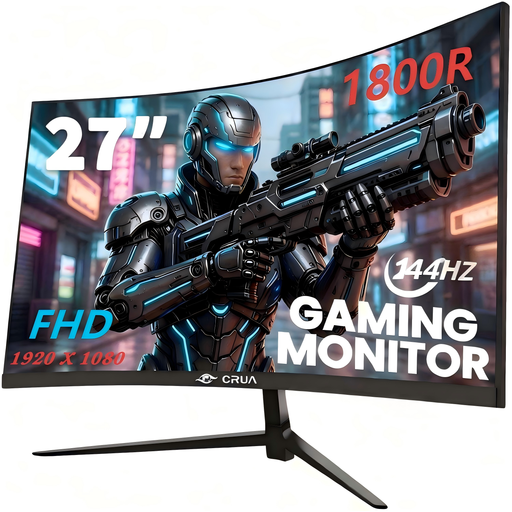
Why it stands out: This CRUA monitor checks two highly sought-after boxes for gamers: a high refresh rate and a curved panel for immersion. All at a particularly aggressive price point.
Its 27-inch VA panel, with its 1800R curvature, wraps around your field of view to enhance in-game focus. Paired with a 144?Hz refresh rate and AMD FreeSync technology, it ensures smooth, tear-free action (the infamous tearing), provided your graphics card is compatible.
Highlights:
Who is it for? Ideal for beginners or gamers on a tight budget. It will delight those who primarily seek fluidity and immersion in Full HD for their esports or action game sessions.
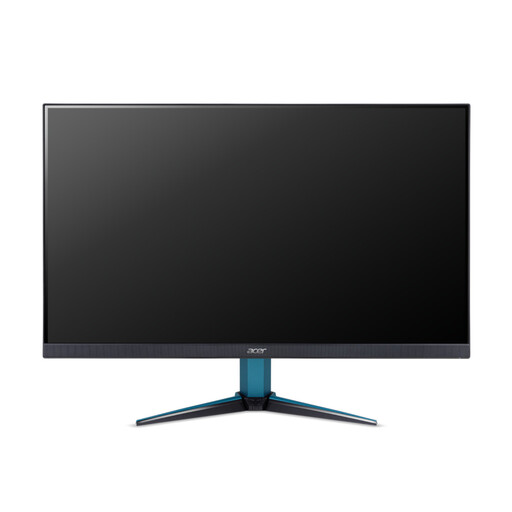
Why it stands out: The Acer Nitro VG271UM3 is the epitome of the excellent compromise for most PC gamers. It features an IPS panel with WQHD (2560x1440) resolution, which offers a significant leap forward in sharpness compared to Full HD, without requiring an exorbitantly priced graphics card.
Its 180?Hz refresh rate and 1?ms (GtG) response time make it an ultra-responsive monitor, perfectly suited for competition. AMD FreeSync Premium technology handles the synchronisation for a flawless gaming experience.
Highlights:
Who is it for? The versatile gamer looking to level up. It's the smart choice for enjoying the visual wow factor of recent games in high definition, without sacrificing the responsiveness essential for multiplayer titles.
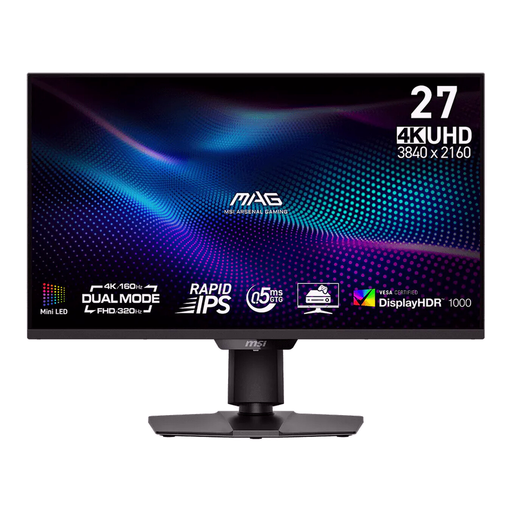
Why it stands out: This MSI monitor is for enthusiasts who want to make absolutely no compromises. It features a cutting-edge Mini-LED backlight with 1,152 local dimming zones, allowing it to display stunning contrast and abyssal blacks, rivalling the performance of OLED.
It also has an innovative "Dual Mode" that lets you switch on the fly to FHD (1080p) at 320?Hz for ultra-competitive gaming sessions where every millisecond is crucial.
Highlights:
Who is it for? The most demanding gamers and content creators, equipped with a very powerful PC build. This is the ultimate monitor for those who want the best possible image quality in AAA games, while retaining the flexibility of an ultra-high-performance mode for esports.
The monitor market is vast, and our selection is just a glimpse. To discover other sizes, technologies, or brands, take a look at our full catalogue.
Discover our full range of external monitors on Joybuy
A curved gaming monitor aims to match the natural curve of our field of vision. The idea is to reduce eye strain and enhance immersion, an effect that is particularly noticeable on screen sizes of 27 inches and larger. It's a definite advantage in simulation games (racing, flight) or first-person adventures. Ultimately, however, it remains a matter of taste.
Moving from 60?Hz to 144?Hz is a true revolution in fluidity, immediately noticeable in fast-paced games. Climbing to 180?Hz or beyond brings a more subtle gain, especially appreciated by high-level competitors. For the vast majority of gamers, a monitor between 144 and 180?Hz represents the ideal compromise between performance and budget.
Yes, and that's non-negotiable. Your monitor's resolution must match the power of your graphics card (GPU).