
Livraison le jour même ou le lendemain

Qualité garantie

Débloquez vos offres de bienvenue: Livraison GRATUITE | Jusqu'à -80 % | 30 jours d'essai gratuits à JoyPlus
Téléchargez l'application
Finding the right gaming monitor can quickly become overwhelming. Between panel types, refresh rates, and sync technologies, it's easy to get lost. However, one format has emerged as the new sweet spot for many gamers?: the 27-inch 1440p gaming monitor. This combination offers the perfect balance between an immersive screen size and high pixel density, delivering images that are both sharp and detailed.
Our mission at Joybuy is to do the legwork for you. In this guide, we'll break down the spec sheets and present our selection of the best models, suited for every type of user and budget. The goal?: to help you make the right choice with complete confidence.
Before diving into specific models, it's essential to understand the technologies that make a difference in gaming. Let's review the three must-have criteria.
The panel type is arguably the most influential factor in the visual performance of your QHD gaming monitor. The market is primarily divided among three technologies?:
For gaming, especially competitive play, fluidity is non-negotiable.
Their role?? To synchronise the monitor's refresh rate with the frame rate from the graphics card. The result?: an end to the screen tearing that ruins the experience.
Now, let's get to the heart of the matter?: here are the models that caught our eye, each excelling in its category.
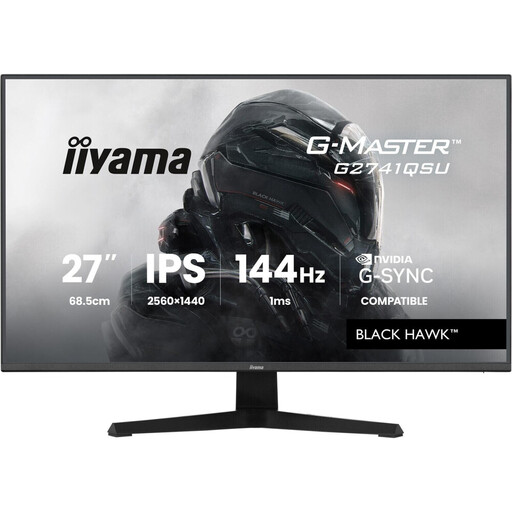
Why it stands out This iiyama monitor is an excellent gateway into the world of 1440p gaming. It checks all the boxes for a great 2K gaming monitor?: a responsive Fast IPS panel, a sharp WQHD resolution, and a 144?Hz refresh rate.
Advantages
Who is it for?? For the versatile gamer, on PC or console (PS5, Xbox Series X), who wants a high-performance, reliable monitor without breaking the bank. A solid choice that meets all the essential criteria for modern gaming.
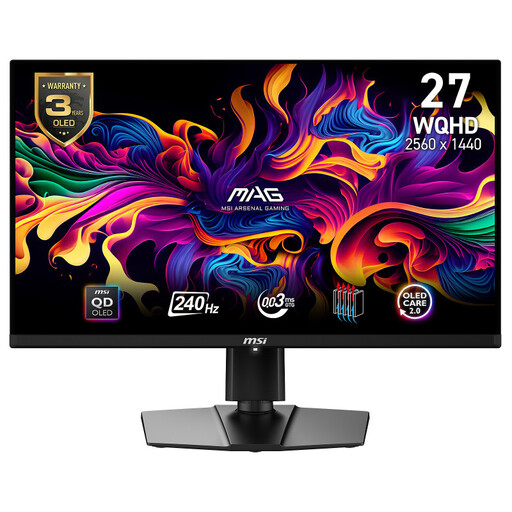
Why it stands out We're entering a new dimension with the MSI MAG 274QP and its latest-generation QD-OLED panel. This technology delivers contrast and colour vibrancy beyond the reach of traditional LCD panels, all with lightning-fast responsiveness.
Advantages
Who is it for?? For the passionate gamer and esports enthusiast who demand the best image quality and flawless responsiveness. A significant, but justified, investment for those who refuse to compromise on the visual experience.
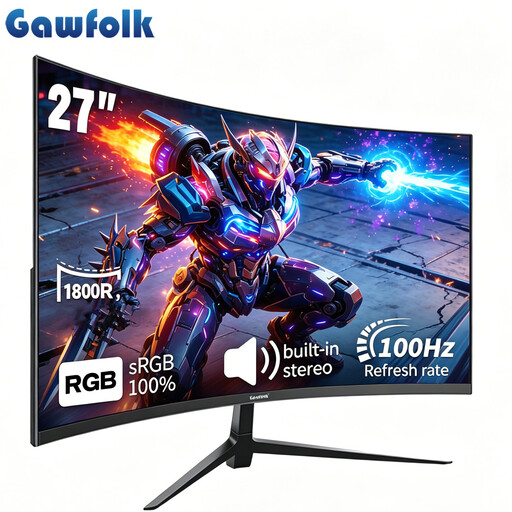
Why it stands out While it's not a 1440p monitor, this Gawfolk model is still a very appealing entry point into the world of gaming. Its 27-inch curved Full HD (1080p) panel offers an enjoyable immersive experience, and its 100?Hz refresh rate is a real step up from a standard office monitor.
Advantages
Who is it for?? For gamers on a tight budget, or those whose setup is built for 1080p gaming. A smart option to discover the joys of a gaming monitor without breaking the bank.
Once you've chosen your monitor, it's time to fine-tune the rest of your setup. To connect consoles, PCs, and other peripherals hassle-free, good adapters are often essential.
? Discover our selection of gaming adapters for a flawless setup.
1. Is a 1440p monitor a good fit for a PS5 or Xbox Series X?? Yes, it's an excellent choice! Both consoles natively support 1440p resolution. Connecting your console to a 27-inch 1440p gaming monitor will give you a much sharper image than 1080p, especially if the monitor can reach 120?Hz via its HDMI port.
2. What is the main difference between an IPS and a VA panel?? To put it simply?: IPS prioritises colour accuracy and wide viewing angles, making it very versatile. VA, on the other hand, goes all-in on contrast, with much deeper blacks that are perfect for dark environments. The choice depends on your priorities?: colour fidelity (IPS) or deep blacks (VA).
3. Do I really need G-Sync or FreeSync?? If you play fast-paced titles at a high refresh rate (144?Hz and above), the answer is an unequivocal yes. These technologies prevent the screen tearing that occurs when the monitor and graphics card are out of sync. The result is a much cleaner image and a far more enjoyable gaming experience.