
Livraison le jour même ou le lendemain

Qualité garantie

Débloquez vos offres de bienvenue: Livraison GRATUITE | Jusqu'à -80 % | 30 jours d'essai gratuits à JoyPlus
Téléchargez l'application
Shooting in ultra-high resolution, whether in 4K or even 8K, puts your gear to the test. One weak link in the chain can compromise the entire project. The weak link that's too often overlooked? The memory card. The wrong 256GB SD card for 4K video can lead to dropped recordings, corrupted footage (dropped frames), and endless file transfers that bog down your post-production.
This guide is here to decode the technical jargon and present our selection of the best memory cards for demanding creators. Our mission: to give you clear, objective information to help you make the right choice, far from the usual marketing speak.
Before you buy, it's essential to master a few key concepts that define a card's true performance.
The Video Speed Class, marked with a "V" (V30, V60…), guarantees a minimum sustained write speed. This is THE number one criterion for video: it ensures the card can handle the data stream without faltering, and therefore without losing frames.
The bus interface is like the highway between the card and your device. It defines the theoretical peak speed for data transfer.
The Samsung SD Express standard is the next revolution in the world of memory cards. By leveraging a PCIe interface (the same one used in our SSDs), it promises theoretical speeds that shatter UHS-II records. This is a future-proof technology to keep an eye on for creators with cutting-edge gear who want a long-term investment.
We have selected three 256GB SDXC card models that excel in their category, for both video and photography.
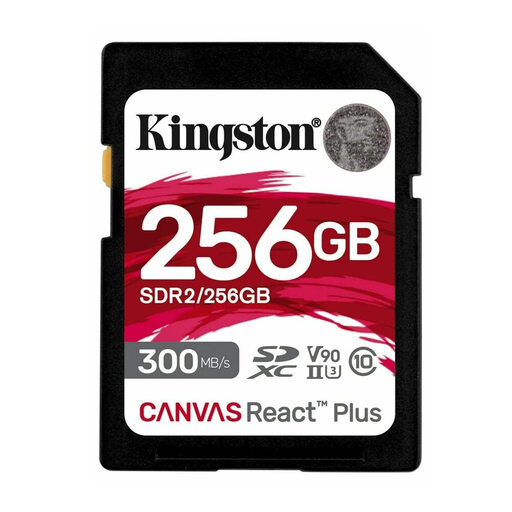
The Highlights The Kingston Canvas React Plus is aimed at creators who make no compromises on performance. With its UHS-II interface and V90 speed class, it is built for the most intensive uses, from 8K video capture to high-speed RAW bursts. Its write speeds (up to 260 MB/s advertised) ensure your camera's buffer clears almost instantly.
Pros
Who is it for? Professional photographers and videographers equipped with a high-end camera (mirrorless or DSLR) that is UHS-II compatible. Essential for those who work with high-bitrate 4K, 8K, or shoot sports and action photography.
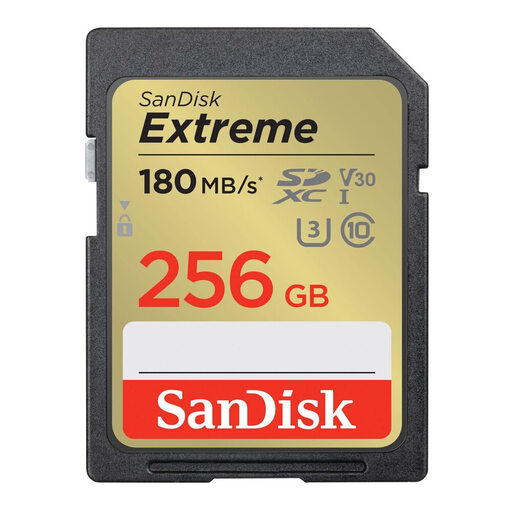
The Highlights The SanDisk Extreme 256 Go is the go-to choice for its excellent performance-to-price ratio and rock-solid reliability. Although it uses a UHS-I interface, it boasts write speeds (up to 130 MB/s according to SanDisk) and a V30 speed class that make it perfectly capable of handling 4K UHD recording in most scenarios.
Pros
Who is it for? Enthusiast videographers and photographers, or professionals looking for a fast memory card that is reliable for standard 4K, without necessarily needing the extreme speeds of UHS-II. It's the reliable, versatile, and proven choice.
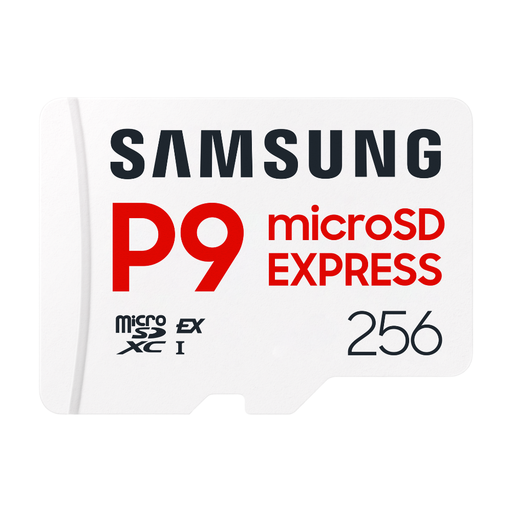
The Highlights This microSDXC card (usable in an SD slot via an adapter) is a forward-thinking card. It leverages the new SD Express standard to offer theoretical read speeds of up to 800 MB/s, approaching SSD-level performance. Even though compatible devices are still rare, it ensures backwards compatibility with UHS-I devices.
Pros
Who is it for?Early adopters and post-production pros who want to obliterate wait times when transferring their footage. A bet on the future for those who already own (or are eyeing) SD Express compatible gear.
Our selection focuses on demanding, high-resolution video uses. If your needs are different (another capacity, more casual use, a tighter budget), many other models could be a perfect fit for you.
? Explore our full catalogue of memory cards for digital cameras
1. Is a V30 card sufficient for 4K video? Yes, for most uses. A V30 class card guarantees a minimum write speed of 30 MB/s, which is enough for the most common 4K codecs. However, for recordings with very high bitrates (e.g., 400 Mbps, which is 50 MB/s) or at high frame rates (60p/120p), a V60 or V90 card is recommended to be on the safe side.
2. What is the difference between a UHS-I and a UHS-II SD card? The main difference is the peak speed. A UHS-II SD card has a second row of pins allowing it to reach much higher speeds (up to 312 MB/s) than a UHS-I card (up to 104 MB/s). Be aware that to take advantage of this, both your camera AND your card reader must be UHS-II compatible.
3. Can I use an SDXC card in an older device? It depends on the age of your device. SDXC-compatible devices can read SDHC (4 to 32GB) and SD (up to 2GB) cards. Conversely, an older device that is only SDHC-compatible will not be able to read a 256GB SDXC card. The golden rule: always check your hardware's spec sheet before you buy.