
Livraison le jour même ou le lendemain

Qualité garantie

Débloquez vos offres de bienvenue: Livraison GRATUITE | Jusqu'à -80 % | 30 jours d'essai gratuits à JoyPlus
Téléchargez l'application
Is your new laptop charging at a snail's pace? Is your smartphone's original cable already showing signs of wear and tear? In the jungle of standards and models, finding the right cable can be a real headache. While the arrival of USB-C on all our devices—from the MacBook Pro to the latest iPhones and Samsung Galaxy models—is great news, you still need the right gear to take full advantage of it.
This guide is here to help you cut through the noise and choose the right 100W USB-C cable for your needs—no jargon, no fluff. Our mission at Joybuy: to give you practical advice for a smart, long-lasting purchase.
Before diving into our selection, keep these three essential criteria in mind to make the right choice.
Power, measured in watts (W), is the name of the game. While a 60?W cable is sufficient for most smartphones and tablets, a 100?W USB-C model is essential for charging modern laptops like the MacBook Pro/Air, Dell XPS, and other power-hungry PCs at full speed.
Thanks to Power Delivery (PD) fast-charging technology, a 100?W cable intelligently adjusts the power output. It will deliver maximum power to a laptop while safely charging a smartphone that only needs 25?W. Choosing a 100?W model is therefore a smart and versatile investment.
A cable that's too short is a prison; one that's too long is a tangled mess. A length of 2 metres offers welcome freedom of movement to use your device while it charges, whether you're at your desk or on the sofa. For on-the-go use with a power bank, a shorter cable (15-30?cm) will be much more practical.
When it comes to durability, a braided cable made of nylon or reinforced PVC offers resistance to repeated twists and bends that is far superior to basic plastic cables. It's the smart choice to avoid having to replace it every few months.
Most USB-C cables designed for charging are limited to a data transfer speed of 480?Mbit/s, which is the rate of the old USB 2.0 standard. This is more than enough for syncing photos, documents, or music. However, if you regularly handle large video files, you should look for more specialised cables (USB 3.1, USB4, or Thunderbolt), which are in a completely different league. For charging and occasional syncing, 480?Mbit/s remains the ideal compromise.
Enough theory, let's get practical! Here are the models we've selected, all available on Joybuy.
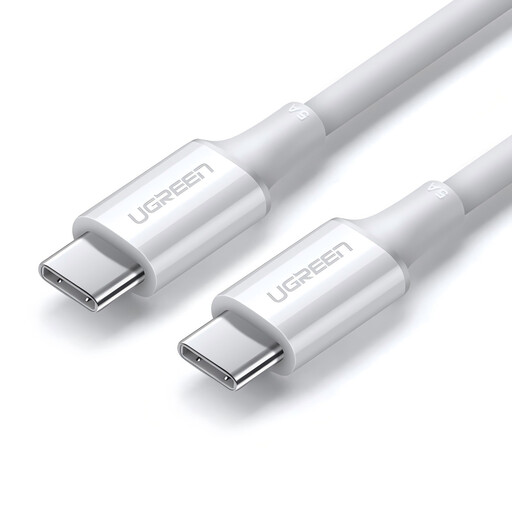
Why it stands out: Its ability to deliver up to 100?W makes it a universal solution, capable of powering everything from a smartphone to a power-hungry laptop. It's the Swiss Army knife of fast charging.
Advantages:
Who is it for? For those who want one cable for everything: smartphone, tablet, and even a powerful MacBook Pro or laptop, without ever compromising on charging speed.
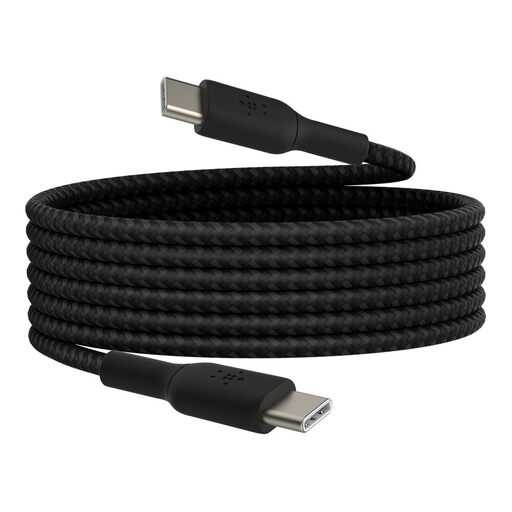
Why it stands out: Belkin's reputation speaks for itself, and this cable is all about longevity. Its USB-IF certification is a true guarantee of safety and compatibility.
Advantages:
Who is it for? For iPad, Samsung Galaxy, or Google Pixel users who prioritise the reliability and peace of mind that comes with a major, certified brand.
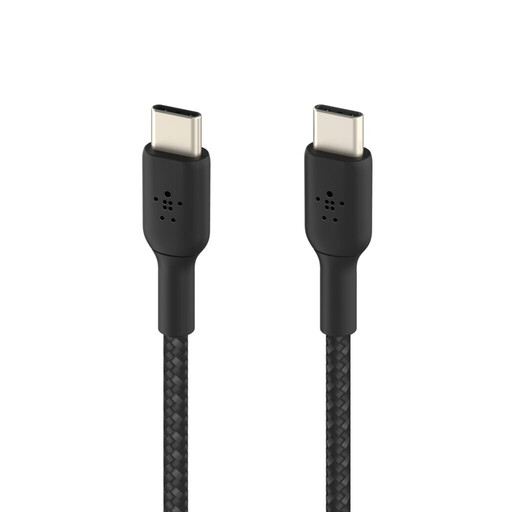
Why it stands out: Its pocket-sized format is the perfect antidote to tangled cable messes. Ideal for travel or a minimalist setup.
Advantages:
Who is it for? For nomads, power bank addicts, and anyone who wants a neat and tidy desk or car console.
Please note, the cables in this selection are USB-C to USB-C models. If your wall charger, car charger, or computer has a traditional USB-A port, you will need a different cable. Don't worry, we've got you covered there too.
A 100?W cable can simply deliver more current than a 60?W model. This is essential for charging the most powerful laptops at full speed. You can safely use a 100?W cable on a device that only needs 60?W (or less): the power is intelligently regulated by the device receiving the charge.
No, there's no risk. The Power Delivery (PD) standard establishes a dialogue between the charger, the cable, and your device. Your device will only "request" the amount of power it can safely handle. Using a more powerful cable than necessary is therefore completely safe.
No, far from it! They differ in their charging power (W), data transfer speed (from 480?Mbit/s for USB 2.0 to 40?Gbit/s for Thunderbolt 4), length, and build quality (simple plastic jacket vs. a robust braided cable). The key is to choose a model that fits your actual needs.