
Livraison le jour même ou le lendemain

Qualité garantie

Débloquez vos offres de bienvenue: Livraison GRATUITE | Jusqu'à -80 % | 30 jours d'essai gratuits à JoyPlus
Téléchargez l'application
A be quiet! CPU liquid cooler can be the perfect companion for a gaming rig, a workstation, or a PC equipped with a recent Intel or AMD processor. But before you get swept away by the promises on the spec sheet, it’s worth checking the radiator size, socket compatibility, and the actual space available inside your case.
Before buying a CPU liquid cooling system, three mistakes crop up time and again:
The numbers 240, 280 or 360 mm refer to the approximate length of the radiator, not the total dimensions of the kit.
Always check your case’s spec sheet. Pay close attention to the maximum memory height, the combined thickness of the radiator and fans, and the position of the motherboard connectors. A 27 mm radiator can quickly become bulkier once the fans are attached.
The models featured here support several recent and older sockets. The be quiet! Pure Loop 3 in 240 and 360 mm are listed as compatible with Intel LGA 1851 and LGA 1700, as well as AMD AM5 and AM4. The 280 mm Pure Loop 3 also adds support for several older Intel sockets.
You should make this check before placing your order by comparing your exact motherboard model with the cooler’s manual. CPU compatibility alone isn’t enough: the backplate, standoffs and mounting system all need to be suitable too.
A four-pin PWM fan adjusts its speed according to the CPU temperature. The 240 and 360 mm Pure Loop 3 use Pure Wings 3 fans linked in series via a PWM connection. The 360 mm model has a noise range of 17.6 to 37.2 dB, depending on the operating conditions stated by the manufacturer.
The 280 mm Pure Loop 3 comes with two 140 mm fans and claims a maximum noise level of 36.6 dB(A). These figures are useful for comparing spec sheets, but they won’t tell you exactly how loud it will be in your room. Ambient temperature, case airflow and the PWM curve all play a part.
On the lighting side, make sure you know the difference between a standard water-cooling kit and an ARGB water cooler. The Pure Loop 3 LX models feature illuminated fans and a water block that need to be connected to a compatible ARGB header on your motherboard.
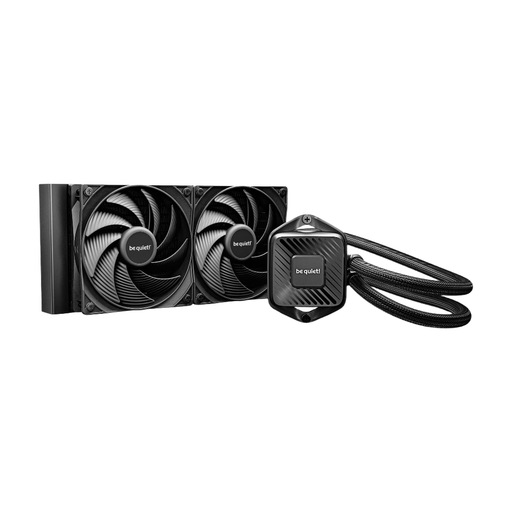
Why this pick suits this profile: Its 240 mm radiator fits most builds, with two 120 mm Pure Wings 3 fans and a fairly straightforward installation in a compatible case.
It avoids oversizing the cooling while still offering a PWM pump and fans that can be daisy-chained.
Intel LGA 1851/1700 and AMD AM5/AM4 compatibility, Pure Wings 3 PWM fans and a three-year manufacturer’s warranty.
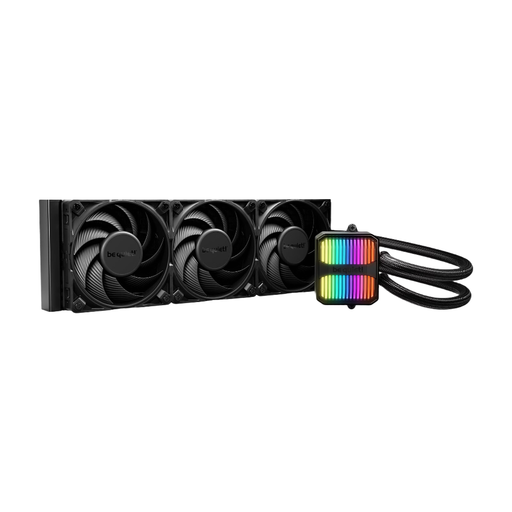
Why this pick suits this profile: Heavily loaded processors and creative workstations can benefit from a 360 mm radiator, three Silent Wings 4 fans and a three-chamber pump.
Its size is clearly stated: it must be installed in a case designed for three 120 mm fans, after checking compatibility.
Cold plate rated at 1,800 mm², Silent Wings 4 fans, accessible fill port and discreet ARGB lighting as an option.
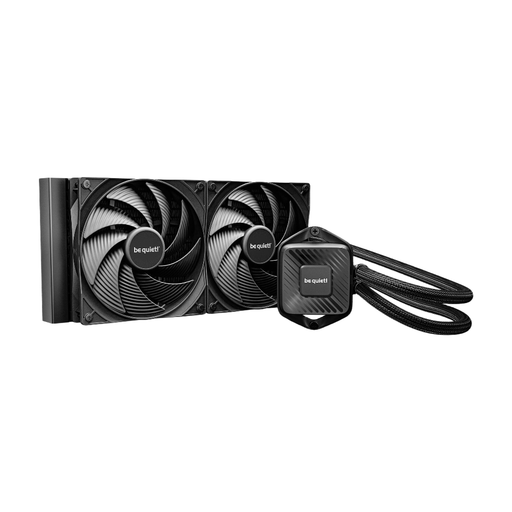
Why this pick suits this profile: This 280 mm water-cooling kit offers a good balance between dissipation surface and footprint, provided your case can take two 140 mm fans.
Its precise dimensions of 317 × 140 × 27 mm make it easy to check compatibility against your case’s spec sheet.
Two 140 mm fans, PWM pump from 3,000 to 5,500 rpm and a stated noise level of up to 36.6 dB(A).
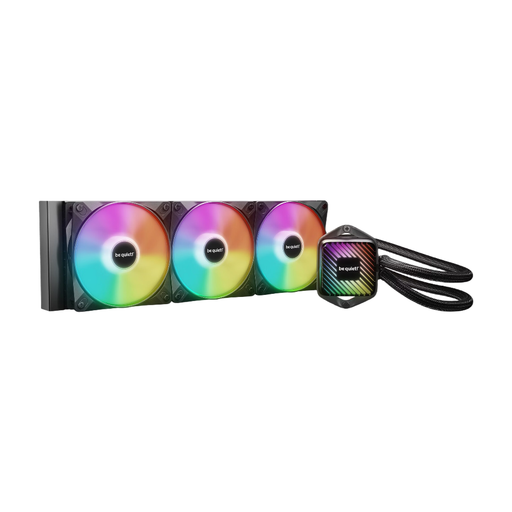
Why this pick suits this profile: This kit pairs a 360 mm radiator with ARGB lighting, three Light Wings LX fans and ten interchangeable films to personalise the water block.
The lighting is clearly labelled as ARGB and must be connected to a compatible header: it isn’t universal.
Maximum airflow rated at 61.8 CFM, static pressure of 2.51 mmH₂O and noise level between 15.5 and 35.0 dB.
Before you start, switch off the PC, unplug it and let the components cool down. Follow the instructions in the manual to fit the backplate and pump block without overtightening. Connect the pump to an AIO_PUMP or CPU_OPT header if your motherboard has one, then plug the fans into a CPU header.
Dust the radiator fins and fans regularly with compressed air. Models that have a fill port, such as certain Silent Loop 3, the Pure Loop 3 280 mm and the Light Loop, should only be topped up with the recommended coolant. Never run the pump dry and check regularly for any signs of leakage.
240 mm suits relatively compact cases and standard builds. 280 mm needs a mounting spot that’s compatible with 140 mm fans. 360 mm takes up more space but benefits from three 120 mm fans. The right choice therefore depends mainly on your case and how hard you push your processor.
The models shown here claim compatibility with Intel LGA 1851 and LGA 1700, as well as AMD AM5/AM4, depending on the model. Always check the product spec sheet and verify the contents of the mounting kit before assembly.
Its lifespan depends on usage, temperature, dust build-up and maintenance. The selected models come with a manufacturer’s warranty of three years, but that doesn’t guarantee a set operating life. Keep an eye on temperatures, any unusual vibrations and the slightest trace of liquid.