
Livraison le jour même ou le lendemain

Qualité garantie

Débloquez vos offres de bienvenue: Livraison GRATUITE | Jusqu'à -80 % | 30 jours d'essai gratuits à JoyPlus
Téléchargez l'application
Buying an AZERTY laptop isn't just about comparing RAM or SSD capacity. A misidentified French keyboard, battery life measured under specific conditions, or limited connectivity can quickly turn a good deal into a frustrating purchase.
Students, remote workers, professionals and creatives should particularly keep three pitfalls in mind:
For everyday use in France, look for the mention Keyboard layout: AZERTY (French) or any equivalent wording clearly stated on the product page. This information is more reliable than a photo alone, which can sometimes show a configuration intended for another market.
The operating system also affects your habits:
For office work, studies and browsing with multiple tabs, 16 GB of RAM is now a comfortable baseline. Users who work with large files, edit videos or keep many applications open would do well to aim for 24 GB of RAM, as on the MacBook Air 15-inch 24 GB RAM 512 GB SSD.
A 512 GB SSD offers a good balance between space and speed for storing documents, photos and software. The 256 GB on the Microsoft Surface Laptop 13-inch may suffice for primarily online use, but an external drive or cloud storage service may become necessary sooner.
A lightweight laptop shouldn't sacrifice reading comfort. For working on documents, a 16:10 screen with WUXGA resolution offers more vertical space than a standard panel. OLED displays deliver spectacular contrast and vivid colours, but remember to activate sleep functions and avoid leaving static elements on screen for too long.
Weight quickly becomes a deciding factor during daily commutes:
On the connectivity front, plan for at least one or two USB-C ports. USB-C charging can also prove essential, as can an HDMI output if you use a projector or external monitor.
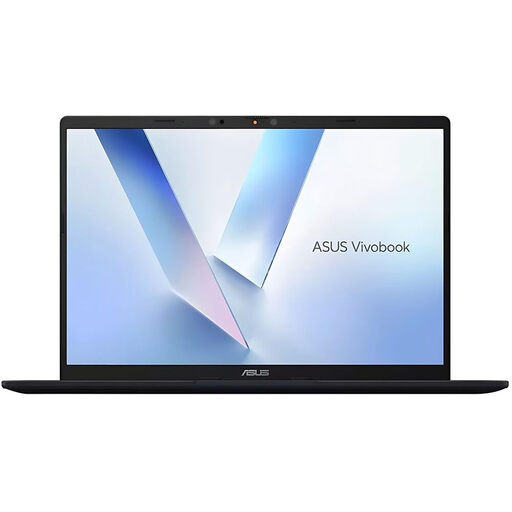
Why this choice suits this profile: With its 14-inch format, French AZERTY keyboard and 1.49 kg weight, it ticks the essential boxes for studies, office work and regular travel.
The product page confirms the AZERTY layout, the 512 GB SSD and the two USB-C ports compatible with power delivery and DisplayPort.
16 GB LPDDR5X memory, WUXGA 16:10 screen, Wi-Fi 6E, HDMI and 65 W USB-C adapter.
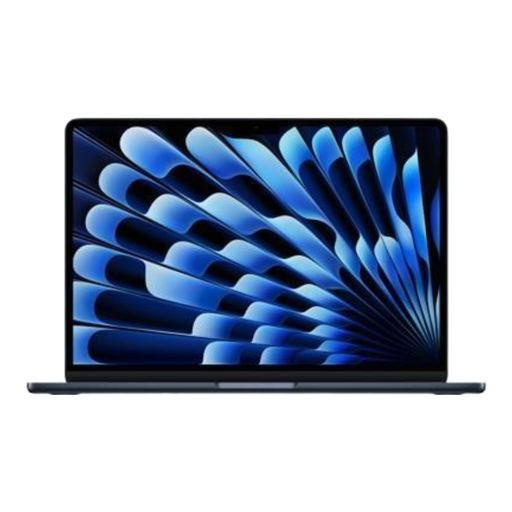
Why this choice suits this profile: Its large Liquid Retina display and 24 GB of unified memory lend themselves equally well to visual creation, multitasking and working on the go with macOS.
This configuration combines 24 GB of RAM, 512 GB of SSD and two Thunderbolt 4 ports, rather than relying on a single highlighted figure.
15.3-inch screen at 2,880 × 1,864, weight of 1.51 kg, fanless design and battery life rated at up to 18 hours depending on usage.
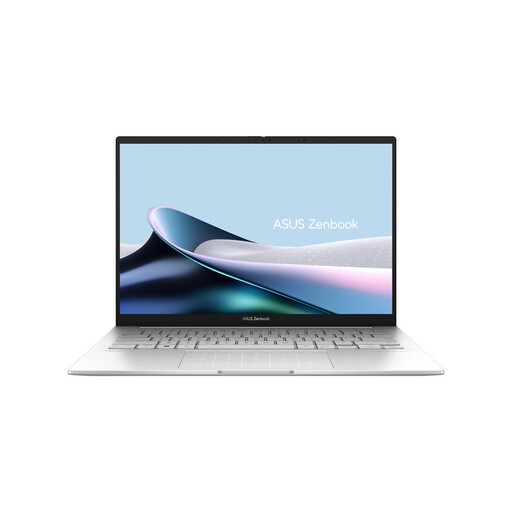
Why this choice suits this profile: Creatives and remote workers who prioritise a high-contrast screen in a lightweight chassis benefit here from a contained weight of 1.28 kg.
The product page details the 2.8K resolution, 120 Hz refresh rate, AZERTY keyboard and available ports.
14-inch OLED screen, 16 GB DDR5 RAM, 512 GB SSD, Wi-Fi 7 and two Thunderbolt 4 ports.
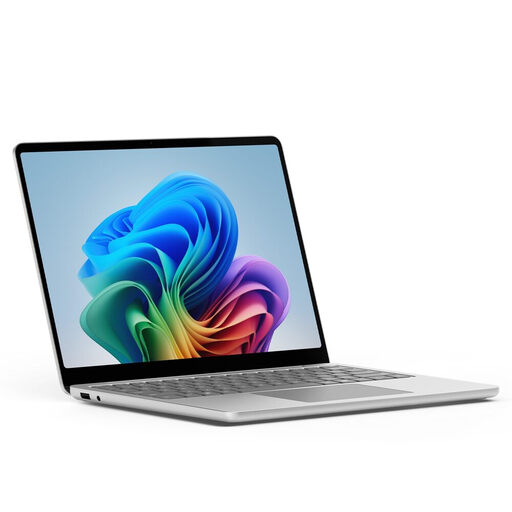
Why this choice suits this profile: At around 1.25 kg on the scales and with a PixelSense touchscreen, it's aimed at frequent travel, lectures and hybrid working.
The product page clearly distinguishes the supplied USB-C cable from the mains adapter, which may be sold separately.
13-inch touchscreen, 16 GB RAM, Wi-Fi 7, two USB-C ports and one USB-A port.
A 67 W USB-C charger is suitable for laptops that support high power delivery. It can also charge other devices simultaneously, depending on the available power and how it's distributed between outputs. The Toocki 3-in-1 model includes a retractable USB-C cable plus two additional USB ports: however, check the actual power delivered when multiple devices are connected.
A 30 W USB-C charger is better suited to less power-hungry devices, tablets and top-up charging. The Toocki 2-in-1 includes a USB-C cable and one USB port. To power a laptop, always check the wattage recommended by the manufacturer and compatibility with USB Power Delivery.
We've selected a comprehensive list, updated in real time, of products that meet these demanding criteria as well as European safety standards.
Look for an explicit mention such as AZERTY (French) in the technical specifications. Also check for the presence of accented keys and the "Enter" key specific to the French layout. A photo alone doesn't always confirm the keyboard type.
It depends on build quality, battery condition, software support and how your needs evolve. To keep it longer, avoid high temperatures, use a compatible charger, install updates and don't block the ventilation openings. Since RAM and storage are often soldered or difficult to replace, choose a configuration from the outset that can last you several years.
Consumption varies depending on the processor, screen brightness, software in use and whether it's charging. A 65 or 67 W adapter indicates the maximum power it can supply; this doesn't mean the laptop consumes that amount constantly. To reduce your bill, lower the brightness, activate power-saving modes and unplug accessories you're not using.