
Livraison le jour même ou le lendemain

Qualité garantie

Débloquez vos offres de bienvenue: Livraison GRATUITE | Jusqu'à -80 % | 30 jours d'essai gratuits à JoyPlus
Téléchargez l'application
Buying an AZERTY gaming keyboard isn’t just about picking colourful backlighting or the lowest price. For a PC gamer, an e-sports enthusiast, or someone who regularly switches between a computer and a console, several factors directly affect comfort, compatibility and the keyboard’s lifespan.
Three mistakes crop up time and again when placing an order:
The right form factor depends above all on how much desk space you have and your habits.
If you play with wide mouse movements, a compact model reduces the risk of knocking the numeric keypad. Conversely, if you often enter numbers, a full-size keyboard or a separate numeric keypad will generally be more practical.
An AZERTY mechanical keyboard has an independent switch under each key. The feel then varies depending on the type of switch used:
The stated actuation force should be weighed against the noise, the total key travel and your environment. In a shared space, a noisy switch can quickly become annoying, even if you like the feel.
Anti-ghosting limits misread commands when several keys are pressed at the same time. However, check the level of support stated: a keyboard that handles 19 simultaneous keys doesn’t necessarily offer full anti-ghosting. The term NKRO indicates broader support for simultaneous presses.
A programmable keyboard lets you create macros, remap certain keys and sometimes save multiple profiles. Check that these functions are compatible with your operating system. On a console, they may be more limited than on Windows.
On the connectivity side:
For console gaming, always check the stated compatibility: PC, PS4, PS5, Xbox One and Xbox Series X/S don’t necessarily support the same functions.
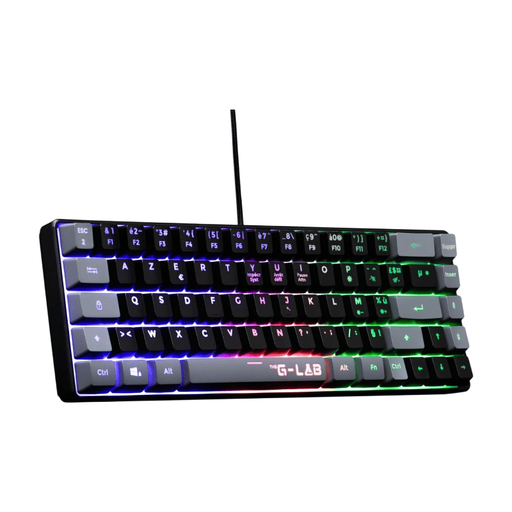
Why it fits this profile: This compact wired keyboard is ideal for a first setup on PC or console, especially when every centimetre on your desk counts. With its 60% form factor and stated weight of 430 g, it’s also easy to carry around.
The product page states an AZERTY layout, a ready-to-use USB connection and a stated lifespan of 12 million keystrokes per key. You will, however, need to use the Fn key to access certain functions.
A 60% form factor, fixed multicolour backlighting, 19-key anti-ghosting and stated compatibility with PC, PS4, PS5 and Xbox.
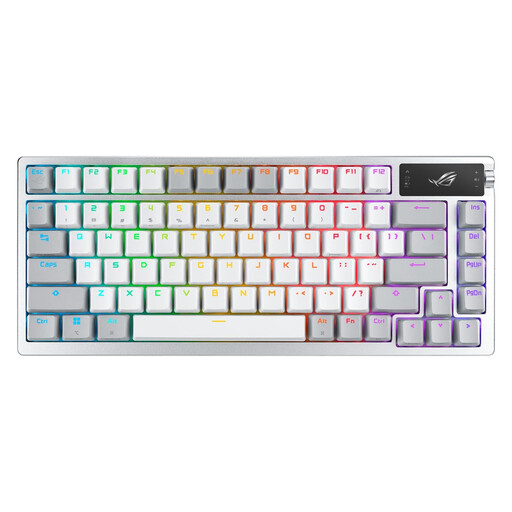
Why it fits this profile: This 75% mechanical keyboard is for those who want to customise the feel, lighting and controls, without having to choose between wired and wireless connections.
The product page details three connection modes, solderless switch replacement and independent RGB lighting adjustment. The stated battery life can reach 2,000 hours with RGB and the OLED screen turned off.
A 2-inch OLED screen, a multifunction dial, ROG NX mechanical switches, anti-ghosting and three connection options: 2.4 GHz, Bluetooth 5.1 or USB.
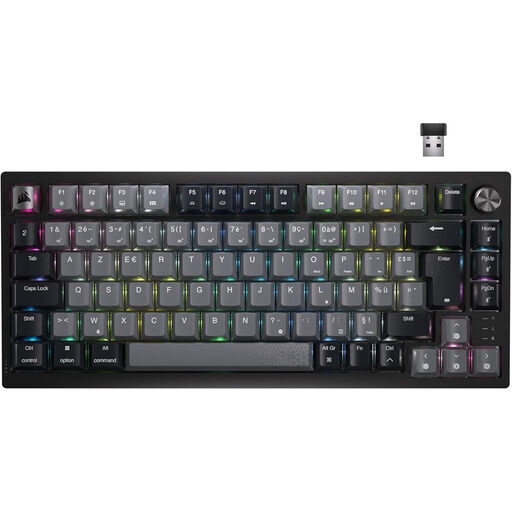
Why it fits this profile: With its 75% form factor and 87 keys, this keyboard is aimed at gamers who want a clear desk without giving up a function row. It can also be used on PC, laptop and console, depending on the device’s compatibility.
Bluetooth, USB-C and wireless connections let you adapt the use to each situation. The USB-C cable allows you to keep gaming while charging, so you’re not solely reliant on the battery.
Corsair MLX Red linear switches, per-key RGB lighting, a volume dial and full customisation via the iCUE software.
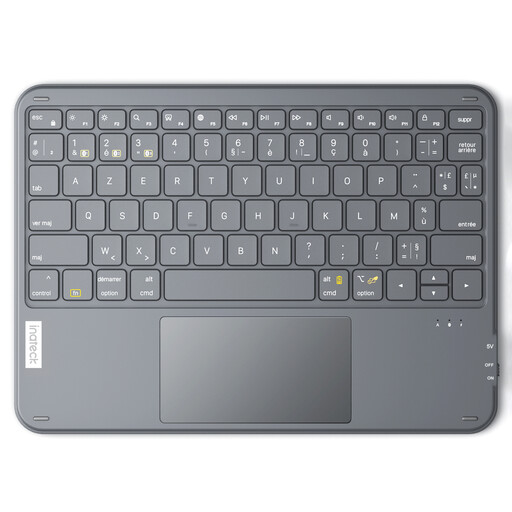
Why it fits this profile: Its slim design and built-in touchpad make it a handy travel companion for controlling a tablet or a media setup. This is more of a versatile portable keyboard than a mechanical gaming keyboard.
Its three Bluetooth channels let you switch between devices without accumulating keyboards. The product page states a range of up to 10 metres and a thickness of 0.5 cm.
A stated weight of 228 g, a touchpad, Bluetooth 5.3 and compatibility with Windows, iPadOS and Android.
We’ve put together a complete, real-time updated selection of products that meet these strict criteria and European safety requirements.
It depends on the model and the console. Some product pages state compatibility with PS4, PS5 or Xbox, but macros, lighting and customisation software may still be limited to Windows. Also check the type of port available and whether a USB receiver is included.
It depends on the keyboard’s design, how often you use it and how you maintain it. Manufacturers sometimes state a number of keystrokes, for example 12 or 30 million per key. This is a design specification, not a guarantee of lifespan under all conditions. Avoid liquids, unplug the keyboard before cleaning it and use a soft, dry cloth.
A rechargeable wireless gaming keyboard mainly requires you to keep an eye on the battery and have a USB-C cable to hand. Power consumption is generally low, but battery life varies depending on RGB lighting, the type of connection and the features activated. On a fixed setup, a wired keyboard avoids recharging altogether. In a shared space or with multiple devices, Bluetooth and tri-mode offer greater flexibility.