
Livraison le jour même ou le lendemain

Qualité garantie

Débloquez vos offres de bienvenue: Livraison GRATUITE | Jusqu'à -80 % | 30 jours d'essai gratuits à JoyPlus
Téléchargez l'application
An ATX PC power supply has a direct impact on your computer’s stability, noise levels and potential for upgrades. Yet many buyers focus only on the wattage printed on the box. That can leave you with an oversized unit, incompatible cables or an unnecessarily high bill.
Here are the main pitfalls to avoid before buying a PC power supply, whether it’s for a desktop computer, a workstation or a gaming power supply.
A 1000 W power supply isn’t automatically right for every setup. An office PC with integrated graphics may need only 450 to 550 W, while a machine with a recent graphics card and a power-hungry processor could require 750 W or more.
Your calculation should include the power requirements of the processor, graphics card, SSDs and hard drives, and fans, as well as those of any components you might add later. It’s sensible to leave some headroom. However, choosing a much higher wattage than you need will only increase the cost without offering any real benefit.
An 80 PLUS Bronze or 80 PLUS Gold certification tells you about the unit’s energy efficiency under specific conditions. It isn’t enough to judge its design, electrical protections, cooling system or cable quality.
At the same load, an 80 PLUS Gold power supply may produce less heat, for example. However, you should also check the listed protections, form factor, warranty length and compatibility with your graphics card.
Modern graphics cards may use a 12V-2x6 connector, sometimes alongside PCIe 5.1 and ATX 3.1 standards. If you buy a unit with only 6+2-pin PCIe cables, you may need to use an adapter.
Before placing your order, check which connector is included, how much power it can deliver according to the specifications, and how much space is available in your case. The cable should connect without being bent too sharply.
Actual power consumption depends on the components installed. Check the graphics card manufacturer’s recommendations and add up the requirements of your whole system before choosing a 650W power supply, a 750W power supply or a more powerful model.
ATX 3.1 power supplies are designed to handle short-term fluctuations in power consumption from some newer components more effectively. This is particularly useful for modern graphics cards, which can have high power spikes.
PCIe 5.1 compatibility and a native 12V-2x6 connector make it easier to connect some graphics cards. Not every setup needs these standards, but they can make future upgrades simpler.
A modular power supply lets you connect only the cables you need. This makes for a tidier build and can improve airflow inside the case. A semi-modular power supply usually has a few essential cables permanently attached, while a non-modular model has all its cables built in.
Remember to check the unit’s length too. Several models featured here are 140 mm deep, but the space available will depend on your case and whether it has a hard drive cage.
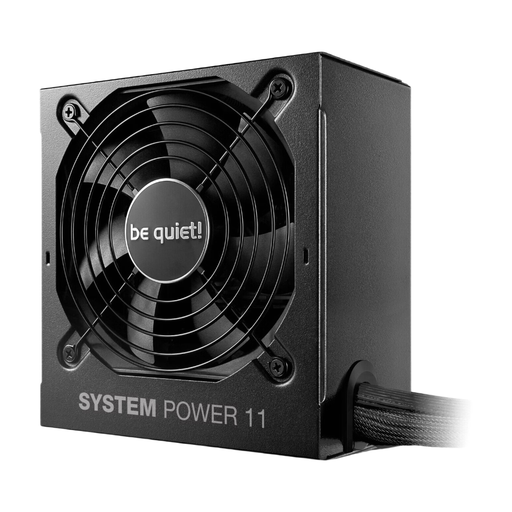
Why this model suits you: With 650 W of power and 80 PLUS Bronze certification, this unit is a good fit for many setups that need sensible power output and features cooling described as quiet.
Its power output is enough for many setups, without automatically pushing you towards an oversized model.
650 W, ATX form factor, 80 PLUS Bronze certification and optimised thermal management, according to the product listing.
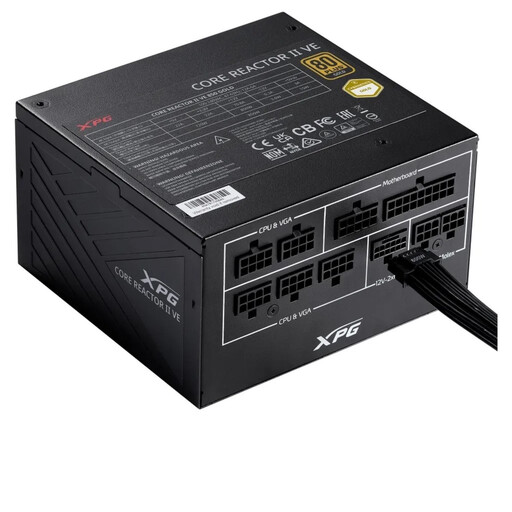
Why this model suits you: With 750 W, a fully modular design and ATX 3.1 compatibility, it meets the needs of a gaming PC or creative workstation with a recent graphics card.
Its native 12V-2x6 connector means you won’t always need an adapter for a compatible card.
80 PLUS Gold, fully modular cabling, 140 mm depth and protection against several electrical faults, according to the product listing.
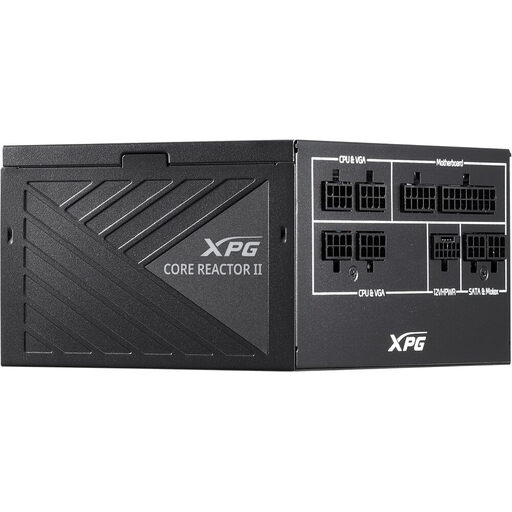
Why this model suits you: With 1000 W of power, this unit is built for demanding setups, including high-end gaming PCs and workstations with several power-hungry components.
This extra power is there to meet a real need, rather than serve as a simple marketing claim.
1000 W, 80 PLUS Gold, fully modular cables and capacitors rated to operate at up to 105 °C.
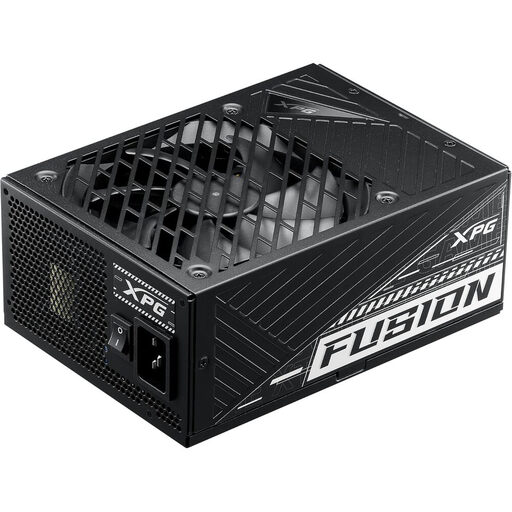
Why this model suits you: This much power is for highly demanding setups that genuinely need several graphics card connectors and substantial power headroom.
1600 W is only justified when you have a clear need for it. This helps you avoid paying for headroom you’ll never use.
1600 W, ATX 3.1, two 12V-2x6 connectors, fully modular design and claimed 80 PLUS Titanium certification.
We’ve put together a comprehensive selection, updated in real time, of products that meet these demanding criteria and European safety standards.
Before installing an ATX power supply, shut down your computer completely and unplug the mains cable. Secure the unit with the supplied screws, then connect the 24-pin cable to the motherboard, the EPS cable or cables to the processor, and the PCIe or 12V-2x6 cables to the graphics card.
Never use modular cables from another model, even if they appear to be compatible. The pin layout can vary between power supplies. Don’t force any connector, and avoid sharply bending the 12V-2x6 cable close to the socket. Your case should also allow for sufficient airflow.
A 650 W or 750 W power supply will suit many gaming setups, but your choice depends above all on your graphics card and processor. If you have a particularly power-hungry graphics card, check the manufacturer’s recommendation and make sure there’s a native 12V-2x6 connector.
Modularity doesn’t directly reduce power consumption. It mainly lets you remove cables you don’t need, making installation simpler and reducing clutter inside the case. Efficiency depends more on the unit’s design and certification, such as 80 PLUS Bronze or 80 PLUS Gold.
You may need to replace it after a major upgrade, if it no longer provides enough power, if its connectors are no longer suitable, or if it shows unusual signs such as restarts, an odd smell, new noises or unexpected shutdowns. Never open the power supply casing: its components may still hold a charge after it has been unplugged.