
Livraison le jour même ou le lendemain

Qualité garantie

Débloquez vos offres de bienvenue: Livraison GRATUITE | Jusqu'à -80 % | 30 jours d'essai gratuits à JoyPlus
Téléchargez l'application
Choosing an ATX 3.1 PC power supply isn't just about looking at the wattage printed on the box. For a gaming rig, a workstation, or a PC built for video editing, you also need to consider your graphics card, peak power demands, and cable quality.
However, some marketing claims deserve a closer look. A power supply advertised as compatible with a next-generation graphics card may not actually come with the native connectors you'd expect. Similarly, high efficiency doesn't guarantee silent operation or halving your electricity bill.
A graphics card can briefly demand far more power than its typical consumption. A 650W or 750W PC power supply should therefore be judged on its ability to handle these spikes, not just the system's average power draw.
This is precisely one of the areas addressed by the ATX 3.1 standard. Depending on the model, the specifications may mention the ability to handle peaks of 150 or 200 % of the rated wattage. You should verify this information directly with the manufacturer.
An 80 PLUS Gold power supply typically achieves over 90 % efficiency under certain load conditions. A 80 PLUS Titanium model can reach up to 95.6 % efficiency on the product in question. These figures describe electrical efficiency measured under specific conditions.
Efficiency alone won't tell you about:
For a PCIe 5.1 power supply, make sure a native cable suitable for your graphics card is included. The 12V-2x6 connector is gradually replacing 12VHPWR and must be fully inserted into the graphics card's socket.
Never use a modular cable from another power supply, even if it looks identical. The pinout can vary between manufacturers, potentially causing a failure or damaging components.
The right choice depends on your entire system, not just the processor or graphics card.
A higher wattage won't improve your PC's performance. However, it can give you more headroom for future upgrades, provided your case, cables, and electrical installation can handle it.
ATX 3.1 primarily concerns load spike management and the requirements associated with modern platforms. The PCIe 5.1 designation indicates support for a connector generation designed for contemporary graphics cards.
Specifically, check:
A modular power supply lets you connect only the cables you need. Assembly is simpler, and the space in front of the air intakes stays clearer. Non-modular models work just as well, but you'll need to stow unused cables inside the case.
The fan type is also worth a look. The models featured here use HDB or rifle bearing fans, along with a semi-passive mode. In this mode, the fan can stop spinning when the load is low. On a standard model, the fan speed varies according to temperature or power draw.
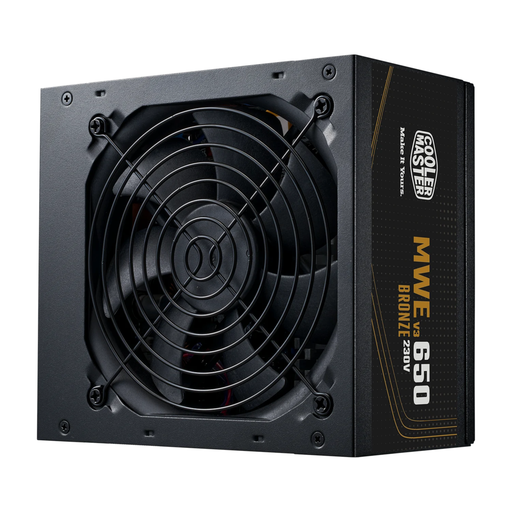
Why this choice suits this profile: This 650W PC power supply targets common gaming builds and setups looking for sensible power. At 140 mm deep, its ATX form factor fits easily into many cases.
ATX 3.1 compatibility is clearly stated, without suggesting that high wattage is essential for everyone. You still need to check the power draw of your chosen graphics card.
80 PLUS Bronze EU 230V certification, 120 mm HDB fan, UVP, OVP, OPP, OTP and SCP protections, plus a stated 5-year warranty.
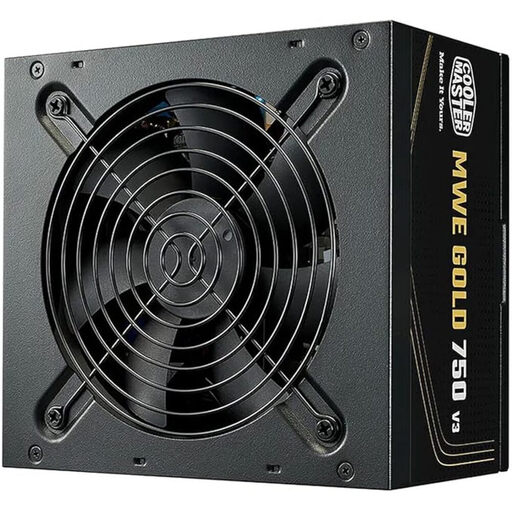
Why this choice suits this profile: Its 750W is well suited to a versatile setup for gaming, streaming, or video editing, offering a more comfortable margin than a 650W power supply.
Its native 12V-2x6 cable is rated for up to 450W. This avoids the need for adapters, provided the connector is fully inserted.
80 PLUS Gold, DC-to-DC technology, HDB fan and OCP, OVP, UVP, OPP, OTP and SCP protections. This model is not modular.
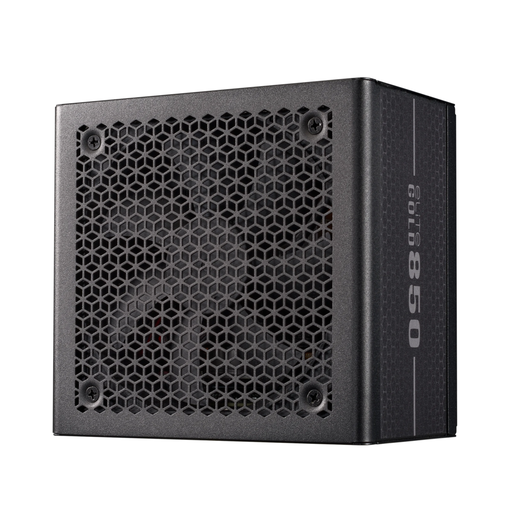
Why this choice suits this profile: With 850W, this model targets powerful builds for high-definition gaming, 3D rendering, or extended encoding sessions.
The wattage, ATX 3.1 standard, and 12+4 pin connector are detailed separately. This lets you compare the power supply's overall capacity with the connector intended for your graphics card.
Fully modular design, 80 PLUS Gold certification, 120 mm rifle bearing fan, 140 mm form factor and a stated 10-year warranty.
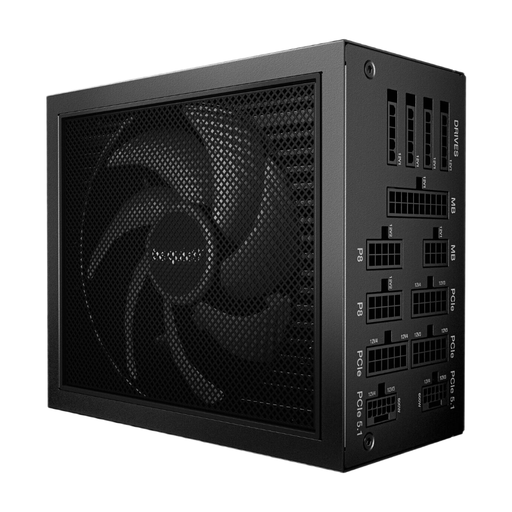
Why this choice suits this profile: This 1200W PC power supply is aimed at workstations, very powerful builds, and users planning to install multiple power-hungry components.
The 1200W is not presented as essential for every PC. Such high wattage is only justified when your system's maximum power draw demands it.
80 PLUS Titanium certification, native 12V-2x6 connector, fully modular design and selectable active or semi-passive cooling modes.
We've put together a comprehensive, real-time updated selection of products that meet these strict criteria, while complying with European safety regulations.
Before you start assembling, turn off your PC and unplug the mains cable. Secure the power supply in the case, then connect the 24-pin ATX connector, the EPS cables for the processor, and the necessary PCIe connectors.
Then check that:
Dust the grilles regularly, without opening the unit. The internal capacitors can retain an electrical charge even after unplugging. If you notice an unusual smell, smoke, or abnormal noise, immediately cut the power and stop using it.
Not necessarily. An older graphics card can work with a power supply from a previous generation, provided its wattage and connectors are suitable. ATX 3.1 becomes particularly relevant when upgrading to a recent graphics card or when you want to prepare for a future system upgrade.
A 650W PC power supply can be enough for a moderate setup. A 750W or 850W model offers more headroom with a more power-hungry graphics card, a powerful processor, and multiple drives. Always check the graphics card manufacturer's recommendations and add up the requirements of your other components.
Its higher efficiency can reduce electrical losses compared to a less efficient power supply, under comparable conditions. However, the actual savings depend on the load, usage time, electricity tariff, and efficiency measured at different power levels. The 80 PLUS badge alone isn't enough to accurately estimate your bill.