
Livraison le jour même ou le lendemain

Qualité garantie

Débloquez vos offres de bienvenue: Livraison GRATUITE | Jusqu'à -80 % | 30 jours d'essai gratuits à JoyPlus
Téléchargez l'application
Choosing an ATX 3.1 PC power supply isn’t simply a matter of picking the biggest number on the box. A system may have a reasonable theoretical power consumption yet still run into problems during load spikes, with certain connectors or because of the power supply’s dimensions.
Gamers, content creators and PC builders often encounter three pitfalls:
The ATX 3.1 standard was designed for modern systems, particularly those equipped with graphics cards that can draw a great deal of power during very brief load spikes. It provides better control of these instantaneous variations and improves compatibility with current components.
For a recent graphics card, check the following:
A power supply that complies with these standards makes installation easier, but you still need to assess the combined power consumption of the processor, graphics card, SSDs, hard drives and fans.
A 750W PC power supply can be perfectly suitable for a gaming machine with a mainstream processor and a mid-range graphics card, or even a more powerful but reasonably efficient model. An 850W PC power supply provides more headroom for power-hungry components and future upgrades.
A 1200W PC power supply is intended more for systems with a particularly demanding graphics card, several accelerators or a high-end processor used for 3D rendering, compiling or video editing. Choosing a more powerful unit will not make your PC faster: the power rating should remain appropriate for the system’s requirements.
To avoid mistakes, simply follow these steps:
A modular PC power supply allows you to connect only the cables you need. This keeps the build neater, makes cable management easier and may improve airflow. In a standard case, the ATX form factor is generally required. Compact systems sometimes use an SFX power supply.
Do not install an SFX power supply in an ATX case without checking that a suitable mounting bracket is included or available. Conversely, an ATX unit may be too large for a compact case, even when its power rating is perfectly suitable.
Efficiency is also worth considering. An 80 Plus Gold power supply reduces the energy lost as heat under the conditions covered by the certification. Cybenetics ratings can provide additional information about efficiency and noise, but the complete specification sheet remains essential before you buy.
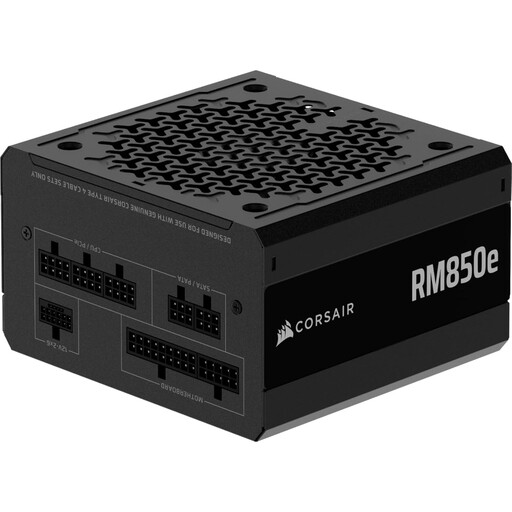
Why it suits this profile : With 850 W of continuous power, this model is suitable for many gaming or content-creation systems. Its fully modular cabling also makes installation easier, especially when building your first PC.
ATX 3.1 and PCIe 5.1 compatibility, together with the supplied 12V-2x6 cable, reduces the risk of having to buy an unsuitable adapter separately.
850 W, 80 Plus Gold certification, ATX form factor, fully modular cabling and OVP, UVP, SCP, OTP and OPP protection.
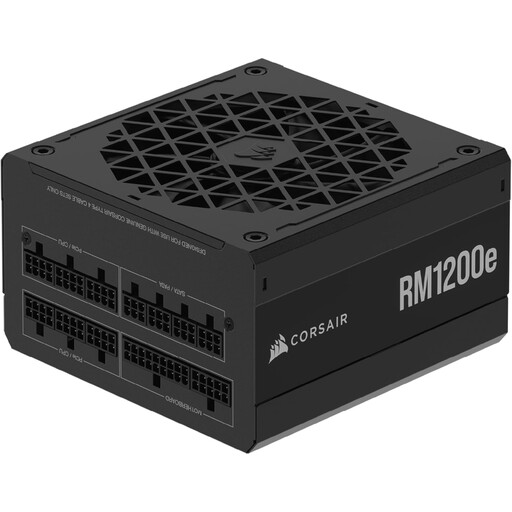
Why it suits this profile : Its 1200 W output is designed for powerful systems that need plenty of headroom for their graphics card and intensive workloads.
The native 12V-2x6 cable removes the need to rely on adapters, while the 1200 W continuous output reduces the risk of undersizing the power supply.
1200 W, ATX 3.1 and PCIe 5.1 compatibility, 140 mm fan, capacitors rated at 105 °C and modular design.
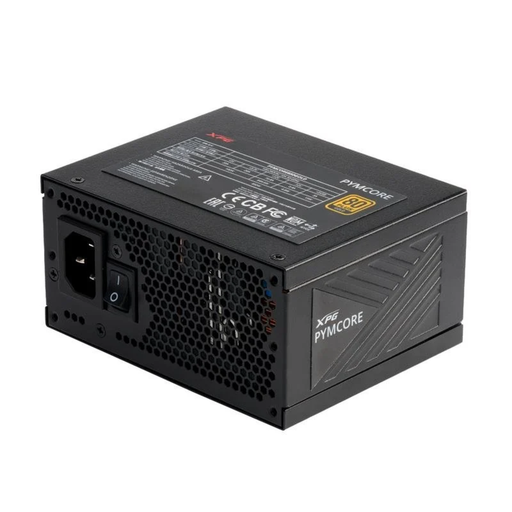
Why it suits this profile : Its SFX form factor is suitable for compact cases that need to accommodate a gaming system or workstation despite limited space.
The compact form factor is clearly stated, helping you avoid accidentally choosing an ATX unit that is too large for an SFF case. However, check that a mounting bracket is included or compatible.
850 W, 80 Plus Gold certification, fully modular design, ATX 3.1 compatibility and integrated electrical protection.
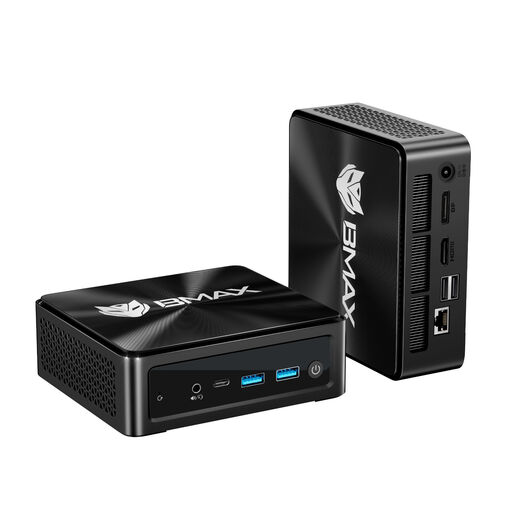
Why it suits this profile : For a clutter-free desk, multimedia or light gaming, this Ryzen mini PC combines 16 GB of DDR5 memory, a 512 GB SSD and Windows 11.
There is no need to plan for an ATX power supply for an already assembled compact computer. However, make sure its graphics capabilities match your intended use before buying.
AMD Ryzen 7 8745HS processor with 8 cores and 16 threads, support for up to three 4K displays, Wi-Fi 6 and a 512 GB SSD.
We have put together a complete, real-time updated selection of products that meet these strict criteria, while also taking European safety regulations into account.
No. An office PC or a machine with older components can work perfectly well with a power supply that complies with an earlier standard. ATX 3.1 is particularly useful when building a PC with a recent graphics card that can generate power spikes and uses a 12V-2x6 connector.
A 750W PC power supply is suitable for many well-balanced mid-range systems. An 850W PC power supply offers more headroom with a more demanding graphics card. The 1200W model should be reserved for systems whose power consumption genuinely justifies that capacity. Always check the graphics card manufacturer’s recommendations and add up the requirements of all your components.
Choose a model whose cooling system, efficiency and dimensions are clearly documented. An 80 Plus Gold certification indicates higher efficiency than less demanding certifications under the conditions specified by the programme, but it does not guarantee a specific noise level. Clean the case filters regularly, do not block the ventilation grilles and use only the cables supplied with the power supply.