
Livraison le jour même ou le lendemain

Qualité garantie

Débloquez vos offres de bienvenue: Livraison GRATUITE | Jusqu'à -80 % | 30 jours d'essai gratuits à JoyPlus
Téléchargez l'application
In the world of competitive gaming, every millisecond and every movement counts. Choosing your gaming mouse is, therefore, not a decision to be taken lightly. Yet, faced with a market saturated with marketing promises and endless spec sheets, it's easy to get lost. Our mission: to help you cut through the noise. Today, we're putting a model that's been getting a lot of buzz under the microscope: the ASUS ROG Gladius III wireless gaming mouse.
Before deciding if it's the right one for you, you first need to avoid the common pitfalls that lead to buyer's remorse.
To avoid falling into the trap, here are the features that truly make a difference once you're in the game.
The sensor is the core engine of a gaming mouse. For a model like the ASUS ROG Gladius III Aimpoint, the key element isn't its 36,000 DPI ceiling, but its CPI (Counts Per Inch) deviation of less than 1%. Simply put, the sensor translates your movements with near-perfect fidelity, without the dreaded parasitic acceleration or smoothing. This is the secret to landing consecutive headshots and reacting in a split second in FPS games. The ability to adjust DPI on the fly is also a real bonus for instantly switching from precise sniper aiming to a quick 360° sweep.
In wireless mice, the connection technology makes all the difference. The Gladius III offers triple connectivity (2.4 GHz RF, Bluetooth, wired), but it's the 2.4 GHz mode, backed by ROG SpeedNova technology, that ensures performance worthy of a wired model. This technology optimises data transfer to guarantee rock-solid low latency, even in a crowded Wi-Fi environment.
This responsiveness is all the more appreciated as it comes with a lightweight design. A lightweight gaming mouse like the Gladius III (79 grams) allows for quicker, less fatiguing movements. This is a tangible advantage that you can feel after hours of play, relieving wrist strain and facilitating decisive micro-adjustments.
A good mouse should feel like an extension of your hand. The Gladius III's asymmetrical shape is designed for right-handed users, offering a comfortable hold regardless of your grip type (palm, claw, or fingertip).
But a good grip isn't everything: durability is also a major concern. The Gladius III stands out by incorporating hot-swappable switch sockets, dubbed Push-Fit Switch Socket II. In practice, this means you can not only replace a faulty switch without throwing the mouse away, but also customise the click feel by installing compatible models (3-pin mechanical or 5-pin optical). A major plus for longevity and personalisation.
To help you see how these criteria apply in practice, here are a few recommended options, each suited to a distinct player profile.
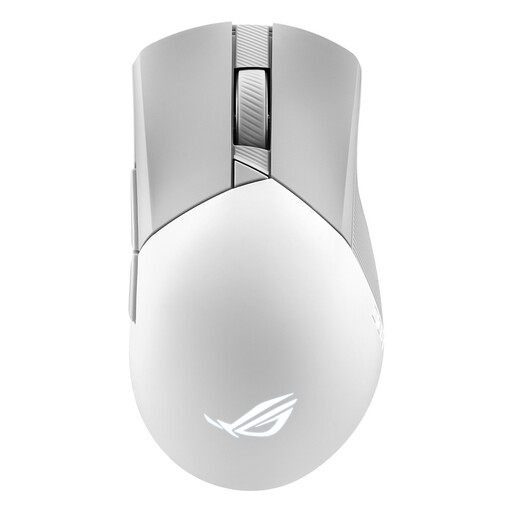
Why we chose it: Ideal for FPS players seeking the perfect balance of precision, responsiveness, and right-handed ergonomics. A reliable choice for competition.
Its AimPoint sensor focuses on near-zero deviation (< 1%) rather than the DPI race. Its 2.4 GHz SpeedNova technology ensures genuinely low and stable latency.
Surgical sensor precision, a light 79g weight, and hot-swappable switches for ultimate durability and customisation.
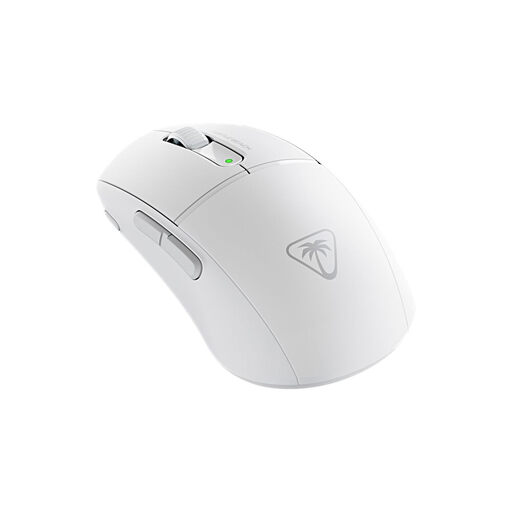
Why we chose it: Built for gamers who make speed of movement an absolute priority. Its featherlight weight allows for astonishingly fast flicks, a decisive advantage in the most competitive arenas.
There's no race for useless DPI here. The selling point is tangible and measurable: a weight of just 47 grams that completely transforms handling.
Featherlight 47g weight for maximum agility. Titan Optical Switches for flawless responsiveness.
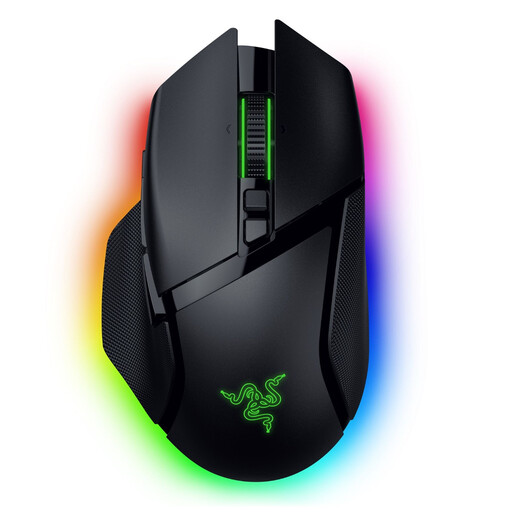
Why we chose it: The ideal weapon for players who juggle different genres (MMO, RPG, strategy) and demand a maximum number of customisable commands at their thumb.
Its selling point isn't so much its sensor as its functional versatility: its smart scroll wheel and numerous buttons offer real tactical advantages in-game.
Razer HyperScroll Tilt Wheel and 11 programmable buttons for total adaptability to all playstyles.
Discover our full range of products that meet our demanding selection criteria and current safety standards.
How do I adjust the DPI on the ASUS ROG Gladius III mouse? You have two methods. The quickest is the "on-the-fly" adjustment via the DPI On-The-Scroll feature, which lets you adjust sensitivity mid-game using a dedicated button. For more advanced customisation, the ASUS Armoury Crate software allows you to define up to four DPI levels, calibrate the sensor to your mousepad, and fine-tune all performance settings.
What is the real-world battery life of a wireless mouse like the Gladius III? Battery life varies greatly depending on usage. According to ASUS, the Gladius III Wireless Aimpoint can last up to 119 hours in 2.4 GHz RF mode and 143 hours in Bluetooth mode. Note that these figures are achieved with the RGB lighting turned off. Activating the LEDs and using a high polling rate will naturally reduce battery life, but it will still be comfortable enough for several days of intensive gaming.
Are hot-swappable switches a real advantage or just a gimmick? Yes, they are a real advantage, for two main reasons. First, durability: the main click switches are the parts that wear out the fastest. In case of failure (the infamous unwanted "double-click" issue), you can replace them yourself in minutes instead of having to buy a new mouse. Second, customisation: the most discerning gamers can test different types of switches (included or sold separately) to find the exact actuation force and tactile feedback that perfectly matches their playstyle.