
Livraison le jour même ou le lendemain

Qualité garantie

Débloquez vos offres de bienvenue: Livraison GRATUITE | Jusqu'à -80 % | 30 jours d'essai gratuits à JoyPlus
Téléchargez l'application
The arrival of AI-powered laptops, especially Copilot+ models, is shaking up the world of computing. On paper, the promise of a smarter, faster, and more autonomous machine is certainly appealing. But behind the marketing jargon and often opaque spec sheets, how can you navigate the options? Before you take the plunge, it's essential to separate fact from fiction and distinguish real innovations from sales pitches that are too good to be true.
Our mission, as product experts, is to guide you through this jungle. Let's break down the pitfalls to avoid and the key criteria for choosing an ASUS Copilot+ laptop that's tailored to your needs.
The term "AI-boosted" is everywhere, but be warned: not all promises are created equal. Here are the 3 most common traps:
To avoid these disappointments, three technical specifications should be monitored closely. They are what define this new generation of PCs.
The NPU is the real game-changer. It's a specialised processor designed exclusively for artificial intelligence calculations.
Until now, laptops have run almost exclusively on x86 processors (Intel, AMD). Copilot+ PCs mark the powerful arrival of ARM architecture, the same kind that works wonders in our smartphones.
The fear of not being able to run your favourite software is a major deterrent. Fortunately, things have changed significantly.
Because every user is unique, here is our selection of models designed for different profiles.
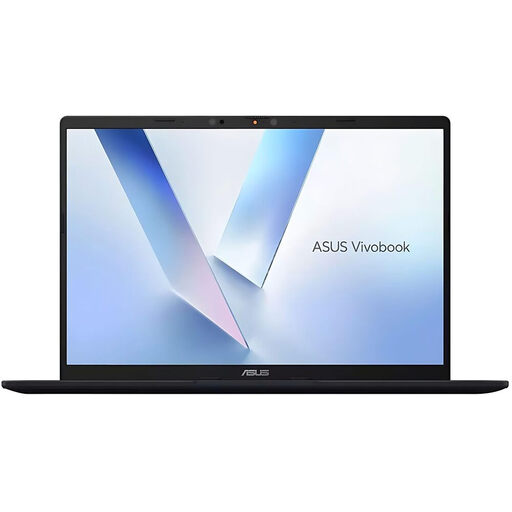
Why it's the right choice: Perfect for mobile professionals and creatives who want to be at the forefront of AI innovation. Its compact 14-inch form factor, Snapdragon X Elite processor, and powerful NPU make it the ultimate mobile tool for productivity and creativity.
With its Qualcomm Hexagon NPU delivering 45 TOPS, it exceeds Copilot+ requirements and offers true AI processing power. Its ARM architecture ends the trade-off between performance and battery life.
Local AI performance for Copilot+ features and record-breaking battery life, ideal for leaving your charger at home.
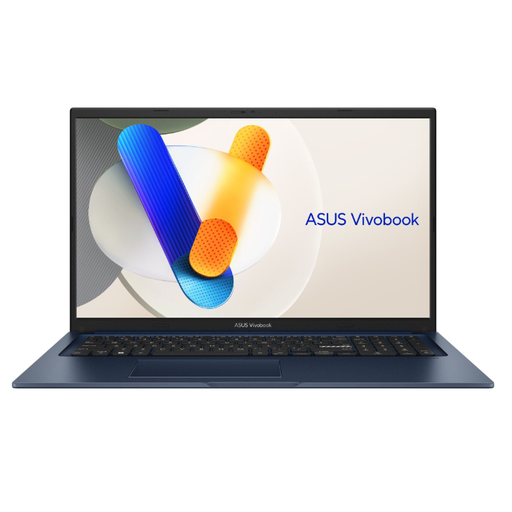
Why it's the right choice: Ideal for those who prioritise visual comfort and a large workspace. Its large 17.3-inch screen is a powerful ally for juggling multiple windows, taming complex spreadsheets, or enjoying your favourite shows.
This model doesn't bet everything on AI, but on a proven asset: the comfort of a large screen. It ensures reliable performance for classic office tasks thanks to its Intel Core processor.
Its extra-large display comfort, thanks to the 17.3-inch Full HD panel, coupled with 16 GB of RAM for flawless multitasking.
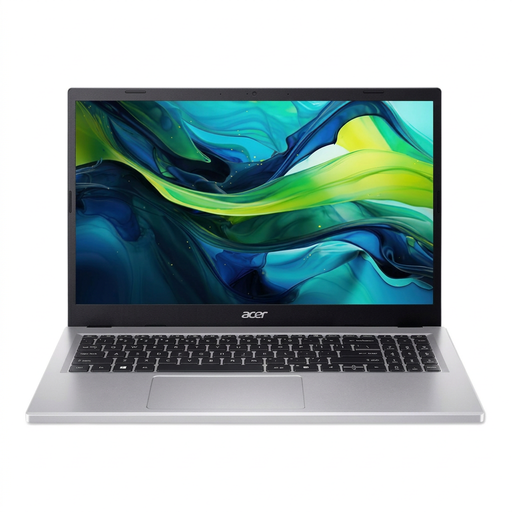
Why it's the right choice: The smart option for students or remote workers looking for a versatile and responsive machine (office work, web, streaming) without paying a premium for the latest AI technologies.
It focuses on solid fundamentals: an Intel Core i5 processor, 8 GB of DDR5 RAM, and an NVMe SSD. No overpowered and expensive NPU that wouldn't be utilized anyway.
An excellent price-to-performance ratio for everyday tasks. Its 15.6-inch Full HD screen is the perfect balance between comfort and portability.
Explore our full selection of products that meet our rigorous selection criteria and quality standards.
The vast majority of everyday applications run without any issues. The most popular ones (browsers, office suites, media players) have native versions for ARM. For others, Windows 11's Prism emulator takes over and ensures broad compatibility. For highly specialised professional software, a quick check on the publisher's website is recommended before purchasing.
The NPU is a processor specialised in AI-related calculations. If you just browse the web and do office work, its benefit is limited. However, if you're involved in photo/video editing, use advanced video conferencing features, or want to be ready for future Windows innovations, a powerful NPU will quickly become essential.
This is THE main advantage of the ARM architecture. While figures vary depending on usage, numerous independent tests confirm battery life exceeding 15 hours for video playback or web browsing. In practical terms, for a typical workday, you can reasonably expect to leave your charger at home. A real luxury for mobile users.