
Livraison le jour même ou le lendemain

Qualité garantie

Débloquez vos offres de bienvenue: Livraison GRATUITE | Jusqu'à -80 % | 30 jours d'essai gratuits à JoyPlus
Téléchargez l'application
ARGB PC components let you personalise a gaming build with addressable lighting effects. But the LEDs shouldn't make you forget the technical constraints. A striking case can restrict airflow, a fan can be mounted the wrong way round, and a liquid cooling kit might not fit inside the chassis.
Before you place your order, three mistakes keep cropping up:
For a gaming build, it's best to go for a PC airflow case with a mesh or generously ventilated front panel. Tempered glass shows off your components, but a completely solid front panel can restrict air intake.
A PC case with tempered glass should also offer:
The CORSAIR 3200D RS ARGB and FRAME 4000D RS ARGB models feature a mesh front panel, high-density filters and a tempered glass side panel. The 3200D accepts ATX, Micro-ATX and Mini-ITX motherboards, in a mid-tower format measuring 445 × 455 × 220 mm.
The choice depends on your processor, the expected workload and the available space.
The Cooler Master ML Core Nex Digital 240 Black ARGB features a radiator measuring 277 × 119.6 × 27.2 mm, two fans and compatibility with Intel LGA 1851/1700 and AMD AM5/AM4. For a more powerful build, the ML 360 Atmos II LCD ARGB uses a radiator measuring 394 × 119.2 × 27 mm and three fans.
Before choosing white or black PC components, check the number of connectors available on your motherboard:
Daisy-chaining several fans can reduce the number of ports needed, but you must follow the manufacturer's recommendations. The CORSAIR RS120 ARGB fans feature PWM control and daisy-chainable ARGB connection. The RS120-R versions use a reverse airflow fan, ideal for creating intake at the bottom or side while keeping a uniform visible face.
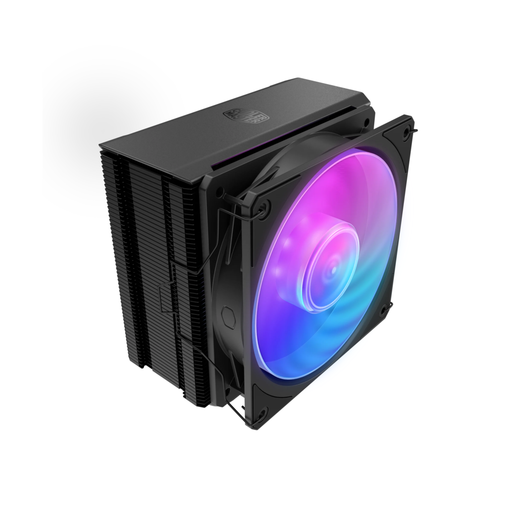
Why this choice suits this profile: This ARGB CPU air cooler is ideal for a first build thanks to its 158 mm height, pre-installed fan and compatibility with Intel and AMD platforms.
It avoids the constraints of a liquid circuit and clearly states its dimensions and compatible sockets.
Two 3DHP heat pipes, a 120 mm ARGB fan and separate PWM and ARGB connectors.
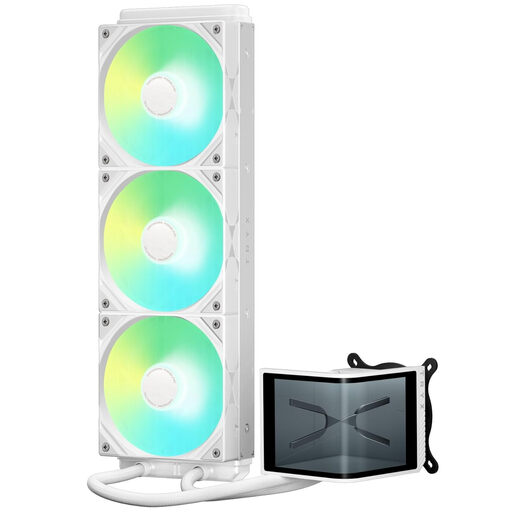
Why this choice suits this profile: This 360 mm AIO liquid cooling kit is aimed at white builds that place a high priority on display and customisation.
The radiator dimensions — 394 × 120 × 27 mm — and compatible sockets are stated before installation.
Curved AMOLED display from 6.5 to 6.67 inches depending on the spec sheet, three ARGB fans and KANALI software.
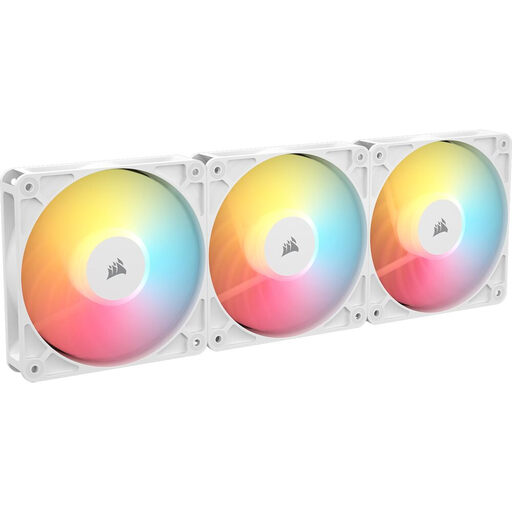
Why this choice suits this profile: This three-fan pack is for those looking to complete an ARGB gaming PC case with visible intakes and matching lighting.
The reverse airflow design avoids showing the rear frame when the fan is used as intake.
Three 120 mm fans, PWM control, 5 V 3-pin ARGB and daisy-chainable cables.
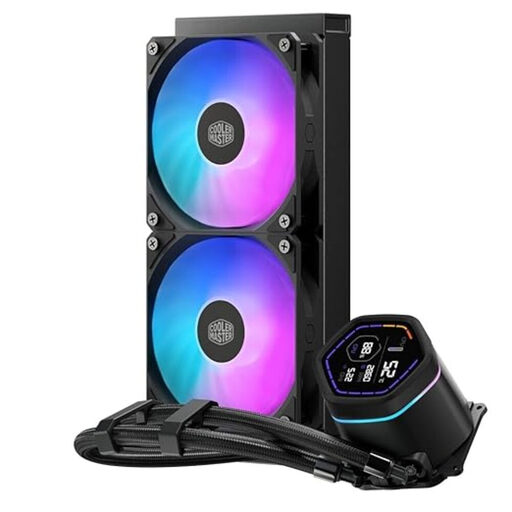
Why this choice suits this profile: Its 240 mm radiator is easier to fit than a 360 mm model, while offering a pump display capable of showing certain system information.
The spec sheet details the dimensions, tube length — 400 mm — and the presence of an internal USB 2.0 connector for the display.
Two ARGB fans, Intel LGA 1851/1700 and AMD AM5/AM4 compatibility, plus an advertised five-year warranty.
We've put together a comprehensive, real-time updated list of products that meet these strict selection criteria as well as European safety requirements.
Not necessarily. If your motherboard has multiple 5 V 3-pin ARGB headers, the fans can be connected directly. A controller becomes useful when the number of devices exceeds the available headers, or when the case relies on a particular synchronisation system.
A 240 mm AIO typically comes with two 120 mm fans, whereas a 360 mm AIO uses three. The 360 mm model requires more space, so you need to check its compatibility with your case dimensions. The choice depends as much on the available space as on your processor and expected workload.
Power consumption varies depending on the number of fans, their speed and the brightness of the lighting. As a guide, the spec sheet for the CORSAIR RS120 ARGB states a motor consumption of 2.4 to 3.6 W per fan, not including the lighting. PWM can reduce the speed when temperatures drop, which limits both noise and power consumption.