
Livraison le jour même ou le lendemain

Qualité garantie

Débloquez vos offres de bienvenue: Livraison GRATUITE | Jusqu'à -80 % | 30 jours d'essai gratuits à JoyPlus
Téléchargez l'application
A giant cinema screen on the train or a second monitor to work from anywhere?? What was once science fiction has become a reality with AR glasses. These devices promise to turn your smartphone, console, or laptop into an immersive visual experience, wherever you are. But be warned: the market is flooded with tempting marketing promises that often hide costly disappointments. Before taking the plunge, it's crucial to know how to avoid the pitfalls to make the right choice.
As the Head of Buyer's Guides at Joybuy, I'm here to help you see things more clearly and invest without regret.
Marketing materials may boast impressive spec sheets, but they often omit details that make all the difference in practice. Here are the most common traps:
To make the right choice, focus on the technical specs that truly matter.
Don't be mesmerised by the advertised virtual screen size (e.g., 201 inches). Three other parameters are far more important:
This is the most critical point. Meticulously check the connectivity options. The gold standard is USB-C with DisplayPort (DP).
While comfort is subjective, a few objective clues don't lie:
Instead of an exhaustive list, here is our curated selection for three user profiles, based on the criteria we've just covered.
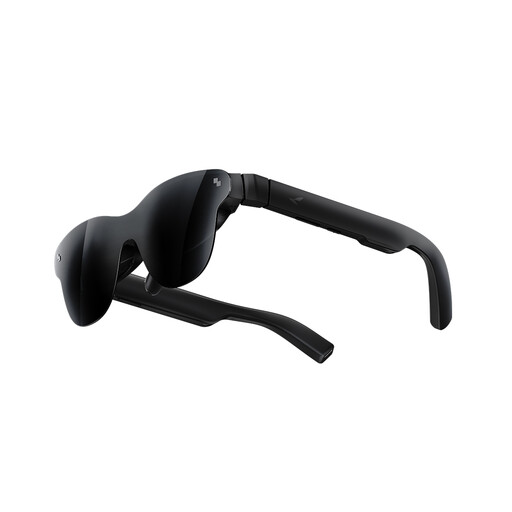
Why it's the right fit for them: Ideal for gamers on the Steam Deck, the upcoming Switch 2, or a smartphone. The 201-inch virtual screen and 120 Hz refresh rate deliver the essential fluidity for action games, turning any space into a private gaming arena.
The spec sheet is transparent about compatibility, so there are no nasty surprises with a "plug-and-play" feature that isn't. You know exactly what you're getting into.
The 120 Hz refresh rate is a decisive advantage for competitive gaming. HDR10 support enhances immersion in dark or highly colourful worlds.
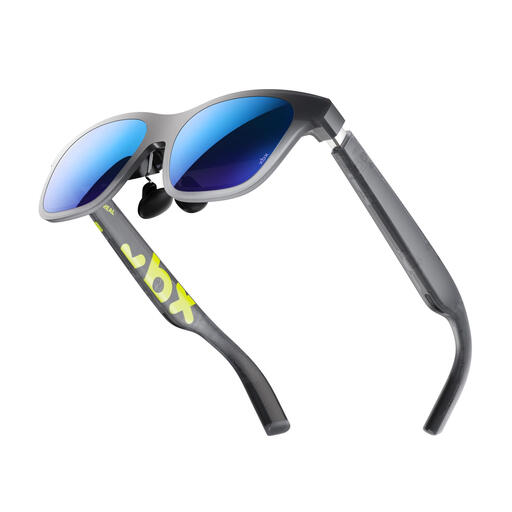
Why it's the right fit for them: Designed for film and series lovers who dream of a private virtual cinema session, anywhere. The high brightness and HDR10 support guarantee a faithful image, even in the darkest or most brilliant scenes.
Weighing just 62 grams, this model sidesteps the false comfort trap. Its light weight allows you to binge-watch episodes or enjoy a feature-length film without feeling any pressure on your nose.
Its 1600 nits brightness and HDR10 certification aren't just numbers: they are a guarantee of a vibrant, detailed image that outshines many competitors.
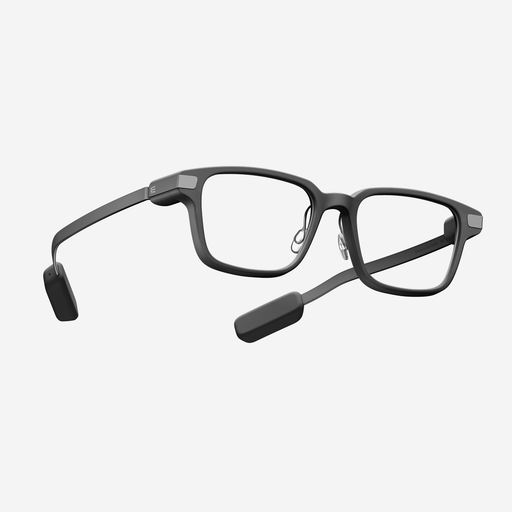
Why it's the right fit for them: These smart glasses are designed for discreet productivity. They display notifications, GPS directions, or even a teleprompter without isolating you. Their camera-free design is a mark of privacy, which is essential in a professional setting.
This model stands out with a two-day battery life in typical use, extended by its charging case. It avoids the pitfall of batteries that don't live up to their promises and are constantly dependent on your smartphone.
The camera-free design is a major asset for privacy and social acceptance. Add to that a solid battery life and a feather-light weight of 36 grams, and you have the ideal companion for a full workday.
We have selected a full range of products that meet our selection criteria and local standards.
It all depends on the model. Some pairs are OTG ("Over The Glasses") compatible and can be worn directly over your existing eyewear. Others offer prescription lens inserts, which can be fitted by an optician. This is a crucial point to check if you wear glasses.
Yes, a slight warming is unavoidable, as all the electronics are packed into the arms. However, good models are designed to dissipate this heat outwards, away from your skin. If you feel unpleasant heat on your temples or nose, it's often a sign of poor design.
Although the two are often confused, the distinction is significant. AR (Augmented Reality) glasses, like those from XREAL or RayNeo, are designed to project a large virtual screen for entertainment (gaming, films) or work (as a secondary monitor). Smart glasses, like the Even G2 model, are more discreet. They focus on displaying notifications, navigation, or providing voice assistance, with a look that is similar to regular glasses. Your choice will therefore depend on your needs: total immersion or a discreet everyday assistant.