
Livraison le jour même ou le lendemain

Qualité garantie

Débloquez vos offres de bienvenue: Livraison GRATUITE | Jusqu'à -80 % | 30 jours d'essai gratuits à JoyPlus
Téléchargez l'application
Navigating the jungle of connectors is a real headache. With identical-looking USB-C cables and promises of stratospheric speeds, it's easy to make the wrong purchase. An unsuitable cable doesn't just throttle your devices' performance; it can also jeopardise their safety. This guide separates fact from fiction and helps you choose the perfect cable for your needs, with a focus on the highest-performing solutions like the Apple Thunderbolt 4 Pro Cable (1.8 m).
To avoid buyer's remorse (and throwing your money down the drain), here are the most common mistakes to be aware of.
To ensure your cable will live up to its promises, three features must be closely examined.
For professionals, transfer speed is undoubtedly the number one criterion. It's measured in gigabits per second (Gbit/s).
Expressed in watts (W), charging power is essential for powering your devices, especially the most power-hungry ones. The Power Delivery (PD) technology enables smart, fast charging. For a laptop like a MacBook Pro or a Mac Studio, a 100 W charging cable for MacBook is the bare minimum to ensure stable and fast power, even during the most intensive tasks. With an underpowered cable, charging will be very slow at best, or non-existent at worst.
A 1.8 m braided cable, whether from Apple or another reputable brand, will always offer better resistance to daily wear and tear. Its braided sheath prevents tangles and effectively protects the internal wires. The 1.8-metre length is an excellent compromise: it provides good flexibility on a desk without creating a spaghetti mess.
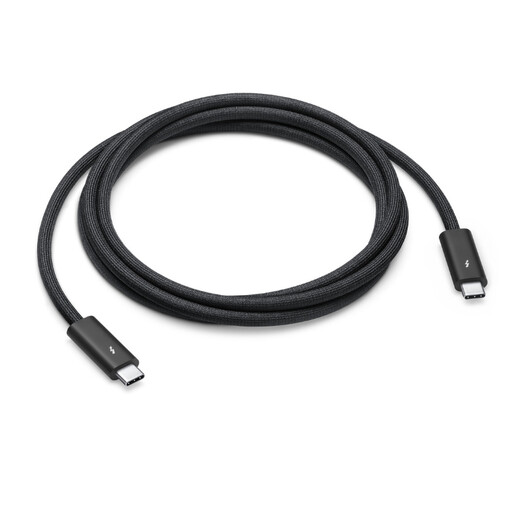
Why we recommend it: This is the go-to cable for videographers, photographers, and designers who juggle very large files. It's designed to unlock the full potential of Mac Studio, MacBook Pro, and displays like the Pro Display XDR, for whom every second of transfer time is precious.
It checks all the boxes of the Thunderbolt 4 standard, with no unpleasant surprises. No more second-guessing the actual performance. You're guaranteed to get what you pay for: 40 Gbit/s, 100 W, and uncompromised video output.
Data transfer speeds up to 40 Gbit/s and support for DisplayPort video output (HBR3). Its braided design (model MW5J3ZM/A) is a guarantee of durability.
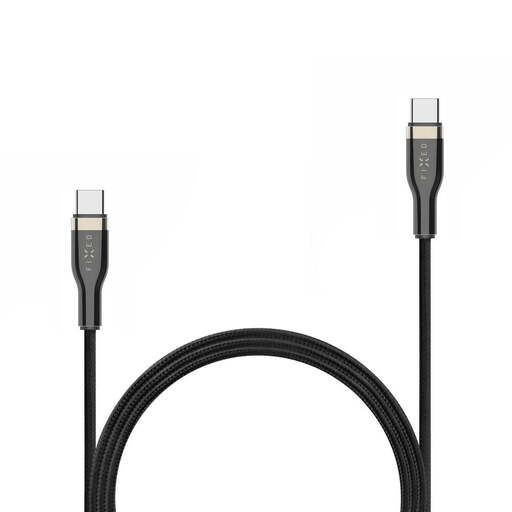
Why we recommend it: Perfect for those who primarily want to fast-charge a laptop (PC or Mac) and occasionally sync data. It's robust and delivers the necessary power without the premium price for extreme speeds you don't need.
It gets straight to the point: reliable 100 W power and a solid braided construction. No false promises on speed, making it excellent value for this purpose.
Fast charging up to 100 W and a durable braided design. The little extra: it comes with practical accessories like a cable strap.
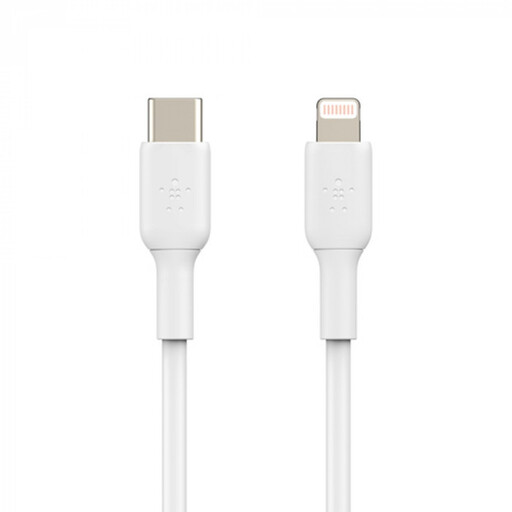
Why we recommend it: Essential for iPhone or iPad owners with a Lightning port who want to connect to a modern Mac or a USB-C wall charger. This cable bridges the gap between two connector generations within the Apple ecosystem.
Its MFi (Made for iPhone/iPad) certification is a guarantee of absolute compatibility and safety. No more error messages or risks of damage from uncertified cables, which often stop working after the first software update.
It unlocks fast charging on compatible iPhone models (from iPhone 8 onwards), provided it's paired with a USB-PD charger of at least 18 W.
Discover our complete and up-to-date selection of products that meet our selection criteria and current standards.
A standard USB-C cable might be limited to slow charging and basic data transfers (480 Mbit/s, the speed of USB 2.0). A Thunderbolt 4 cable, while using the same physical connector, is an "active" solution that guarantees a 40 Gbit/s throughput, up to 100 W charging, and support for high-resolution video. It's simply the best you can get on a USB-C port.
For most setups, 1.8 metres is the ideal compromise. It's long enough to connect a laptop to a monitor or docking station without the cable being taut, but short enough to avoid a tangled mess behind the screen. In short, it's a versatile length perfect for the majority of setups.
For browsing the web, office work, or streaming video, the answer is no. A 40 Gbit/s cable is overkill. However, if you regularly transfer multi-gigabyte files (video editing, RAW photos, full system backups), the time savings will be dramatic and will fully justify the investment. For simply charging a laptop, a 100 W cable without Thunderbolt speeds will be a much more economical and equally effective option.