
Livraison le jour même ou le lendemain

Qualité garantie

Débloquez vos offres de bienvenue: Livraison GRATUITE | Jusqu'à -80 % | 30 jours d'essai gratuits à JoyPlus
Téléchargez l'application
The iPad is much more than just a tablet: it's a powerful tool for work, creativity, and learning. To get the most out of it, a stylus quickly becomes essential. But with so many different models on the market, how do you choose? This guide takes a closer look at the 1st generation Apple Pencil to help you decide if it's the right fit for you and your iPad.
Before you take the plunge, let's review the essential criteria to ensure you make the right choice.
This is the number one, non-negotiable criterion. A stylus simply won't work if it's not recognised by your iPad model. Therefore, the first question to ask is about the Apple Pencil's compatibility.
The Apple Pencil (1st generation) is compatible with the following iPad models:
*A key point to note: To use the Apple Pencil with an iPad (10th generation), a USB-C to Apple Pencil Adapter is required for pairing and charging. This adapter is usually included if you purchase a recent version of the stylus (model MQLY3AM/A).
Much more than a simple iPad stylus, the Apple Pencil was designed to offer an incredibly natural writing and drawing experience. It relies on two major technologies:
These features make it remarkably effective for taking handwritten notes, annotating PDFs, or creating detailed sketches and illustrations.
Pairing and charging the 1st generation Apple Pencil is done via its Lightning connector. On most compatible iPads, you simply remove the cap and plug the stylus directly into the tablet's port.
Remember that the 10th generation iPad, with its USB-C port, is the exception. Using the adapter becomes essential to connect and charge the stylus.
For owners of one of the many compatible iPad models, the first-generation Apple Pencil remains a solid choice to transform their tablet into a smart notebook or a digital canvas.
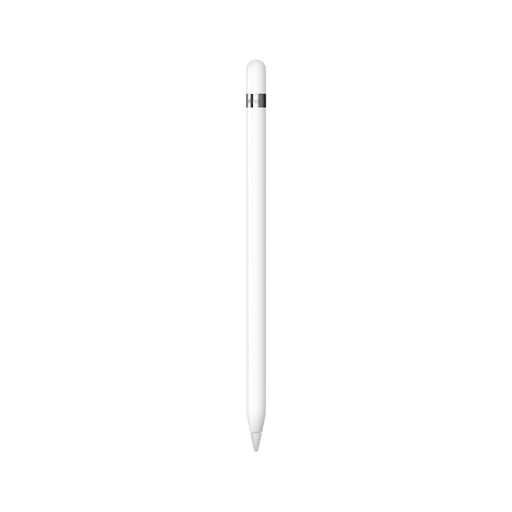
Apple Pencil (1st generation) - White
This stylus shines with its pixel-perfect precision and nearly imperceptible lag, providing a stunningly natural writing and drawing feel. Its seamless integration with iPadOS unlocks native features like Scribble, which converts your handwriting into typed text on the fly. It is, quite simply, the benchmark tool, tailor-made for a wide range of iPads.
If you're looking for other accessories to complete your setup or personalise your workspace, take a look at our selection.
? Discover our selection of custom aprons with logos
The easiest way is to check the exact model of your iPad. To do this, go to Réglages > Général > Informations. The "Model Name" is displayed there. You can then compare it with the compatibility list provided earlier in this guide. As a general rule, iPads with a Lightning port (except for the most recent Pro models) are often compatible.
The main differences relate to design, charging method, and compatibility. The Apple Pencil 2 has a flat-sided design with a matte finish; it charges and pairs magnetically by attaching to the side of compatible iPads (usually recent Pro, Air, and mini models). It also supports the double-tap gesture for switching tools. The Apple Pencil 1 is round, charges via its Lightning port, and is compatible with a different, often older or entry-level, range of iPads.
The 10th generation iPad has a USB-C port, while the Apple Pencil 1 uses a Lightning connector. To charge it, you will need to use the USB-C to Apple Pencil Adapter. Plug the stylus into one end of the adapter and a USB-C cable (connected to your iPad or a power adapter) into the other. Note that this adapter is also required for the initial pairing.