
Livraison le jour même ou le lendemain

Qualité garantie

Débloquez vos offres de bienvenue: Livraison GRATUITE | Jusqu'à -80 % | 30 jours d'essai gratuits à JoyPlus
Téléchargez l'application
Whether you’re studying, working remotely, drawing, joining a video call or watching content on your commute, the Apple iPad Air M4 is suited to a wide range of uses. The key is choosing the right configuration. Between screen sizes, storage, Wi-Fi or Cellular connectivity and accessories, a poorly considered decision can quickly push up the price without adding much to your everyday experience.
This Joybuy selection is based on verifiable technical specifications and real-life usage profiles to help you choose an Apple tablet that genuinely matches your priorities.
An 11-inch iPad Air M4 offers a very comfortable workspace for displaying two apps side by side, editing images or typing with a keyboard. In return, it takes up more room in your bag and is less convenient to handle when you’re standing or travelling.
The 11-inch iPad Air M4 is easier to carry and hold on the train, in a lecture theatre or while travelling. It’s ideal for taking notes and viewing documents, but its display area reaches its limits sooner with large spreadsheets or detailed editing work.
The capacity of the 128GB, 256GB or 512GB iPad Air has no effect on the chip’s performance, but it directly affects how comfortable the tablet is to use over time. Apps, downloaded videos, work files and creative projects can quickly fill the available space.
A Wi-Fi iPad connects to your home or office network, or to a smartphone’s personal hotspot. It avoids the need for an additional mobile plan and meets the needs of many users.
The iPad Wi-Fi + Cellular version adds mobile connectivity, generally through an eSIM, depending on the model specifications. It comes into its own if you travel frequently, work on-site or work from places where Wi-Fi isn’t always available. However, you’ll need a compatible data plan and should check the terms offered by your network provider in France.
The models featured here come with an Apple M4 chip, designed for multitasking, graphics applications and the artificial intelligence features integrated into the operating system. The specifications also list 12GB of unified memory on the M4 configurations available.
This amount of memory can make a difference if you regularly switch between word processing, browsing, video conferencing and creative apps. However, it shouldn’t be the only factor you consider if you mainly check emails and stream videos.
The availability of Apple Intelligence and certain features depends on the language, region and version of iPadOS installed. It’s better to check which features are actually accessible when you buy, rather than assuming that all advertised functionality is available everywhere.
The Liquid Retina display uses a backlit IPS panel. The 11-inch configurations offer a resolution of 2360 × 1640 pixels, compared with 2732 × 2048 pixels for the 13-inch models, with a pixel density of 264 ppi.
To help you choose:
The Apple Pencil Pro and Magic Keyboard are compatible with the models featured, but are sold separately. The former is mainly suited to handwritten note-taking, drawing and tasks that require precision. The latter makes the tablet feel more like a laptop, thanks to its keyboard and trackpad.
The USB-C port is used to charge the tablet and connect certain peripherals. The specifications claim up to 10 hours of Wi-Fi browsing or video playback in certain configurations. In practice, battery life will depend on brightness, the apps you use, network quality and connected accessories.
The models below meet three different needs. Available colours may vary depending on stock.
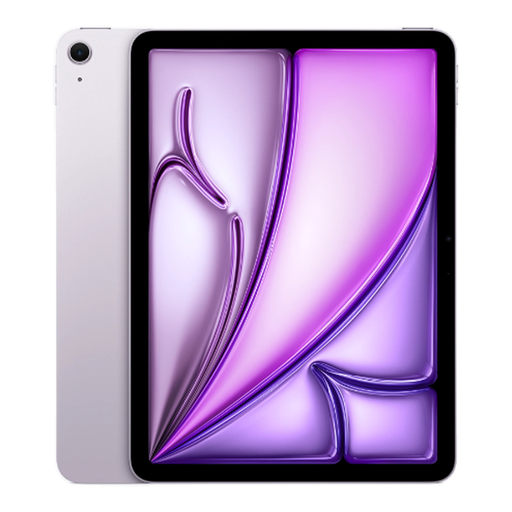
Why this choice suits this profile : its compact format and 128GB capacity are well suited to lessons, viewing content, taking notes and everyday tasks, without the need for a dedicated mobile plan.
It avoids paying for Cellular connectivity or disproportionate storage if your files are mainly kept in the cloud.
M4 chip, 11-inch Liquid Retina display, Wi-Fi, USB-C and compatibility with the Apple Pencil Pro.
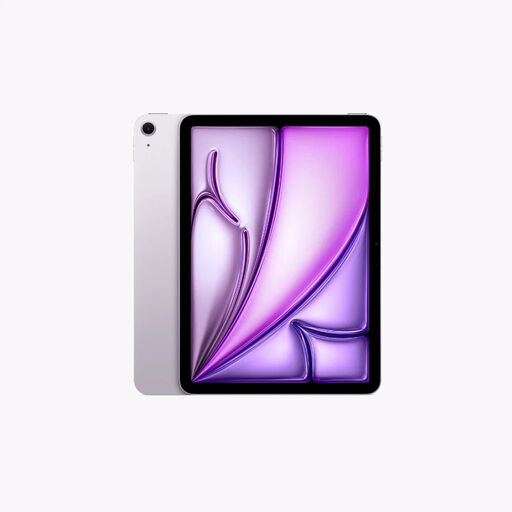
Why this choice suits this profile : its large display and 256GB capacity provide plenty of room for working, drawing, managing documents and watching content.
Its mid-range capacity reduces the risk of running out of space quickly without requiring 512GB for a moderate user.
13-inch display with 2732 × 2048-pixel resolution, Apple M4 chip, 12GB of memory and an ultra-wide front camera with Centre Stage.
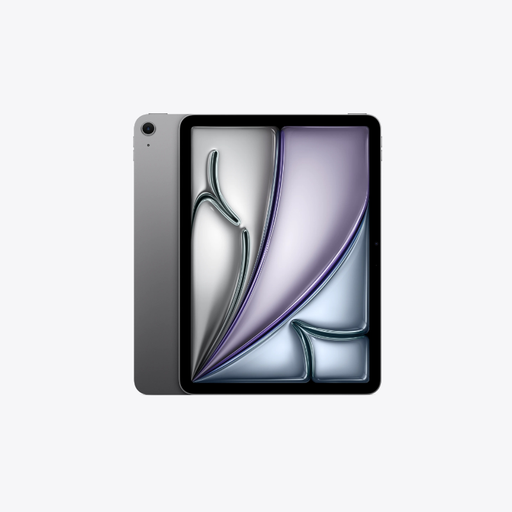
Why this choice suits this profile : it combines a large workspace, 256GB of storage and mobile connectivity for business travel or creative projects.
It means you won’t always have to rely on a Wi-Fi network, while retaining enough capacity for typical work files.
Wi-Fi + Cellular with 5G, 13-inch Liquid Retina display, 12GB of memory and compatibility with the Apple Pencil Pro and Magic Keyboard.
We’ve put together a complete, real-time selection of products that meet these demanding criteria, while complying with European safety regulations.
With a Magic Keyboard, it can handle writing, web browsing, video conferencing and some project management tasks. However, certain professional software, peripherals and workflows remain more comprehensive on macOS or Windows. Before buying, check that the apps you use every day are compatible with iPadOS.
Choose 128GB for mainly online use. The 256GB models give you more room for lessons, documents, photos and apps. The 512GB versions are better suited to users who regularly store videos, large games or creative projects directly on the tablet.
Not necessarily. The Apple Pencil Pro is mainly worthwhile for drawing and handwriting, while the Magic Keyboard is best suited to people who regularly type long texts. If you mainly use your tablet for video, reading and browsing, a case and separate keyboard may be perfectly sufficient.