
Livraison le jour même ou le lendemain

Qualité garantie

Débloquez vos offres de bienvenue: Livraison GRATUITE | Jusqu'à -80 % | 30 jours d'essai gratuits à JoyPlus
Téléchargez l'application
A cable that gets hot, a power bank that's too heavy, or a charger that doesn't deliver the power it promises – Anker charging accessories cater to a wide range of needs, but their features can vary considerably from one model to another. To avoid nasty surprises, it's best not to rely solely on claims like "fast charging" or "compatible with multiple devices." The truly useful technical specifications deserve a closer look.
A 100 W USB-C charger won't force 100 W into a smartphone. The power is negotiated between the charger, the cable and the connected device. A laptop can make use of higher power, whereas a phone or earphones will draw a much lower amount.
Before you choose, check:
The mention USB-C to USB-C 240 W cable primarily tells you about its charging capability. It doesn't guarantee high-speed file transfers or support for video output. Some cables are still limited to USB 2.0, with a maximum data transfer rate of 480 Mbit/s.
For a laptop, tablet or external SSD, take the time to distinguish between:
An Anker wireless charger or 3-in-1 charging station can make your daily life much simpler. However, your phone case, magnetic alignment and the supported standard can all affect the experience. The phrase "MagSafe Compatible" doesn't mean every device will get the same charging power.
If you plan to charge an iPhone, an Apple Watch and AirPods, check the compatibility of each charging spot individually. Also check whether a mains adapter is included: some stands come with a cable but not the wall charger.
At home or in the office, an Anker charger with multiple ports can replace several adapters. The Anker 736 Wall Charger features two USB-C ports and one USB-A port, with a maximum power output of 100 W. Its specifications also mention GaN II technology and CE certification.
However, pay attention to the total power. When several devices are plugged in at the same time, the power distribution may differ from the maximum available on a single port.
An Anker 20,000 mAh power bank can be handy for long days or extended trips. However, its actual usable capacity is lower than the stated theoretical value, mainly due to conversion losses. Weight, size and output power are therefore just as important as the milliamp-hour rating.
The Anker A1384G11 power bank has a capacity of 20,000 mAh, weighs 300 g and measures 4 × 8 × 5 cm. If you're planning to fly, check the airline's rules and look at the energy capacity in Wh on the label or in the documentation.
To lighten your bag, a 5,000 or 10,000 mAh power bank might be a better compromise. However, it will provide fewer full charges.
A USB-C to Lightning cable is still suitable for Apple devices with a Lightning port. The Anker 541 model is described as MFi certified, compatible with Lightning devices and capable of supporting up to 30 W according to its product sheet. The mains charger is not included.
For newer devices with a USB-C port, go for a USB-C to USB-C cable instead. A 90 cm length works well at a desk or with a power bank. A 180 cm model gives you more freedom near a sofa or bedside table.
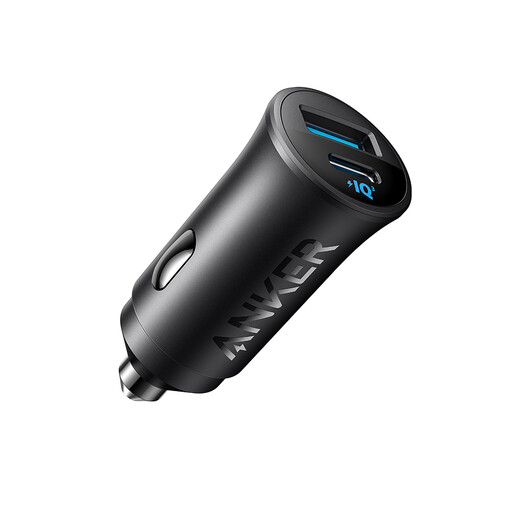
Why this suits this profile: It's ideal for daily commutes and lets you charge two devices in the car thanks to its USB-C and USB-A ports.
The 30 W power and two ports are clearly stated, which limits nasty surprises from a product description that's too vague.
USB-C port up to 30 W, additional USB-A port and compact size as stated on the product sheet.
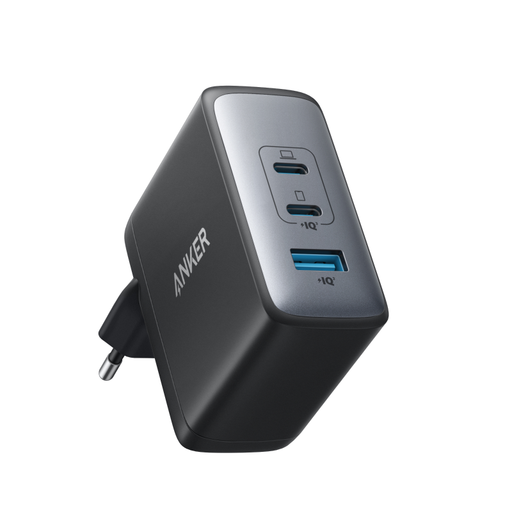
Why this suits this profile: It's aimed at remote workers and professionals who want to power a laptop, phone and earphones with a single adapter.
Its three ports and maximum power are detailed, so you can match its configuration to your actual workstation needs.
100 W maximum, GaN II technology, two USB-C ports and one USB-A port.
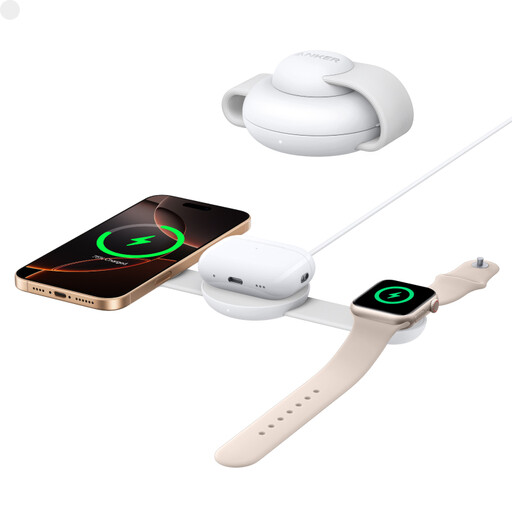
Why this suits this profile: This foldable station combines charging for an iPhone, Apple Watch and AirPods, whether at home or on a business trip.
The product sheet specifies Qi2 compatibility, 15 W wireless charging, Apple Watch charging and a 40 W adapter included.
Foldable design, simultaneous charging of three devices and landscape viewing mode.
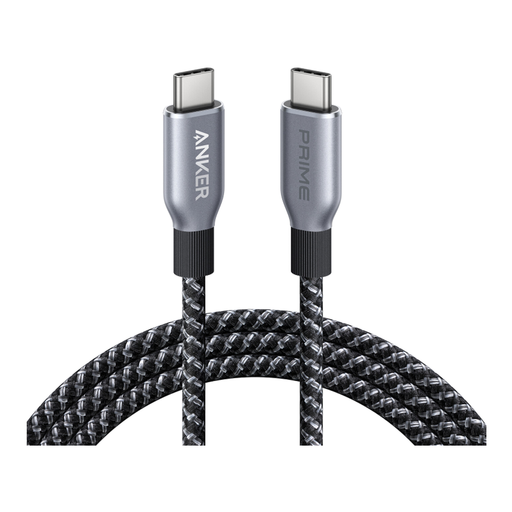
Why this suits this profile: At 180 cm, it works well with laptops, tablets and smartphones used in a variety of settings.
The product sheet distinguishes charging up to 240 W from USB 2.0 data transfer. A useful detail to avoid confusing high power with high video bandwidth.
Rated power of 240 W, E-Marker chip, braided sleeve and 180 cm length.
We've put together a comprehensive, real-time updated selection of products that meet these demanding criteria as well as European safety standards.
A USB-C model of at least 65 W can work for many laptops, provided they accept that power level. If you need to charge multiple devices, the 100 W model with two USB-C ports and one USB-A port offers a versatile setup. The cable should also be USB-C to USB-C and compatible with the power you need.
Power banks generally need to be carried in hand luggage. However, the exact conditions depend on their capacity in Wh and the airline's rules. Check the product label and the carrier's guidelines before you travel. As a precaution, never put a power bank in checked baggage without first verifying the applicable rules.
It all depends on how often you use it, how much it's twisted, the strain on the connectors, heat and storage conditions. A braided sleeve can withstand repeated use better, but it doesn't make the cable indestructible: avoid sharp bends in particular. To preserve it, unplug it by holding the connector rather than the cable, and use the cable tie when provided.